If you owned a Windows 8 Home retail copy, upgraded it to Windows 10 on an old PC, and later moved to a new PC with Windows 11 Home, activation can feel confusing. Microsoft ended the free upgrade path years ago, and most online answers contradict each other.
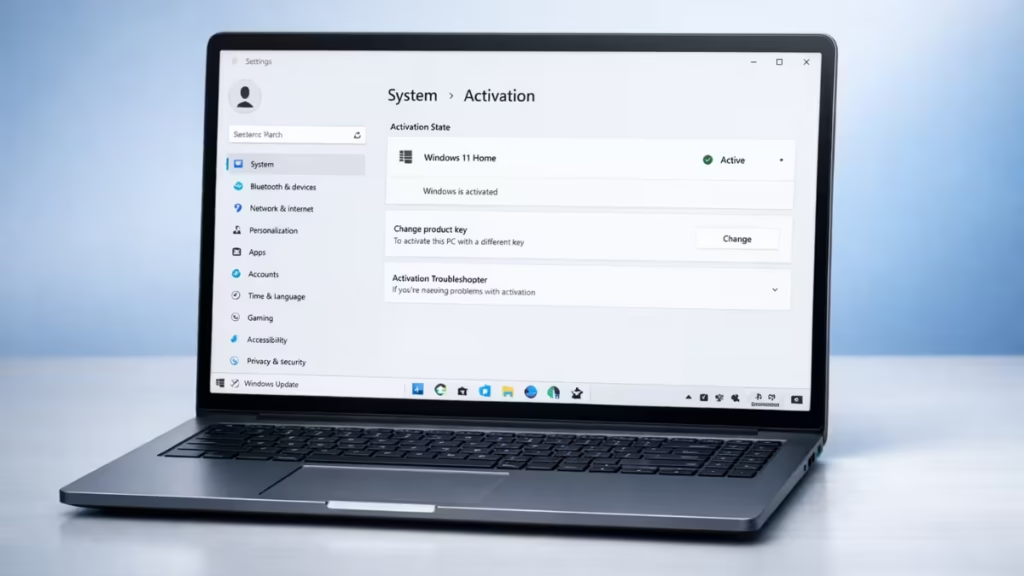
Is a Windows 8 Retail License Still Valid for Windows 11?
A retail Windows license is different from an OEM license.
A Windows 8 retail license:
- Is transferable to another PC
- Can be used on one device at a time
- Does not lose retail status after upgrading to Windows 10
The upgrade to Windows 10 did not cancel your ownership. The problem today is not legality. The problem is activation enforcement.
What Changed After Microsoft Ended the Free Windows 7/8 Upgrade Path
Microsoft ended the installation path that automatically converts Windows 7 or Windows 8 keys into Windows 10 or Windows 11 digital licenses.
This change means:
- Windows setup may reject old keys
- Online activation often fails
- Automatic entitlement creation no longer happens
Microsoft did not revoke retail license rights. It removed the automated upgrade mechanism.
When You Can Still Activate Windows 11 With a Windows 8 Retail Key
You can activate Windows 11 only if you still have the original Windows 8 retail product key.
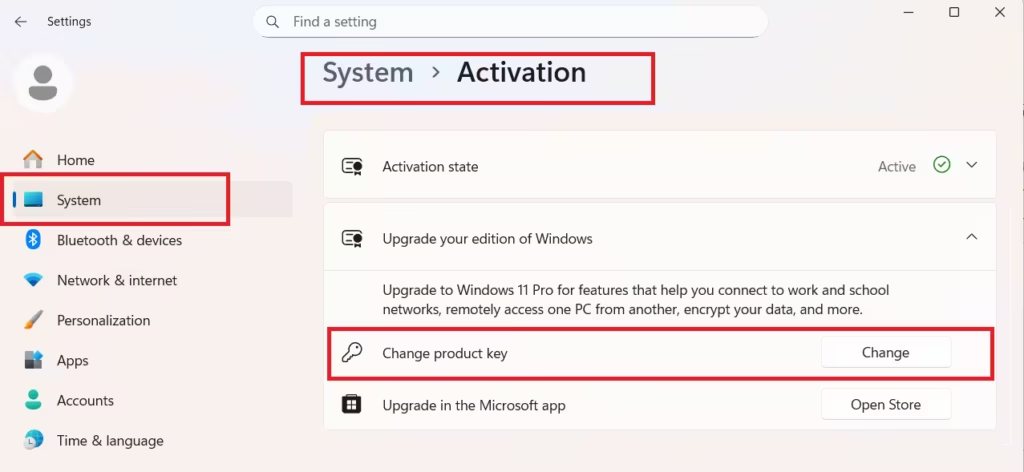
Steps to activate using your Windows 8 retail key
- Open Settings
- Go to System → Activation
- Click Change product key
- Enter your Windows 8 Home retail key
- Confirm and wait for activation
Windows 11 may activate immediately. If it does not, continue to phone activation.
Use Phone Activation if Online Activation Fails
Online activation sometimes rejects older retail keys even when they are valid.
Phone activation steps
- Press Win + R
- Type:
slui 4- Select your country
- Call the displayed Microsoft activation number
- Explain clearly:
- You owned a Windows 8 Home retail license
- The old PC is no longer available
- You are transferring the license to a new PC
Microsoft may approve manual activation.
When Windows 11 Activation Is No Longer Possible With a Windows 8 Key
Activation will not work in these cases:
- You lost the Windows 8 retail key
- The old PC is discarded and cannot be checked
- The license was never linked to a Microsoft account
- You have no proof of the original purchase
Microsoft does not reissue lost retail product keys.
Best Safe Options If You Cannot Activate
If you no longer have the Windows 8 retail key, buying a license is the only legal option.
Recommended choices
- Windows 11 Home (Retail) – best long-term option
- Windows 10 Home (Retail) – still upgrades to Windows 11
Avoid OEM licenses if you plan to change hardware again. Check out- Windows 11 Pro vs Home: Which Edition Is Right for You?
FAQs
Can I activate Windows 11 with a Windows 8 retail key in 2026?
Yes, you can activate Windows 11 with a Windows 8 retail key in 2026 only if you still have the original retail product key. Microsoft removed the free upgrade installation path, but it did not revoke retail license ownership.
Does a Windows 8 retail license still work on a new PC?
A Windows 8 retail license remains legally transferable to a new PC, as long as it is used on only one device at a time and the original product key is available.
Why does Windows 11 reject my Windows 8 key during activation?
Windows 11 may reject a Windows 8 key because Microsoft ended the automated upgrade activation system. This is a technical restriction, not a cancellation of retail license rights.
Can I activate Windows 11 if my old PC is discarded?
You can activate Windows 11 on a new PC only if you still have the Windows 8 retail key. If the old PC is gone and the key is lost, activation is no longer possible.
Does upgrading from Windows 8 to Windows 10 remove retail license rights?
No, upgrading from Windows 8 retail to Windows 10 does not remove retail license rights. The license remains transferable, but activation depends on whether the original key is still available.
Can Microsoft recover my Windows 8 retail product key?
Microsoft does not recover or reissue lost Windows 8 retail product keys. Without the key or proof of purchase, activation cannot be completed.
Is phone activation still possible for Windows 11 with a Windows 8 key?
Phone activation may still work in some cases when online activation fails, but success depends on Microsoft’s activation review and whether the retail key can be validated.
What is the best option if I can’t activate Windows 11 with my old key?
If you cannot activate Windows 11 with a Windows 8 retail key, the only safe solution is to purchase a Windows 11 Home retail license or a Windows 10 Home retail license, which still upgrades to Windows 11.

