Amazon Web Services has expanded virtualization flexibility by enabling nested virtualization on virtual Amazon EC2 instances. With this update, developers and enterprises can now run a hypervisor inside a standard EC2 virtual machine, without relying on bare metal hardware.
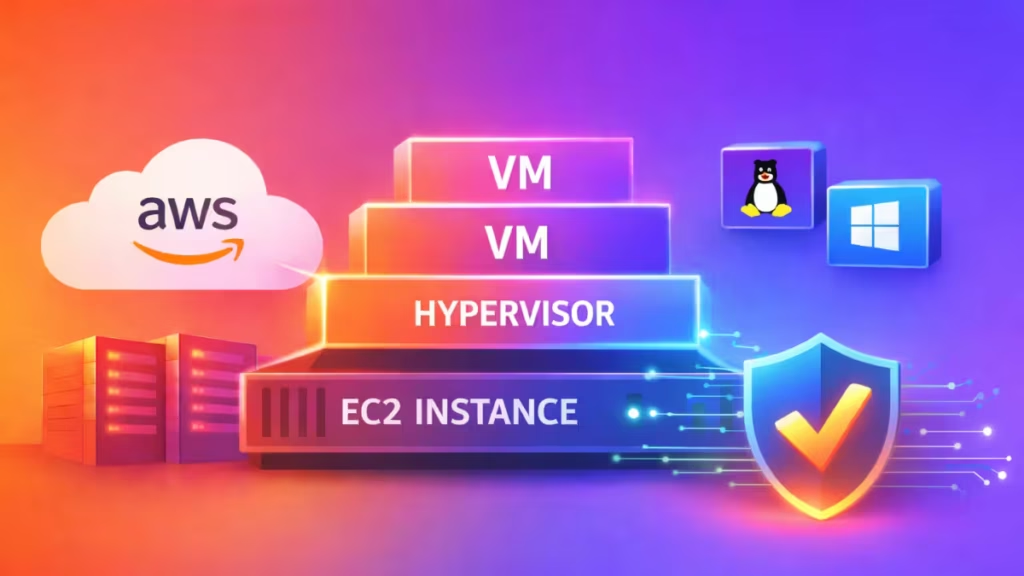
Previously, AWS limited nested virtualization to bare metal instances. This change allows customers to create virtual machines inside virtual machines, opening new possibilities for testing, simulation, and Windows-based development workflows.
What Nested Virtualization Means on Amazon EC2
Nested virtualization allows a hypervisor such as KVM or Hyper-V to run inside a virtual EC2 instance. That hypervisor can then create and manage additional guest virtual machines.
All EC2 instances already run on AWS’s Nitro hypervisor. With this update, the Nitro System now passes hardware virtualization extensions directly to supported virtual instances, enabling full L1 and L2 virtualization layers without exposing the underlying host.
Supported EC2 Instance Types
AWS currently supports nested virtualization on the following instance families:
- C8i
- M8i
- R8i
These instances use Intel Xeon 6 processors, which provide enhanced isolation and virtualization capabilities. AWS has made this feature available in all commercial regions at no additional cost .
Supported Hypervisors and Operating Systems
AWS supports the following L1 hypervisors:
- KVM
- Microsoft Hyper-V
Developers can use nested virtualization to run tools such as:
- Windows Subsystem for Linux 2 (WSL2)
- Docker Desktop
- Android Studio emulators
- QEMU-based virtual environments
This change removes the need to switch to bare metal instances just to support these workloads.
How Nested Virtualization Works on Amazon EC2
AWS uses a three-layer architecture:
- L0: Physical AWS infrastructure and the Nitro hypervisor
- L1: Your EC2 instance running KVM or Hyper-V
- L2: Virtual machines created inside that instance
The Nitro System securely passes Intel VT-x extensions through each layer while preserving isolation between tenants.
Important Limitations to Know
Nested virtualization comes with a few restrictions:
- Windows Credential Guard automatically disables itself
- EC2 hibernation does not work with nested virtualization
- Windows instances with more than 192 CPUs do not support it
- Performance-sensitive workloads may still benefit from bare metal instances
AWS recommends testing latency-critical workloads carefully before moving them to nested environments.
This update gives developers more freedom to choose cheaper, flexible EC2 instance types while still running advanced virtualization stacks. It also reduces friction for teams that rely on Windows-based tools, emulators, or containerized workflows that require hardware virtualization.
While Azure and Google Cloud already offer similar capabilities, AWS now closes a key feature gap—without increasing costs.
How to Enable Nested Virtualization on Amazon EC2
You can enable nested virtualization on Amazon EC2 either when launching a new instance or by updating an existing one. In both cases, the process is quick and does not require additional software or licensing changes.
During instance launch, select a supported EC2 instance type, open Advanced details, and enable the Nested virtualization option before launching the instance.
On an existing instance, stop the instance first. Then open CPU options in the instance settings and enable nested virtualization. Save the changes and restart the instance.
Once the instance restarts, AWS applies nested virtualization immediately, allowing you to run supported hypervisors and create nested virtual machines.

