The Flashpoint update in ARC Raiders brings more than just new enemies and gameplay changes—it also introduces limited-time Twitch Drops that reward you for simply watching streams. If you want free cosmetic items without grinding missions, this event is one of the easiest ways to boost your inventory.
These Twitch Drops are time-limited and require a few simple steps to unlock. Miss one step, and you may not receive your rewards. This guide walks you through everything clearly, from linking your account to claiming every reward before the event ends.
ARC Raiders Flashpoint Twitch Drops Event Duration
The Twitch Drops campaign is available for a limited time:
- Start: March 31, 2026
- End: April 28, 2026
You must both watch streams and claim rewards before the event ends. If you forget to claim, you lose the items even if you completed the watch time.
All Twitch Drop Rewards in Flashpoint Update
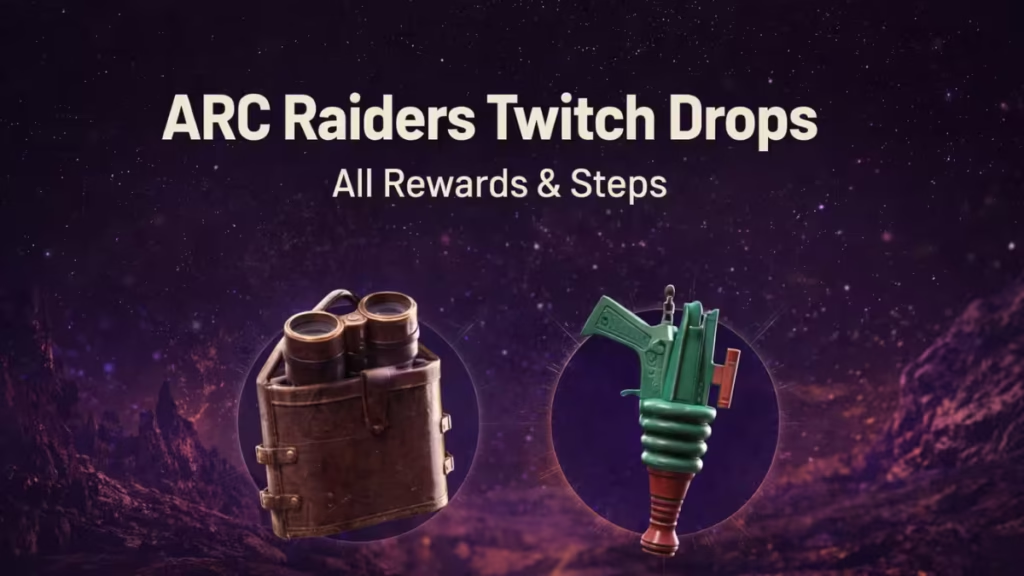
The Flashpoint event offers two exclusive cosmetic rewards. These are simple to unlock but require specific watch durations.
| Reward | Category | Requirement |
|---|---|---|
| Binoculars | Bag Tag | Watch 1 hour |
| Space Blaster | Bag Tag | Watch 2 hours |
These rewards are cosmetic only, but they are limited-time items, which makes them valuable for collectors.
How to Link Your Twitch Account (Important Step)
Before watching any stream, you must link your account. Without this, your watch time will not count.
Follow these steps:
- Go to the Embark ID official website
- Log in using your platform account
- Open Connected Platforms
- Link your Twitch account
Once linked, your account becomes eligible for Twitch Drops.
How to Claim ARC Raiders Twitch Drops
After linking your account, follow this process carefully to avoid missing rewards.
Step-by-step process:
- Open Twitch and search for ARC Raiders streams
- Select a stream with the “Drops Enabled” tag
- Watch the stream:
- 1 hour for Binoculars
- 2 hours total for Space Blaster
- Go to the Twitch Drops Inventory page
- Click Claim on each reward
- Restart the game if items don’t appear
Your rewards will show in the Customization section once claimed.
How Watch Time Works (Important Tip)
Understanding watch time helps you avoid mistakes.
- You do NOT need to watch continuously
- You can split time across multiple sessions
- Watching multiple streams at once does NOT speed up progress
- Only one active stream counts at a time
This makes it easy to complete the drops casually.
Where to Track Your Progress
You can track your progress directly on Twitch:
- Open Twitch Drops Inventory
- See current progress toward each reward
- Check claim status
This helps you avoid missing the final step.
If you follow the steps correctly—especially linking accounts and claiming rewards—you can grab both items without any hassle. Since the event ends in April 2026, it’s best to complete it early before time runs out. Play Now!
