If you see “Matchmaking Error (#1): We couldn’t connect to the match”, your game failed to connect to Fortnite servers. This error usually appears due to server issues, network problems, or corrupted game files.
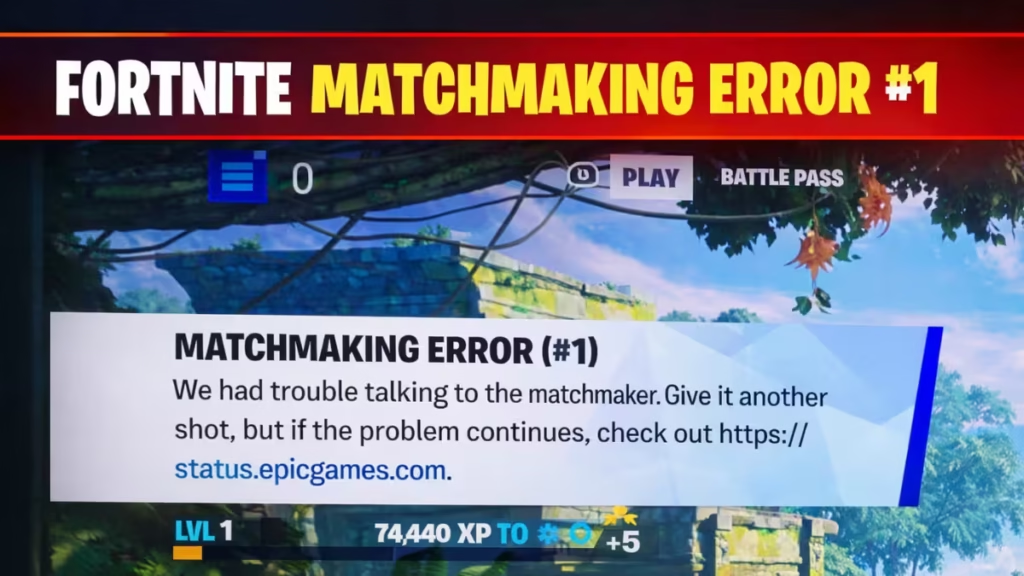
This guide shows exact fixes in order, so you can get back into matches fast.
Step 1: Check Fortnite Server Status (Do This First)
Always start here.
- Open Epic Games server status page
- Check Fortnite Status on X (Twitter)
- Look for “Matchmaking Down” or outages
If servers are down: There is nothing to fix. Wait until Epic restores services and try again.
Step 2: Restart Game and Internet
Fix temporary glitches fast.
- Close Fortnite completely
- Restart Epic Games Launcher (PC)
- Restart console or PC
- Turn off router → wait 30 seconds → turn on
This refreshes your connection and removes temporary bugs.
Step 3: Change Matchmaking Region
Sometimes your default region fails.
Steps:
- Open Settings → Game tab
- Change “Matchmaking Region”
- Select a nearby region with low ping
This improves server connection stability.
Step 4: Check Your Internet Connection
Make sure your network is stable.
- Test another online game
- Switch Wi-Fi → mobile hotspot (for testing)
- Disable VPN or proxy
- Avoid high network usage (downloads/streaming)
Error #1 often appears when the connection is unstable.
Step 5: Verify Game Files (PC Only)
Fix corrupted or missing files.
Steps:
- Open Epic Games Launcher
- Go to Library → Fortnite
- Click 3 dots → Manage → Verify
This repairs broken files automatically.
Step 6: Clear Cache / Restart System
Fix update-related bugs.
- Restart your device fully
- Clear system cache (console/PC)
Corrupted cache can block matchmaking.
Step 7: Remove Custom Matchmaking Codes
If you used custom games:
- Remove any active matchmaking code
- Return to normal matchmaking
Custom codes can block normal queues.
Step 8: Party Fix (If Playing With Friends)
If you are in a squad:
- All players click Unready
- Party leader clicks Ready again
This resets matchmaking for the party (common fix reported by players).
FAQs
What is Fortnite matchmaking error #1?
Fortnite matchmaking error #1 means the game cannot connect you to a match, usually due to server issues, internet problems, or temporary glitches.
How to fix Fortnite matchmaking error #1 quickly?
To fix Fortnite matchmaking error #1 quickly, check server status, restart your game and router, change matchmaking region, and verify game files if needed.
Why does Fortnite show matchmaking error #1?
Fortnite shows matchmaking error #1 when servers are down, your internet is unstable, or the game fails to establish a proper connection.
Is matchmaking error #1 in Fortnite a server issue?
Yes, matchmaking error #1 in Fortnite is often caused by server outages or overload, which means you may need to wait until Epic fixes it.
How long does Fortnite matchmaking error #1 last?
Fortnite matchmaking error #1 can last from a few minutes to several hours depending on whether the issue is a temporary glitch or a server outage.
Can internet problems cause matchmaking error #1 in Fortnite?
Yes, a weak or unstable internet connection can trigger matchmaking error #1 because the game cannot maintain a stable server connection.
Does changing region fix Fortnite matchmaking error #1?
Changing the matchmaking region can fix Fortnite matchmaking error #1 if your current server is unstable or experiencing high traffic.
How to fix Fortnite matchmaking error #1 on PC?
On PC, you can fix Fortnite matchmaking error #1 by restarting the launcher, verifying game files, and checking your network settings.
How to fix matchmaking error #1 on console or mobile?
On console or mobile, fixing matchmaking error #1 involves restarting the device, checking internet connection, and rejoining the lobby.
Can corrupted files cause Fortnite matchmaking error #1?
Yes, corrupted or missing game files can cause matchmaking error #1, and verifying files usually fixes the issue.
What to do if Fortnite matchmaking error #1 is not fixed?
If Fortnite matchmaking error #1 is not fixed, wait for some time, check server updates, and try again later as the issue may be on Epic’s side.
If nothing works, the issue is likely on Fortnite’s side. Servers may be unstable, or high player traffic can prevent matchmaking from working properly. In this case, wait for about 10–30 minutes and then try joining a match again.

