Streaming websites often rely on HLS (HTTP Live Streaming) to deliver video content in small segments. When something interrupts the download of those segments, the player may show an error like: HLS.js error: networkError – fatal: true – fragLoadError
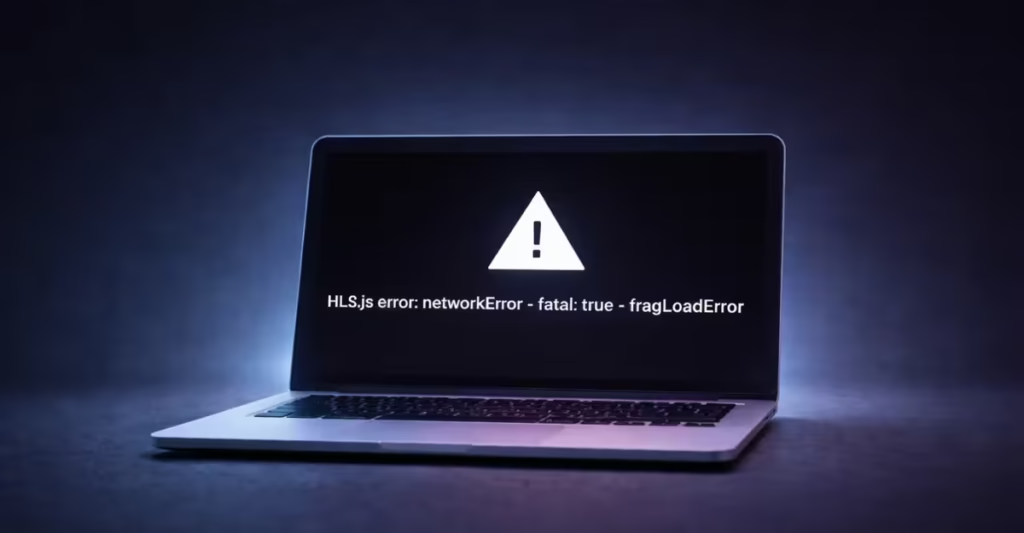
This message appears when the video player fails to load one or more media fragments (.ts or .m4s files). The player retries several times, but if the request keeps failing, playback stops and the error becomes fatal.
What Causes the HLS.js fragLoadError
HLS streams work differently from regular video files. Instead of loading one file, the player loads:
- A playlist file (.m3u8)
- Dozens or hundreds of small video fragments
If even one fragment fails to load, the player may stop playback. Common triggers include:
- unstable internet connection
- blocked fragment requests
- browser extensions interfering with streaming
- VPN or proxy issues
- corrupted browser cache
- expired streaming tokens
- server or CDN problems
Because the fragments fail to download, HLS.js reports a network error.
How to Fix HLS.js fragLoadError
Follow these solutions in order. Most users solve the issue within the first few steps.
1. Refresh the Page
Start with the simplest fix.
Streaming fragments sometimes fail due to temporary network glitches or CDN timeouts.
Press:
Ctrl + F5 (Windows)
or
Cmd + Shift + R (Mac)
This forces a full reload and downloads fresh stream fragments.
2. Disable Ad Blockers and Privacy Extensions
Many streaming errors occur because browser extensions block media requests.
Extensions that commonly interfere include:
- Ad blockers
- Privacy blockers
- Script blockers
- JS protection tools
Disable extensions temporarily and reload the video page.
If the stream starts working, add the website to the extension’s allow list.
3. Turn Off VPN or Proxy
VPN services often route traffic through servers that block streaming fragments.
This causes fragment requests to fail.
Steps:
- Disconnect your VPN.
- Disable any proxy settings.
- Reload the page.
Many streaming platforms restrict HLS fragment access from certain regions or IP ranges.
4. Clear Browser Cache
Old cache files may store outdated playlists or broken fragment links.
Clear your browser cache:
Chrome
- Press
Ctrl + Shift + Delete - Select Cached images and files
- Click Clear Data
After clearing the cache, reload the streaming page.
5. Try Another Browser
Sometimes the problem occurs due to browser-specific behavior.
Test the stream in another browser:
- Google Chrome
- Microsoft Edge
- Firefox
If the stream works in another browser, your original browser likely has an extension or configuration conflict.
6. Test Your Internet Connection
Fragment downloads require stable network requests.
Check for:
- slow Wi-Fi
- packet loss
- unstable mobile networks
Try these quick fixes:
- restart your router
- switch to another network
- use wired internet if possible
7. Disable Antivirus Web Protection Temporarily
Some antivirus programs scan streaming traffic and block fragment downloads. Security tools may classify streaming requests as suspicious.
Temporarily disable:
- Web protection
- HTTPS scanning
- firewall filtering
Then refresh the streaming page.
If playback works afterward, whitelist the website in your security software.
8. Check for Server-Side Issues (For Website Owners)
If you manage the website or video player, inspect the network requests.
Open Developer Tools → Network tab and reload the page.
Look for failed fragment requests such as:
video_12345.ts
segment_003.m4s
Common HTTP errors include:
| Error Code | Meaning |
|---|---|
| 403 | Access denied or token expired |
| 404 | Fragment file missing |
| 500–503 | Server or CDN failure |
| CORS error | Cross-origin request blocked |
Fixing the server response usually resolves the fragLoadError.
9. Increase Fragment Retry Attempts (Developer Fix)
If you use HLS.js in your player, increase retry limits so temporary failures do not break playback.
Example configuration:
const hls = new Hls({
  fragLoadPolicy: {
    default: {
      maxTimeToFirstByteMs: 10000,
      maxLoadTimeMs: 120000,
      timeoutRetry: {
        maxNumRetry: 4,
        retryDelayMs: 1000
      },
      errorRetry: {
        maxNumRetry: 6,
        retryDelayMs: 1000
      }
    }
  }
});
This allows the player to retry fragment downloads before triggering a fatal error.
When the Problem Is Not on Your Device
Sometimes the issue occurs on the streaming service itself. Signs of a server-side problem include:
- the error appears for many users
- the stream fails across multiple browsers
- fragments return 403 or 5xx errors
In this case, wait for the website to fix the streaming server or CDN.
The HLS.js networkError fragLoadError usually appears when the player cannot download video fragments. Most cases involve browser extensions, VPN conflicts, or unstable network connections.
Start with simple fixes like refreshing the page, disabling extensions, and clearing your cache. If the problem persists, check your network or try another browser.
Developers should inspect fragment requests in the Network tab to identify server or CDN issues.

