Heartopia gives you full creative control once you unlock painting. You can customize clothes, decorate items, and even redesign furniture. But many players get stuck when the game asks them to apply clipart to furniture during the Painted Furniture quest.
This step feels confusing at first, especially if you don’t understand how painting and workbench systems connect. This guide explains everything clearly so you can complete the quest without wasting time.
What Is the Painted Furniture Quest?
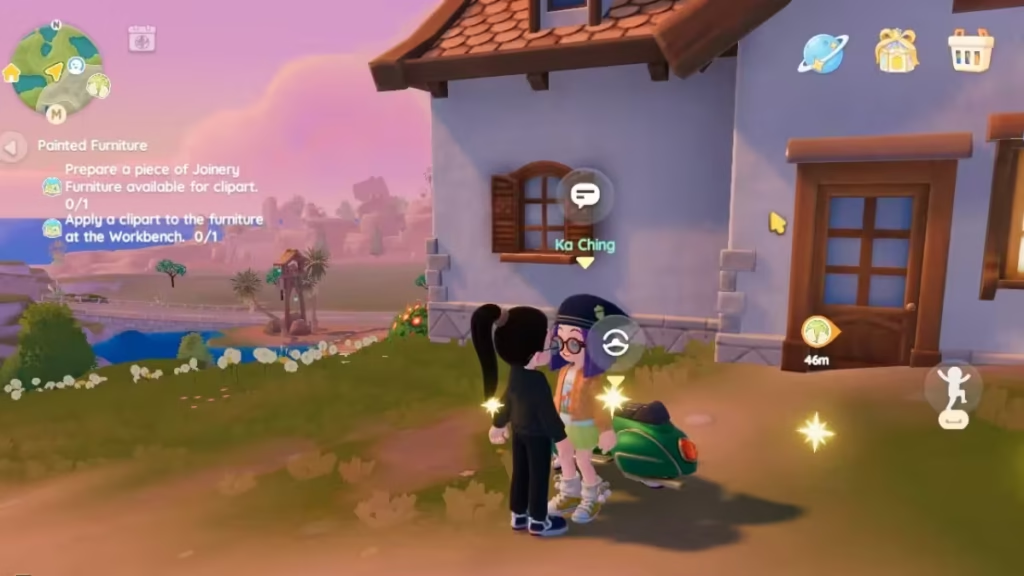
The Painted Furniture quest introduces you to how furniture customization works in Heartopia. You unlock this quest after reaching D.G Member Level 14 and completing the Brushstroke Whimsy quest. Ka Ching gives you the task and guides you through the basics of furniture painting.
Before you start, you may need a Drawing Board, which you can buy from Ka Ching’s General Store for 2,000 Gold if you don’t already have one. Your objective is simple: prepare a piece of Joinery furniture, apply clipart to it, and then talk to Bob to complete the quest.
However, many players get stuck during the clipart step because the game does not clearly explain how to apply designs using the workbench system.
How to Start the Painted Furniture Quest
To begin the quest, go to Residential Street and talk to Ka Ching.
Before starting, make sure:
- You completed Brushstroke Whimsy
- You unlocked the painting system
- You reached Level 14
Ka Ching will guide you into furniture customization and give you Ink to start.
Step-by-Step: How to Apply Clipart to Furniture in Heartopia
Follow these steps carefully to avoid getting stuck.
1. Get Joinery Furniture
You must use Joinery furniture only.
You can:
- Craft it at a workbench (Table, Chair, Stool, Closet)
- Use existing furniture from inventory
Other furniture types will not work right now.
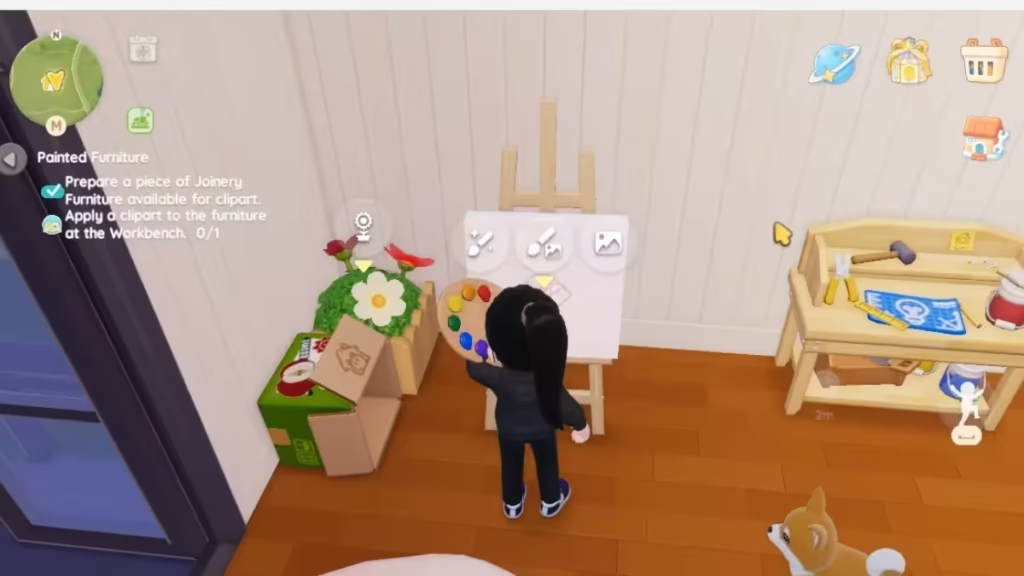
2. Use the Drawing Board
Go to your Drawing Board and start designing.
- Select the paintbrush icon
- Create a new drawing
- Choose your furniture
You can:
- Draw shapes
- Add colors
- Use ready-made clipart like stars or trees
Save your design when finished.
3. Go to the Workbench
This is the step most players miss.
- Interact with the workbench
- Select the paintbrush or dye option
- Choose your painted furniture
4. Apply the Clipart
Now apply your saved design.
- Click “Start Dyeing” or paint option
- Select your saved artwork
- Confirm to apply it
This step consumes 1 Ink.
Once applied, your clipart appears on the furniture instantly.
5. Complete the Quest
After applying the clipart:
- Talk to Bob
- Finish the Painted Furniture quest
Rewards for Completing Painted Furniture Quest
After finishing the Painted Furniture quest, you receive:
- Ink x5
- Access to full furniture customization
This unlocks more creative freedom for decorating your home.
After completing this quest, you can fully customize your furniture and explore Heartopia’s creative side without limits. Play Now!

