Handling sudden traffic spikes in AWS is where most systems break. Everything works fine on normal days, but the moment traffic jumps during an event, latency increases, APIs fail, and databases struggle.
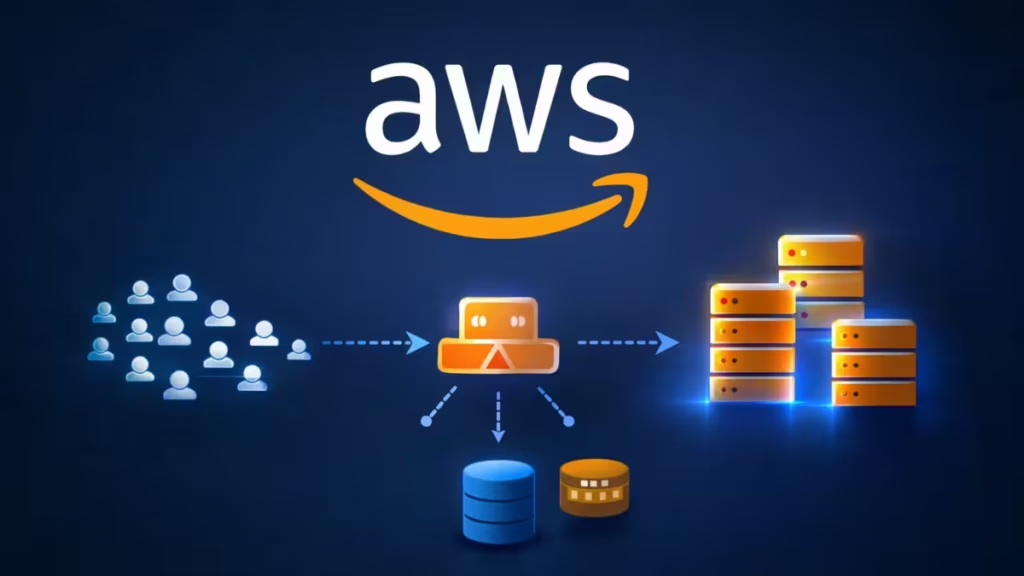
Let’s break this down using a real-world scenario: handling 2 lakh users per hour, with occasional spikes during events and low traffic on regular days.
This guide shows what works, what fails, and how you should actually design your AWS architecture.
Understanding the Real Problem (Not Just the Numbers)
At first glance, 2 lakh users per hour sounds huge. But if you break it down:
- ~55 requests per second (average)
- Real issue → traffic spikes, not steady load
During events:
- Thousands of users hit at the same time
- Login bursts increase DB load
- Cache misses spike latency
- One slow service affects all others
The real challenge is not handling average traffic, but managing sudden bursts without failure.
The Common Mistake: Single EC2 + Docker Setup
A typical idea looks like this:
- One t3.xlarge EC2 instance
- All 5 microservices running as Docker containers
- ALB in front
- Add temporary EC2 instances during events
At first, this looks cost-efficient. But it fails in real scenarios.
Why This Setup Breaks
1. Single Point of Failure
- One EC2 instance runs everything
- If it fails → entire system goes down
2. Resource Contention
- All services share CPU, RAM, disk
- One heavy service can slow down others
3. T3 Instance Limitation
- T3 uses CPU credits
- Sustained traffic can drain credits → performance drops
4. Manual Scaling Risk
- Adding instances manually during events is risky
- You can miss timing → downtime
This setup works for MVPs, not for real traffic spikes.
What Actually Works: Scalable AWS Architecture
To handle high traffic spikes reliably, you need a distributed and auto-scaling system.
Core Architecture
- Route 53 → DNS routing
- Application Load Balancer (ALB) → traffic distribution
- Multiple EC2 instances or containers → across 2 Availability Zones
- Auto Scaling Group (ASG) → automatic scaling
- Separate services → avoid resource conflicts
Step 1: Always Use Multiple Instances
Never rely on a single server.
Instead:
- Run at least 2 instances (minimum baseline)
- Place them in different Availability Zones
Benefits:
- No single point of failure
- Better load distribution
- High availability during spikes
Step 2: Use Auto Scaling (Not Manual Scaling)
Auto Scaling is the backbone of handling traffic spikes.
Configure scaling based on:
- CPU usage (e.g., >60%)
- Request count per target
- Memory (via CloudWatch)
Example scaling logic:
- Min instances → 2
- Max instances → 10+
- Scale out when load increases
- Scale in after event ends
This keeps costs low on normal days and scales instantly during events.
Step 3: Choose the Right Compute Strategy
You have 3 practical options:
Option 1: ECS on EC2 (Best Balance)
- Run each service as an ECS service
- Use EC2 Auto Scaling behind ECS
- Scale services independently
Why it works:
- Better resource control
- Lower cost than Fargate
- No Kubernetes complexity
Option 2: ECS Fargate (Simplest Setup)
- No server management
- Pay only for usage
Best for:
- Rare spikes (4–5 events/month)
- Small teams
Tradeoff:
- Slightly higher cost
Option 3: Plain EC2 + Docker (Improved Version)
If you want to keep Docker manually:
- Use Auto Scaling Group
- Run containers via user data / scripts
- Avoid single-node setup
Still workable, but less flexible than ECS.
Step 4: Add Caching (Critical for Spikes)
Without caching, your database becomes the bottleneck.
Use:
- ElastiCache (Redis) for:
- session storage
- frequently accessed data
- rate limiting
Benefits:
- Reduces DB load
- Improves response time
- Handles burst traffic smoothly
Step 5: Optimize Database Layer
Your database often fails first during spikes.
Best practices:
- Use Amazon RDS or Aurora
- Enable read replicas
- Use connection pooling
- Avoid heavy queries during events
Keep DB workload predictable and controlled.
Step 6: Handle Static Content Properly
Never serve static assets from EC2.
Use:
- S3 for storage
- CloudFront for CDN
Benefits:
- Offloads traffic from servers
- Faster global delivery
- Reduces compute cost
Step 7: Cost Optimization Strategy
Your use case:
- Low traffic most days
- High spikes during events
Smart cost approach:
1. Baseline Capacity
- Keep minimal instances running (2 nodes)
2. Auto Scaling for Events
- Scale only when needed
3. Use Savings Plans
- Cover baseline usage
- Keep flexibility for scaling
4. Avoid Over-Provisioning
- Do not run large instances all the time
You pay only when traffic actually increases.
Common AWS Scaling Mistakes to Avoid
Avoid these common mistakes:
- Running all services on one EC2 instance
- Using only T3 instances for sustained load
- Scaling manually during events
- Ignoring caching layer
- Keeping database unoptimized
These are the exact reasons systems fail under load.
Recommended AWS Architecture for High Traffic
A reliable setup for handling 2 lakh users/hour:
- ALB distributes incoming traffic
- 2+ instances across multiple AZs
- Auto Scaling handles spikes automatically
- ECS or EC2 manages container workloads
- Redis reduces database pressure
- RDS/Aurora handles structured data
- S3 + CloudFront serve static content
Best AWS Setup for High Traffic
If you want the best balance of cost and performance, use ECS on EC2 with Auto Scaling; if you prefer simplicity, choose ECS Fargate, and avoid single-instance Docker setups unless you are in the early MVP stage.

