Crimson Desert introduces many tools that help you explore its massive open world, and the lantern is one of the most important early-game items. You use it not only to see in dark areas but also to solve puzzles, unlock secrets, and activate fast travel points.

If you don’t understand how to use it properly, you will miss key mechanics and hidden interactions across the world.
How to Equip Lantern in Crimson Desert
You equip the lantern through the radial menu, just like any other tool or weapon.
Open the quick inventory first. On consoles, press the left button on the D-pad. On PC, press the default key (F2). Once the radial menu appears, select the lantern and confirm your choice.
After equipping it, the lantern automatically turns on. You don’t need to hold it manually. It stays attached to your character’s belt, so you can still fight, run, and interact freely.
How to Turn the Lantern On or Off
You can control the lantern directly from the same radial menu where you equipped it.
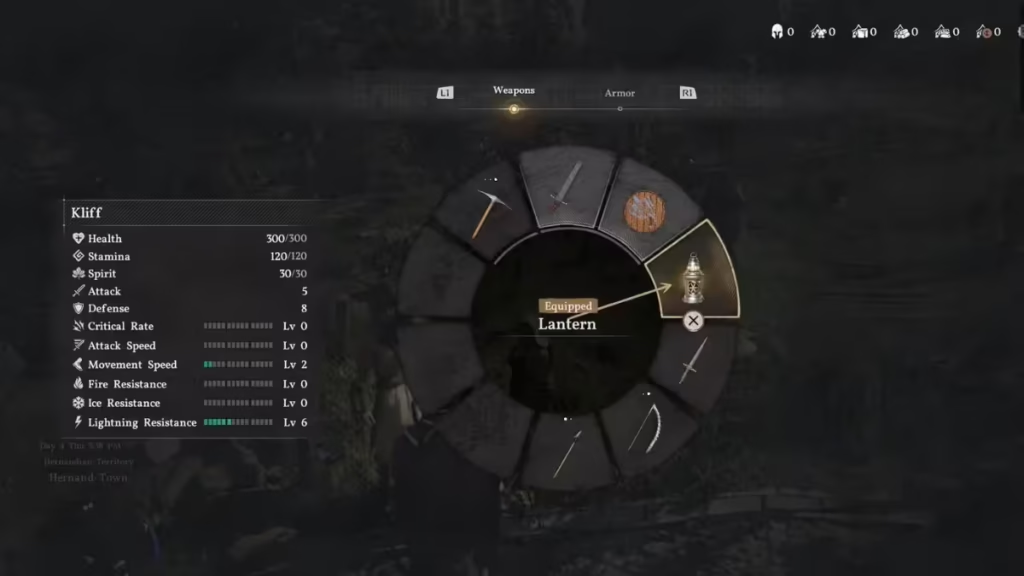
Simply open the menu again and toggle the lantern. This lets you turn it off when you don’t need light or want a cleaner screen view during exploration.
How to Focus the Lantern Light
Basic lighting is not enough in many situations. Some puzzles and hidden mechanics require focused light.
To aim the lantern:
- On PlayStation: Hold L1
- On Xbox: Hold LB
- On PC: Hold Left Control
When you hold this input, your character raises the lantern and focuses light on a specific area. This is required for puzzle-solving and environmental interactions.
How to Use Lantern for Puzzles in Crimson Desert
Many puzzles in Crimson Desert rely on light-based interaction, so you need to use your lantern actively instead of treating it as just a light source. When you explore ruins, caves, or hidden areas, you will notice dark corners or objects that react only when illuminated.
Focus your lantern on these spots to reveal symbols, clues, or hidden paths that are not visible otherwise. Some fast travel points also require you to raise and hold the lantern in place to activate them, so if you ignore this mechanic, you will miss important unlocks.
The lantern also plays a key role in quests that involve memory fragments. When you enter certain areas, your lantern may glow blue and emit a pulse, signaling that a memory is nearby. Move to the exact spot where the glow is strongest, equip the lantern from the radial menu, raise it, and slowly scan the area.
When you spot the glowing shapes, keep your aim steady until the interaction completes. This process reveals story elements and helps you finish quest objectives.
Overall, the lantern is a core progression tool in the game. You use it to navigate dark environments, solve puzzles, unlock fast travel points, reveal hidden secrets, and interact with memory fragments. Without using it properly, exploration becomes limited and many important mechanics remain inaccessible.
If you want smoother progression, start using the lantern actively from the beginning instead of treating it as a basic light source. Play Now!

