Water sources play an important role in Pokémon Pokopia, especially when you start building habitats, adjusting humidity, and shaping the island’s terrain. Early in the game, players can only interact with existing water, but later you gain the ability to create, move, and remove water sources anywhere on the map.
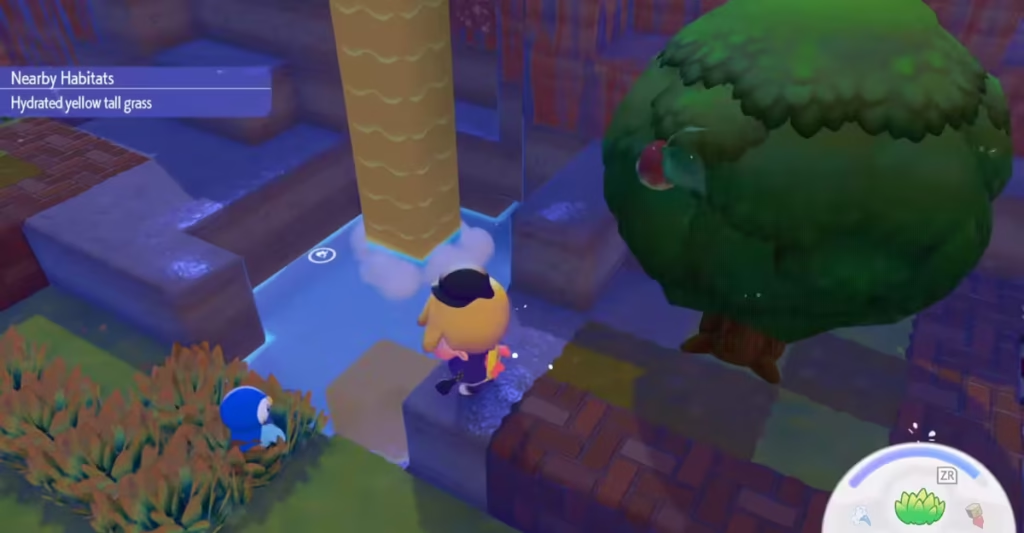
Learning this mechanic helps you build habitats faster, create waterfalls, power waterwheels, and improve the environment for Pokémon that prefer humid areas. This guide explains how to make a water source, move it, and remove it in Pokémon Pokopia step by step.
How to Unlock the Suck Ability to Move Water in Pokémon Pokopia
Before you can manipulate water freely, you must unlock the Suck ability. This move allows Ditto to inhale liquids and spit them out in a different location.
To unlock this feature, follow these steps:
- Progress through the Bleak Beach storyline.
- Complete Piplup’s quest called “Make a Waterfall.”
- Befriend Paldean Wooper in the Bleak Beach area.
- Paldean Wooper teaches the Suck move, which lets you store and transfer liquids.
Once you learn this ability, you can start manipulating water sources across the island.
How to Make a Water Source in Pokémon Pokopia
There are two main methods to create a water source in the game.
1. Use the Suck Ability
The most common way involves collecting water from an existing source.
Steps:
- Stand near any body of water.
- Hold Y + ZR to inhale the liquid.
- Carry the stored water to the desired location.
- Press A to spit it out and create a new water source.
The water will instantly form a new pool or stream depending on the surrounding terrain.
2. Use Drinks from Vending Machines
Drinks also allow Ditto to produce different types of water.
You can find drinks in:
- Vending machines (once per day)
- Random item drops
- Shop inventory
Different drinks create different liquids.
| Drink | Water Type |
|---|---|
| Fresh Water | Freshwater |
| Soda Pop | Seawater |
| Moomoo Milk Coffee | Muddy Water |
| Roserade Tea | Hot-Spring Water |
After drinking one of these items, Ditto can spit the liquid to generate a water source.

How to Move a Water Source
Once Ditto holds water, moving it becomes simple.
Steps to move water:
- Collect liquid using Suck or a drink.
- Walk to the location where you want the water placed.
- Face the ground or block where the water should appear.
- Press A to release the water.
The liquid will flow naturally from the placed source.
Important Tip: Always place water inside enclosed areas or pools. If you release water on open terrain, it may spread uncontrollably and flood nearby habitats.
How to Create a Waterfall in Pokémon Pokopia
Waterfalls require a slightly different setup.
Steps:
- Collect water using the Suck ability.
- Move to a higher elevation or cliff edge.
- Spit the water onto the top block.
The water will flow downward and create a natural waterfall effect, which is required for certain quests and habitat designs.
How to Remove a Water Source
You can also remove unwanted water sources.
Steps:
- Stand near the water block.
- Hold Y + ZR to suck the water back up.
- Press B to gulp and delete the liquid completely.
If the water keeps reappearing, check for a nearby waterfall or source block, as water will flow back into the area automatically.
Benefits of Creating Water Sources
Manipulating water offers several gameplay advantages.
- Build More Pokémon Habitats: Some Pokémon only appear near water or waterfalls. Creating water sources helps spawn these Pokémon faster.
- Increase Habitat Humidity: Water increases environmental humidity, which improves comfort levels for certain species.
- Power Waterwheels: Running water can activate waterwheels, which generate electricity for machines and structures.
- Automatic Crop Watering: Water flowing near farmland automatically hydrates crops, allowing them to grow without manual watering.
Mastering this system makes your Pokopia island far more efficient and much more enjoyable to manage. Play Now!

