Samsung Galaxy Enterprise Edition Phones: Samsung announced three (3) Enterprise Editions smartphones in Australia, Galaxy A14 (4G), Galaxy A34 5G, and Galaxy A54 5G. These new smartphones are designed to cater to the needs of enterprise businesses, offering enhanced security features, specialized tools and applications.
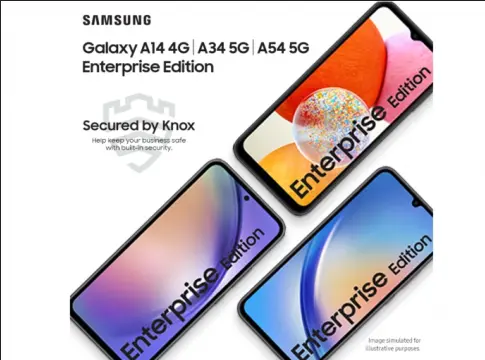
These devices are bundled with a one-year subscription of Samsung Knox Suite, a security software that offers a robust shield against cyber threats like malware and hacking. They receive timely security updates for up to five (5) years, including Android OS updates. Earlier, Samsung Australia released Galaxy S23 and Galaxy S23 Ultra Enterprise Edition phones.
They run on latest Android 13 operating system and offer up to 1TB of OneDrive cloud storage and complimentary 6-month subscription to Microsoft 365 Basic for Galaxy A34/ A54 5G models.
Samsung Galaxy A14 Enterprise Edition specifications:
- Display: 6.6 inches PLS LCD
- Resolution: 1080 x 2408 pixels
- Refresh rate: 90Hz
- Rear Camera: 50 MP wide + 2 MP macro + 2 MP depth
- Front Camera: 13 MP
- Processor: Exynos 1330 (5 nm) or Mediatek Dimensity 700 (7 nm) comes in two variants
- RAM: 4/8 GB
- Storage: 64/128 GB with expandable via microSDXC
- Battery: 5000 mAh, 15W wired charging
- OS: Android 13 One UI Core 5
- Features: Fingerprint sensor (side-mounted), Samsung Knox Suite
- Connectivity: 4G, Bluetooth 5.2, NFC, USB Type-C 2.0
- Colors: Black, Light Green, Dark Red, Silver
Galaxy A54 5G Enterprise Edition specifications
- Display: 6.4 inches Super AMOLED, HDR10+
- Resolution: 1080 x 2340 pixels
- Refresh rate: 120Hz
- Protection: Corning Gorilla Glass 5, IP67 resistant
- Rear Camera: 50 MP (wide) + 12 MP (ultrawide) + 5 MP (macro)
- Front Camera: 32 MP
- Processor: Octa-core Exynos 1380 (5 nm)
- RAM: 6/8 GB
- Storage: 128/256 GB with expandable via microSDXC
- Battery: 5000 mAh with 25W wired charging
- OS: Android 13 One UI 5.1
- Features: Fingerprint sensor (under display, optical), Samsung Knox Suite
- Connectivity: 5G, Bluetooth 5.3, NFC, USB Type-C 2.0
- Colors: Lime, Graphite, Violet, White
Galaxy A34 5G Enterprise Edition specifications
- Display: 6.6 inches Super AMOLED
- Resolution: 1080 x 2340 pixels
- Refresh rate: 120Hz
- Protection: Corning Gorilla Glass 5, IP67 resistant
- Rear Camera: 48 MP wide + 8 MP ultrawide + 5 MP macro
- Front Camera: 13 MP
- Processor: Mediatek Dimensity 1080 (6 nm)
- RAM: 6/8 GB RAM
- Storage: 128/256 GB with expandable via microSDXC
- Battery: 5000 mAh with 25W wired charging
- OS: Android 13 One UI 5.1
- Features: Fingerprint sensor (under display, optical), Samsung Knox Suite
- Connectivity: 5G, Bluetooth 5.3, NFC, USB Type-C 2.0
- Colors: Lime, Graphite, Violet, Silver
Price and availability:
The Galaxy A14 Enterprise Edition is priced at AUD 329 ($219), the Galaxy A34 5G Enterprise Edition for AUD 499, and the Galaxy A54 5G Enterprise Edition for AUD 699 ($465). These devices are available in Australia through CompNow, JB Hi Fi Commercial, and RTV Computers partners.
Learn more | Samsung launches Galaxy A14 A34 and A54 Enterprise Edition phones
Link: Latest Tech stories
Source: 1

