Microsoft has released Windows 11 Insider Preview Build 26220.7670 (KB5074169) to the Beta Channel, bringing several stability improvements across File Explorer, Start menu, Search, display handling, and system reliability. The update targets testers running Windows 11 version 25H2 through an enablement package and continues Microsoft’s controlled rollout approach for new features and fixes.

This build focuses on removing usability friction and resolving several bugs reported in recent Insider flights, especially around archive handling, multi-monitor display issues, and sign-in reliability.
File Explorer Fixes Improve Archive Handling
Microsoft fixed a File Explorer issue where the “Extract All” option failed to appear in the command bar when browsing non-ZIP archive folders. This fix restores expected archive behavior and reduces confusion when users manage compressed files across different formats.
Start Menu and Search UI Bugs Addressed
The update corrects a Start menu problem where clicking “hide this pane” inside the mobile device side panel did not reliably open the related settings. This change improves consistency when users customize their Start menu layout.
Search also received a visual fix. In previous builds, the Search process displayed an incorrect icon with an “X” instead of the standard magnifying glass. The update restores the proper icon, improving visual clarity and UI consistency.
Settings Performance Gets Under-the-Hood Improvements
Microsoft introduced backend optimizations to reduce cases where the Settings Home page loads slowly. While users may not see visible changes, the update improves responsiveness and reliability when navigating system settings.
Display Stability Improves on Secondary Monitors
A display issue caused some Insider systems to show black screens on secondary monitors after recent updates. Microsoft resolved this bug in the new build, restoring correct multi-monitor behavior for affected devices.
System Reliability and Sign-In Issues Resolved
The update fixes an underlying problem that triggered unexpected sign-in failures on Azure Virtual Desktop and Windows 365 environments. Microsoft also resolved a system bug that caused some devices to encounter a SYSTEM_SERVICE_EXCEPTION crash after recent flights.
These fixes improve overall reliability for both enterprise and power users testing preview builds.
Known Issues Microsoft Is Still Working On
Microsoft acknowledged several active issues that remain under investigation:
- Start Menu: In Categories view, clicking “show more apps” may not respond.
- File Explorer: Open windows and tabs may unexpectedly jump to Desktop or Home.
- Xbox Full Screen Experience (PC): Some apps behave incorrectly when locked to a fixed window size or when launching additional windows.
- Taskbar & System Tray: Some apps may not appear in the system tray as expected.
- Click to Do: The Microsoft 365 Copilot prompt may fail on selected images if the Copilot app is not running.
Microsoft plans to deliver fixes in upcoming flights.
How Insiders Can Get This Update Faster
Insiders who want early access to new fixes and features can enable “Get the latest updates as they’re available” under:
Settings → Windows Update
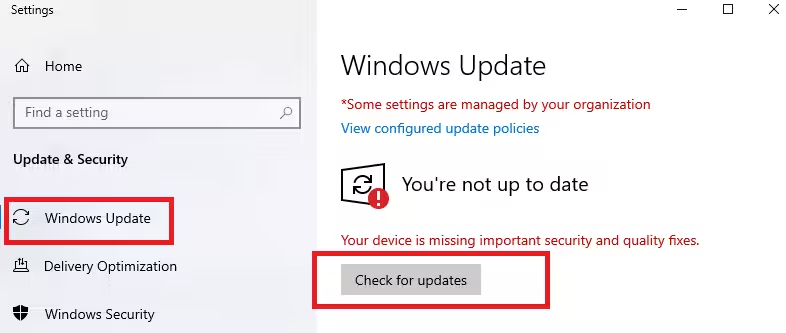
Microsoft gradually expands rollouts as feedback confirms stability. Users who keep the toggle off will still receive updates once Microsoft finalizes broader deployment.
The company also reminds testers that some preview features may never reach public release and may change based on user feedback and telemetry.
Build 26220.7670 continues Microsoft’s push to stabilize Windows 11 25H2 ahead of broader releases while addressing usability pain points reported by Insider testers.

