If Home Assistant shows a “TP-Link Smart Home unsupported device” error while adding a smart plug, bulb, camera, or sensor, the integration cannot communicate with your device using the expected protocol. This problem usually happens when a newer TP-Link device uses a different encryption method than the older Smart Home integration supports.
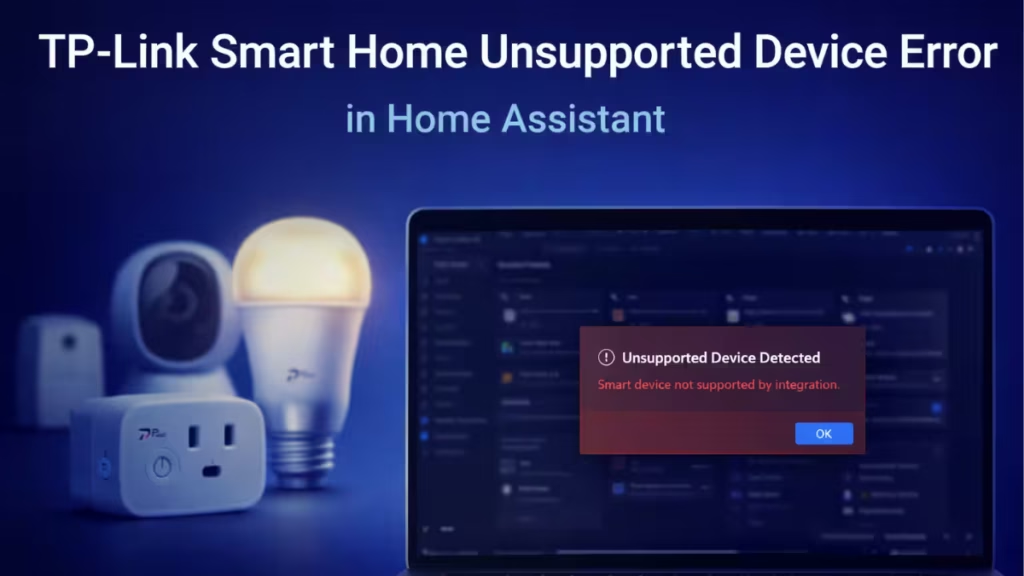
The error looks confusing, but the fix is straightforward once you understand what causes it. This guide explains why the error appears and how to connect your TP-Link device correctly in Home Assistant.
What the Unsupported Device Error Means
Home Assistant tries to discover TP-Link devices on your network using the TP-Link Smart Home (Kasa) integration. When the device responds with an unsupported encryption scheme, Home Assistant blocks the connection and displays an error similar to:
Unsupported device … encrypt_scheme TPAP
Device type SMART.*
This message means:
- Home Assistant detected the device on your network.
- The device uses a newer TP-Link protocol or encryption method.
- The Smart Home integration cannot decode or control it.
Newer TP-Link devices often belong to the Tapo ecosystem, while the Smart Home integration mainly supports Kasa devices.
Fix 1: Use the Correct TP-Link Integration (Recommended)
The fastest and most reliable fix is to use the TP-Link Tapo integration instead of TP-Link Smart Home.
Step-by-step
- Open Home Assistant.
- Go to Settings → Devices & Services.
- Click Add Integration.
- Search for TP-Link Tapo.
- Sign in using your TP-Link account credentials.
- Allow Home Assistant to discover your devices automatically.
Home Assistant will import all supported Tapo devices without encryption errors.
Important Notes
- Add your devices first in the official Tapo mobile app.
- Keep your phone and Home Assistant on the same local network.
Fix 2: Verify Which TP-Link Platform Your Device Uses
Before troubleshooting further, confirm whether your device belongs to Kasa or Tapo.
How to check
- Look at the product box or model number.
- Check which mobile app you used to set up the device:
- Kasa app → Use TP-Link Smart Home integration.
- Tapo app → Use TP-Link Tapo integration.
If the device appears in the Tapo app, the Smart Home integration will not work reliably.
Fix 3: Reconnect the Device Cleanly
If Home Assistant still fails to detect the device correctly:
- Remove the device from the TP-Link app.
- Factory reset the device.
- Add it again using the official TP-Link app.
- Confirm it works normally in the app.
- Re-run integration discovery in Home Assistant.
This refreshes device registration and clears stale network states.
Fix 4: Advanced Local Control (Optional)
Advanced users can install community integrations that enable local device control without cloud dependency.
If you use HACS:
- Search for Tapo Controller.
- Install the integration.
- Restart Home Assistant.
- Configure the device using local credentials.
This option provides faster response and local reliability but requires technical familiarity.
What Will Not Fix This Error
Avoid these approaches because they do not bypass encryption limitations:
- Manually entering device IP address.
- Changing network ports.
- Downgrading firmware.
- Forcing the Kasa integration for Tapo devices.
- Disabling encryption settings.
These steps waste time and often introduce instability.
FAQs
Can I control Tapo devices using the TP-Link Smart Home integration?
No. The Smart Home integration supports Kasa devices only. Tapo devices require the TP-Link Tapo integration.
Does TP-Link plan to merge both platforms?
TP-Link continues to develop both ecosystems separately. Compatibility depends on Home Assistant integration updates.
Can I convert a Tapo device into a Kasa device?
No. The device firmware and encryption models differ permanently.
Is cloud login required for Tapo integration?
Yes for initial setup. Some community integrations allow local control afterward.
Why does Home Assistant detect the device but fail to connect?
Discovery works at the network level, but authentication fails due to unsupported encryption.
The TP-Link Smart Home unsupported device error happens because newer TP-Link devices use protocols that the legacy integration cannot decode. Switching to the correct integration resolves the issue in most cases. Once you connect through the proper platform, Home Assistant controls the device reliably without recurring errors.
If the problem persists after using the correct integration, verify firmware updates and network connectivity before applying advanced methods.

