Modding Deadlock lets you customize visuals, characters, and effects without affecting gameplay balance. This guide explains exactly how to install and use Deadlock mods using two safe methods. Every step uses clear, direct instructions so you can finish the setup in minutes.

Method 1: Install Deadlock Mods Using Mod Manager (Easiest)
This method works best for beginners. It handles downloads, load order, and launching automatically.
Step 1: Download Deadlock Mod Manager
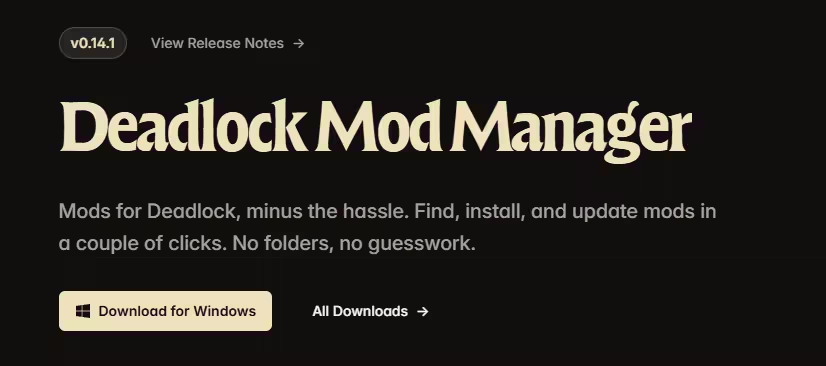
Open your browser and search for Deadlock Mod Manager. Download the Windows version and run the installer. After installation, launch the tool
Step 2: Browse and Download Mods
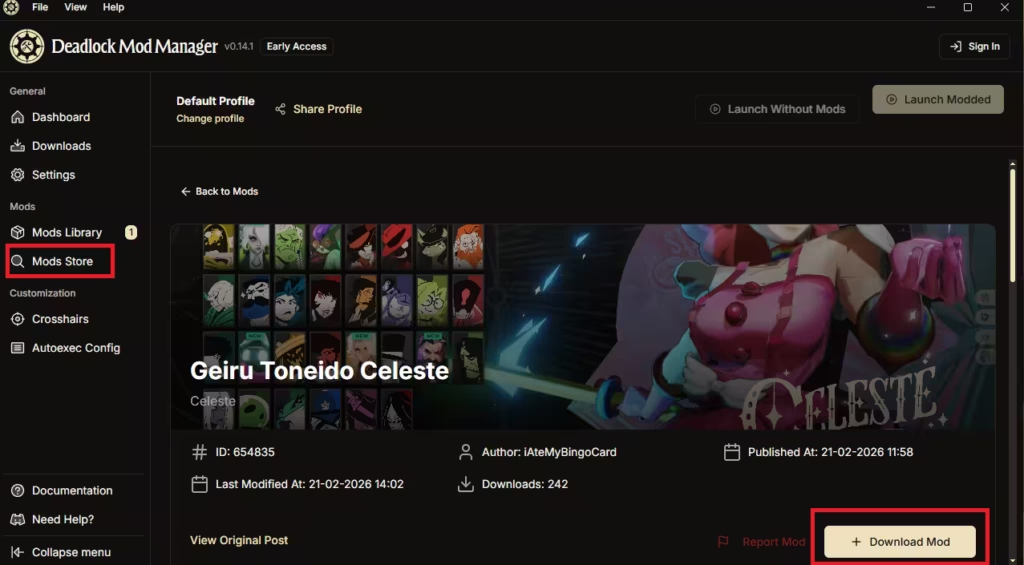
Open the Mod Store inside the manager. Use filters to search by hero or mod type. Select a mod you like and click Download Mod.
Step 3: Enable Mods
Open the Mod Library tab. Toggle the downloaded mods ON so the manager loads them.
Step 4: Launch Deadlock with Mods
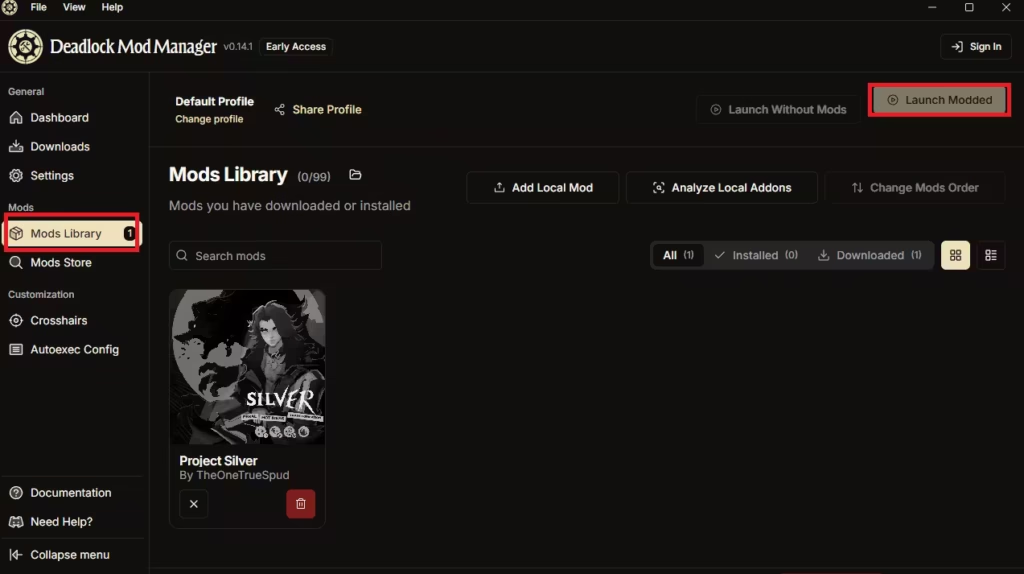
Click Launch Modded. The manager starts Deadlock through Steam with all enabled mods active.
Important:
- Mods run client-side only
- Other players cannot see your mods
- Mods do not give gameplay advantages
Method 2: Install Deadlock Mods Manually (Advanced)
Use this method if you prefer full control over files and load order.
Step 1: Download Mods
Get mods from Deadlock Modding Discord or GameBanana. Download and extract the mod files.
Step 2: Open Deadlock Game Folder
In Steam:
- Right-click Deadlock
- Click Manage → Browse local files
Navigate to:
game → citadel → add-ons
Step 3: Add Mod Files
Paste the extracted .VPK mod files into the add-ons folder.
Step 4: Rename Mods for Load Order
Rename each mod using numbers 01 to 99 (example: 01_modname.vpk).
Lower numbers load first. Change numbers if mods conflict
Step 5: Edit gameinfo.gi
Go back to:
game → citadel → gameinfo.gi
Open the file in a text editor (Notepad++ recommended).
Under SearchPaths, add the required mod lines so Deadlock detects VPK files
Step 6: Launch Deadlock
Start the game normally through Steam. Deadlock loads your mods automatically.
Deadlock Mods Not Working? Common Issues and Fixes
- Mods not working: Adjust load order numbers
- Game crashes: Remove recently added mods
- Visual glitches: Use fewer conflicting mods
- No changes visible: Confirm files are inside
add-ons
The Deadlock Modding Discord remains the best place for quick fixes and mod updates
Are Deadlock Mods Safe to Use?
Yes. Deadlock mods are cosmetic and client-side only. They do not modify core gameplay systems, do not provide competitive advantages, and do not affect matchmaking or fairness.
If you want fast results, use Deadlock Mod Manager. If you want full control, install mods manually. Both methods work safely and let you personalize Deadlock without risk.
If you want more Deadlock guides, builds, or updates, let me know what to cover next.

