Microsoft has released a new preview update for Windows 11 users in the Canary Channel. The update, Windows 11 Insider Preview Build 28020.1673 (KB5077240), introduces several useful improvements including a built-in network speed test, better dark mode in File Explorer, RSAT support on Arm64 devices, and new restore features for enterprise environments.
This build focuses on productivity, troubleshooting tools, and enterprise deployment improvements.
Built-In Network Speed Test in Taskbar
One of the most useful additions in this update is the new network speed test tool integrated directly into Windows 11.
Users can now check internet speed without opening third-party websites.
You can launch the speed test from:
- Wi-Fi Quick Settings
- Cellular Quick Settings
- Right-click network icon in system tray
The test measures:
- Ethernet speed
- Wi-Fi speed
- Cellular connection speed
This makes it easier to diagnose connection problems directly from the OS.
File Explorer Dark Mode Improvements
Microsoft continues to refine the dark mode experience in Windows 11.
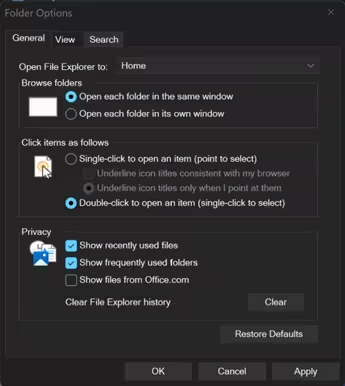
In this build, the Folder Options dialog now fully supports dark mode, removing the bright white pop-ups that appeared earlier when opening settings.
The update also fixes a bug where:
- File Explorer windows could jump to Desktop
- Tabs could reset unexpectedly
These changes improve visual consistency and stability.
RSAT Support Added for Windows 11 Arm64
The update adds Remote Server Administration Tools (RSAT) support for Arm64 devices.
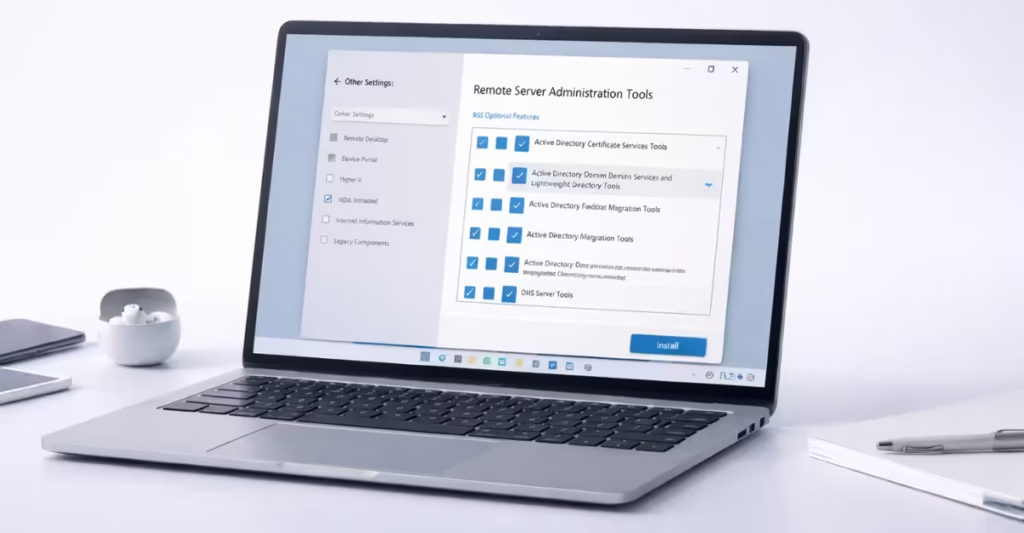
Administrators can now install tools such as:
- Active Directory tools
- Group Policy Management
- DNS Server tools
- DHCP tools
- Server Manager
You can install them from:
Settings → System → Optional Features
or
Control Panel → Windows Features
This change helps IT admins manage servers from Arm-based Windows devices.
Windows Backup Restore at First Sign-In
Microsoft expanded the restore experience for organizations.
When users sign in for the first time, Windows can now automatically restore:
- User settings
- Microsoft Store apps
- Device configuration
This works on:
- Microsoft Entra hybrid devices
- Cloud PCs
- Multi-user environments
The feature makes device migration faster and more consistent.
Quick Machine Recovery Enabled by Default
Quick Machine Recovery (QMR) now turns on automatically for many Windows Professional devices.
This allows Windows to recover from boot failures without manual repair.
Behavior depends on device type:
- Enabled on unmanaged Pro devices
- Disabled on domain devices unless admin allows it
This improves reliability for business users.
Camera Controls, Widgets, and Search Improvements
This build also adds smaller usability upgrades. New changes include:
- Pan and tilt controls for supported cameras
- Full-page widget settings experience
- Search preview in taskbar results
- Result count in search groups
- Better nearby sharing reliability
These updates focus on everyday usability.
New Emojis Added in Emoji 16.0
Windows 11 now includes a new set of emojis from Emoji 16.0. Each emoji represents a different category and appears in the emoji panel.
This keeps Windows aligned with the latest Unicode standard.
Important Notes for Canary Channel Users
Canary builds are experimental and may be unstable. Microsoft warns that:
- Some features may change later
- Some builds may lack documentation
- Switching channels requires clean install
These builds are meant for testing only.
If Microsoft continues adding native tools like this, Windows 11 will depend less on third-party utilities and become more reliable for both home and enterprise users.

