Microsoft has unveiled Copilot Cowork, a new AI-powered capability designed to move Copilot beyond simple chat responses and into real task execution across Microsoft 365 applications. The feature allows users to assign complex tasks to Copilot, which then plans and performs the work automatically while keeping users in control.
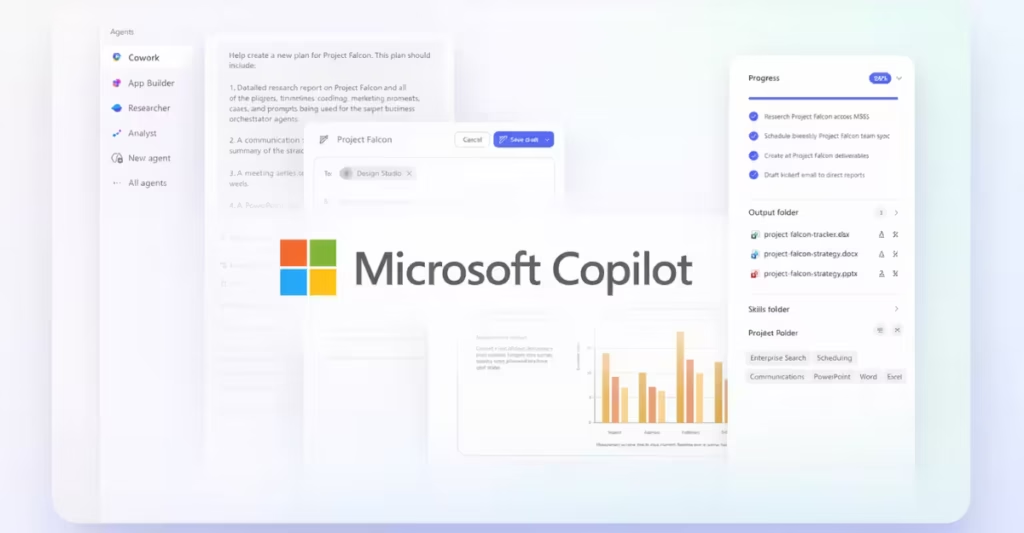
The announcement signals a major shift in how AI assistants function in workplace software. Instead of only generating text or answering questions, Copilot Cowork can coordinate workflows, gather information, and produce work outputs across apps like Outlook, Teams, Excel, and Word.
From AI Chatbot to AI Task Executor
Over the past year, Microsoft has gradually expanded the capabilities of its Copilot ecosystem. Copilot already helps users draft emails, summarize meetings, and answer questions.
Copilot Cowork takes this idea further.
Rather than responding with suggestions, the AI creates a plan and executes tasks in the background. Users can monitor progress, approve actions, or pause execution at any time. This approach allows Copilot to function more like a digital coworker than a conversational assistant.
The system relies on Microsoft’s WorkIQ technology, which gathers signals from workplace tools like Outlook, Teams, and files stored in Microsoft 365. This context helps the AI understand how work happens across a company and enables it to automate multi-step tasks.
How Copilot Cowork Works in Daily Workflows
Microsoft highlighted several practical scenarios where Copilot Cowork could reduce manual work for employees.
1. Calendar Management and Focus Time
Busy professionals often spend time reorganizing meetings and resolving scheduling conflicts.
Copilot Cowork can analyze a user’s Outlook calendar, identify conflicts or low-priority meetings, and suggest changes. Once approved, it can automatically reschedule meetings, decline invitations, and create dedicated focus blocks.
2. Automated Meeting Preparation
Preparing for customer meetings or internal presentations often requires collecting information from multiple sources.
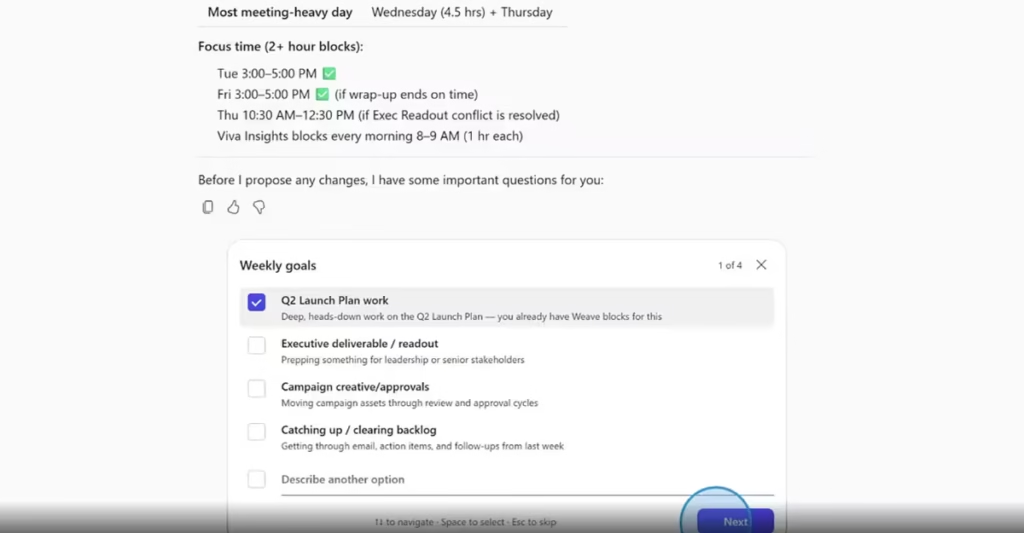
Copilot Cowork can gather relevant emails, files, and meeting notes, then generate a complete meeting package that includes:
- A briefing document
- Supporting analysis
- A presentation deck
- A draft follow-up email
All documents remain stored within Microsoft 365 for collaboration.
3. Company Research and Analysis
Research tasks often require gathering financial data, news reports, and analyst insights.
Copilot Cowork can compile information from multiple sources, including financial reports and public data, then generate:
- A research memo with citations
- An executive summary
- A structured Excel workbook with financial analysis
This automation allows employees to focus on interpretation rather than data collection.
4. Product Launch Planning
For cross-functional teams working on product launches, coordination becomes a major challenge.
Copilot Cowork can generate competitive analysis spreadsheets, prepare value-proposition documents, and create pitch decks for customers. It can also outline milestones and assign responsibilities to team members.
Built for Enterprise Security
Microsoft emphasized that Copilot Cowork operates within the existing security and governance framework of Microsoft 365.
Key safeguards include:
- Identity-based permissions
- Compliance policy enforcement
- Auditable AI actions
- Protected cloud sandbox execution
These controls ensure organizations can use AI automation without exposing sensitive data or losing oversight of automated processes.
Multi-Model AI Strategy
One of the most interesting aspects of Copilot Cowork is its multi-model AI architecture.
Microsoft confirmed that Copilot can select models from different AI providers depending on the task. The system integrates technology from multiple sources, including models from OpenAI and Anthropic.
Anthropic’s Claude Cowork technology helped inspire the approach, which allows AI systems to create plans and execute tasks autonomously.
This multi-model strategy allows Microsoft to combine the strengths of different AI systems rather than relying on a single model.
Current Availability and Future Rollout
Copilot Cowork is currently available only to a limited group of customers in a Research Preview.
Microsoft plans to expand access through its Frontier program starting in late March 2026, where more organizations will be able to test the technology in real-world environments.
As Microsoft gathers feedback, the company expects to improve the system and expand its capabilities across the Microsoft 365 ecosystem.
The shift from “AI assistant” to “AI coworker” may define the next generation of workplace productivity tools.