The latest update for Resident Evil Requiem finally adds a feature players have been waiting for—Photo Mode. This update lets you capture cinematic moments, scary encounters, and character poses with full control.
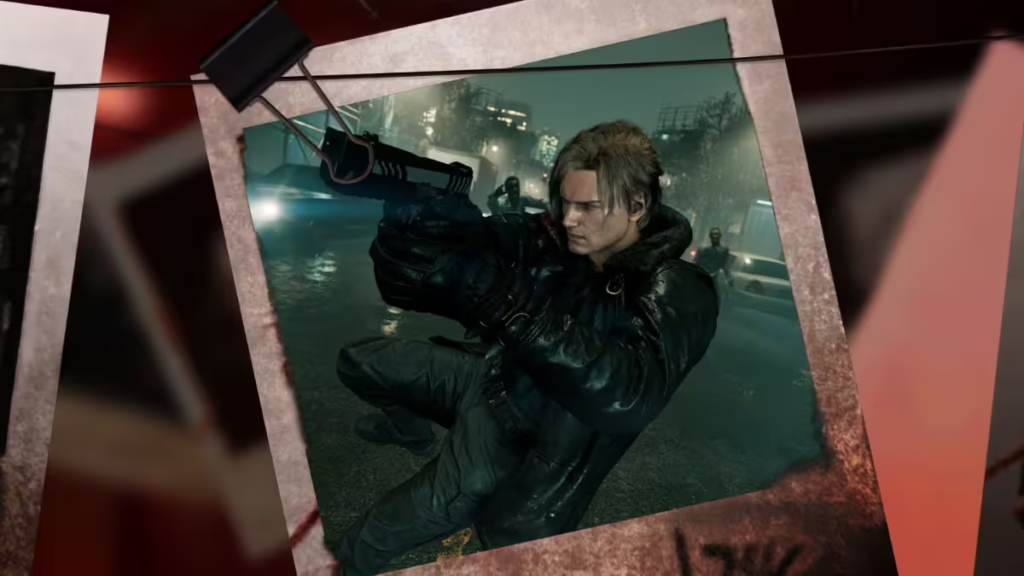
If you want to know how to access Photo Mode and use it like a pro, this guide covers everything clearly and directly.
How to Use Photo Mode in Resident Evil Requiem
Getting into Photo Mode is simple and fast. You can access it anytime during gameplay.
Steps to Open Photo Mode:
- Press Start / Options to open the Pause Menu
- Press Square (PlayStation) / X (Xbox)
- Photo Mode opens instantly
You can use it while playing as both main characters.
Works for:
- Leon
- Grace
What You Can Do in Photo Mode
Photo Mode is not basic—it gives full creative control. You can adjust camera angles, lighting, filters, and even character expressions.
Camera Controls
You can fully control how your shot looks:
- Field of View (FOV)
- Depth of Field (Blur & Focus)
- Camera Roll and Angles
This helps you create cinematic horror scenes or action shots.
Character Options
You can pose characters to match the mood.
- Leon: 40+ poses
- Grace: 50+ poses
- Facial expressions included
Use action poses for combat shots or scared expressions for horror moments.
Effects and Filters
Photo Mode includes two layers of effects:
Effect 1:
- Brightness
- Contrast
- Bloom
- Vignette
Effect 2:
- Filters
- Lens distortion
- Chromatic aberration
You can make scenes darker, scarier, or even stylized.
Frames and Stickers
You can decorate your screenshots with:
- Frame styles
- Stickers
- Layout designs
This is useful for social sharing or creative edits.
Advanced Options
You also get control over gameplay elements:
- Hide enemies
- Hide NPCs
- Hide main character
- Enable subtitles
- Turn on grid for perfect alignment
These options help you create clean or dramatic shots without distractions.
Best Photo Mode Settings (Quick Setup)
If you want great results quickly, use this setup:
- FOV: Medium (for balanced framing)
- Blur: Slight (adds depth)
- Brightness: Slightly low (horror tone)
- Contrast: Medium-high
- Filter: Subtle cinematic filter
- Hide UI: ON
- Grid: ON for composition
This setup works well for both horror and action scenes.
What Changed in the Latest Update
The March 27 update for Resident Evil Requiem brings more than just the addition of Photo Mode. Alongside this new feature, the update fixes a progression-blocking bug that previously prevented players from advancing under certain conditions.
It also improves character facial expressions in cutscenes, making emotional moments feel more natural and immersive. In addition, several general gameplay fixes have been applied to enhance stability and overall performance. As a result, the update not only adds creative tools but also delivers a smoother and more polished gameplay experience. Play Now!

