Your Instagram account got disabled, and now you are locked out with no clear explanation. This happens more often than most people think. Instagram’s automated systems flag accounts based on patterns, and sometimes a legitimate account gets caught in the process.
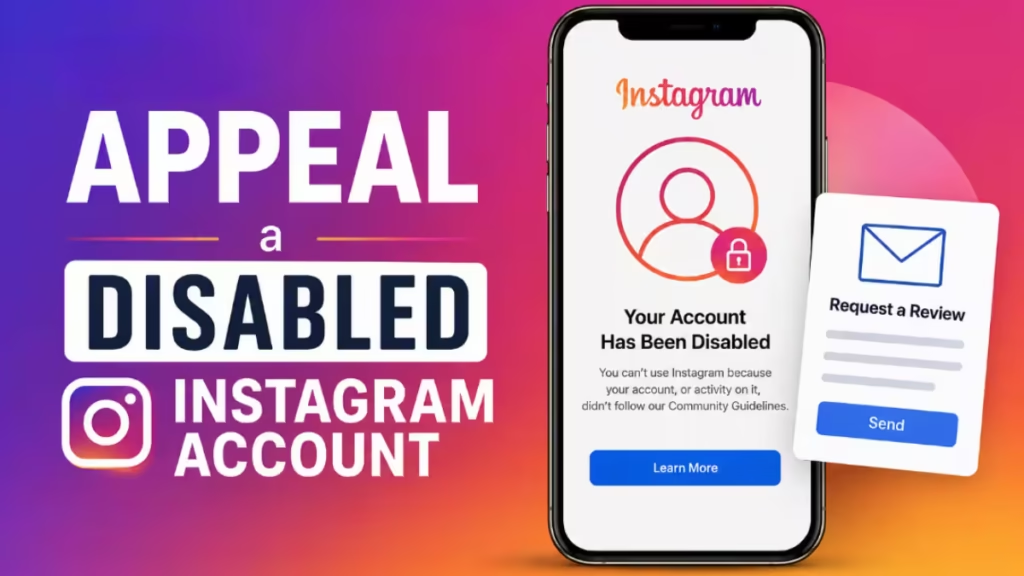
This guide walks you through every official step to appeal a disabled Instagram account, from submitting the basic form to escalating your case to the Oversight Board.
Why Instagram Disables Accounts
Instagram disables accounts that violate its Community Guidelines or Terms of Use. The most common reasons include:
- Posting content that infringes copyright
- Using third-party automation tools or bots
- Harassment, hate speech, or abusive behavior
- Impersonation or identity misrepresentation
- Suspicious login activity or security flags
- A sudden spike in activity that looks bot-like
In many cases, the disable happens because an automated system misidentified a legitimate account. A clear and complete appeal can reverse this decision.
Step 1: Check Your Email First
Before submitting any form, open the email linked to your Instagram account. Instagram usually sends a message explaining why your account was disabled. That email may also include a direct appeal link and instructions for identity verification.
If no email arrived, you can still move forward manually using the steps below.
Step 2: Try the In-App Appeal
When you try to log in and see the disabled message, Instagram often shows an appeal option right on that screen. Tap it, fill in your details, and submit. This is the fastest path and should always be your first attempt.
Step 3: Submit the Official Instagram Appeal Form
If the in-app option is not available or did not work, use the Instagram Help Center appeal form. This is the official Meta form for disabled Instagram accounts.
Here is what to fill in:
- Your Instagram username (e.g., @yourusername)
- Full name as it appears on your account
- Email address linked to the account
- Phone number linked to the account
- Reason for appeal, state clearly that you believe the account was disabled by mistake or explain your situation factually
Identity verification: Instagram may ask for a government-issued photo ID for personal accounts, or business ownership documents for business accounts. Upload these when prompted. Providing ID significantly improves your chances of a successful review.
After submitting, review times typically range from 24 hours to 30 days depending on case volume and complexity.
Step 4: Use Support Requests Inside the App
If you can partially access your account or a secondary device shows the violation notice, you can also appeal from within the app:
- Tap your profile picture in the bottom right
- Tap the menu icon in the top right
- Tap Help
- Tap Support Requests, then tap Violations
- Open the update Instagram sent about the decision
- Tap See options, then tap Request review
Submit the review request and wait for Instagram’s response.
Step 5: Escalate to the Oversight Board
If Instagram has reviewed your content twice and denied both requests, you may qualify to escalate your case to the Oversight Board. This is an independent body that reviews Meta content decisions.
How to check if you are eligible:
- Follow Steps 1 through 4 in the Support Requests flow above
- After two denied reviews, check if an Oversight Board Reference Number appears in your Support Requests
- The reference number starts with IG followed by 8 numbers and letters
How to submit to the Oversight Board:
- Tap your Oversight Board Reference number to copy it
- Follow the on-screen instructions to the Oversight Board website
- Log in with the same Instagram account tied to that reference number
- Answer the questions about your post and explain why you believe Instagram’s decision was wrong
- Submit the appeal
You have 15 days from the date of Instagram’s decision to file with the Oversight Board. After 15 days, the appeal window closes. The Board reviews a limited number of cases, so not every eligible appeal gets selected, but submitting is always worth trying.
What to Do If Instagram Rejects Your Appeal
A single rejection does not mean the case is closed. Here is what to try next:
- Resubmit through a different channel. If you used the in-app form, switch to the web form at the Instagram Help Center and vice versa.
- Add stronger documentation. Include identity verification and more specific context about your account activity.
- Try Meta Business Support chat. If you run active ad campaigns on Facebook or Instagram, you may have access to live chat support at business.facebook.com. This channel moves faster than the standard form.
- Wait and resubmit. Some users report success after multiple attempts over several weeks.
Tips for Writing a Stronger Appeal
- Be factual, not emotional: State what happened clearly and avoid lengthy personal stories.
- Acknowledge the specific reason if you know it: If you know which policy was flagged, address it directly and explain why no violation occurred.
- Do not submit multiple appeals at the same time: Flooding the system can delay your case.
- Follow up after 5 to 7 days if you receive no response.
- Respond quickly to Instagram’s requests: If they ask for ID or additional information, provide it as fast as possible. Delays reduce your chances.
How Long Does Account Recovery Take?
Recovery times vary depending on the method used:
| Method | Estimated Time |
|---|---|
| In-app appeal | 7 to 21 days |
| Web form submission | 14 to 30 days |
| With identity verification | 14 to 45 days |
| Meta Business Support chat | 7 to 14 days |
| Oversight Board review | Varies, can take months |
Starting the process early matters. Accounts that remain uncontested for more than 30 days become harder to recover.
How to Prevent Your Account From Being Disabled Again
Once your account is restored, take these steps to protect it:
- Enable two-factor authentication from Settings > Account > Two-Factor Authentication
- Remove any third-party apps you granted access to your account — go to Settings > Apps and Websites and revoke anything you do not recognize
- Avoid automation tools for likes, follows, or comments
- Review Instagram’s Community Guidelines so you know what triggers automated flags
- Keep your email and phone number current so you can verify ownership quickly if a security check fires
Frequently Asked Questions
How do I appeal a disabled Instagram account?
Go to the Instagram Help Center and open the “My account was disabled” form. Fill in your username, full name, email, and phone number. Add a clear explanation of why you believe the disable was a mistake, attach a government-issued ID, and submit. Instagram typically responds within 7 to 30 days.
Can a permanently disabled Instagram account be recovered through appeal?
Yes, in many cases. Instagram uses the term “permanently disabled” broadly and the decision is not always final. Submit a formal appeal through the Help Center, provide identity verification, and explain your situation clearly. If the first appeal is denied, resubmit with stronger documentation.
How long does an Instagram account appeal take?
In-app appeals take 7 to 21 days. Web form submissions take 14 to 30 days. Cases involving identity verification can take 14 to 45 days. Meta Business Support chat, available only to active advertisers, typically resolves in 7 to 14 days.
What happens if Instagram rejects my appeal?
Resubmit through a different channel. If you used the in-app form, switch to the web form at the Instagram Help Center, and vice versa. Add identity verification and more specific context. If Instagram has denied two reviews, check your Support Requests for an Oversight Board Reference Number and escalate there.
Will I get my followers and posts back after a successful appeal?
Yes. If Instagram approves your appeal, your account is restored exactly as it was before the disable. Your followers, posts, story highlights, and DMs all come back intact.

