Discord Error 2012 usually appears when a stream fails to start or load due to a Video Viewer Timeout. This issue affects users trying to stream their screen, games, or watch someone else’s stream on Discord. It can happen on Windows, macOS, browsers, and even mobile devices.
This updated guide covers all confirmed working fixes, ordered by priority, so you can restore Discord streaming as quickly as possible.
What Is Discord Error 2012 (Stream Failed to Start)?
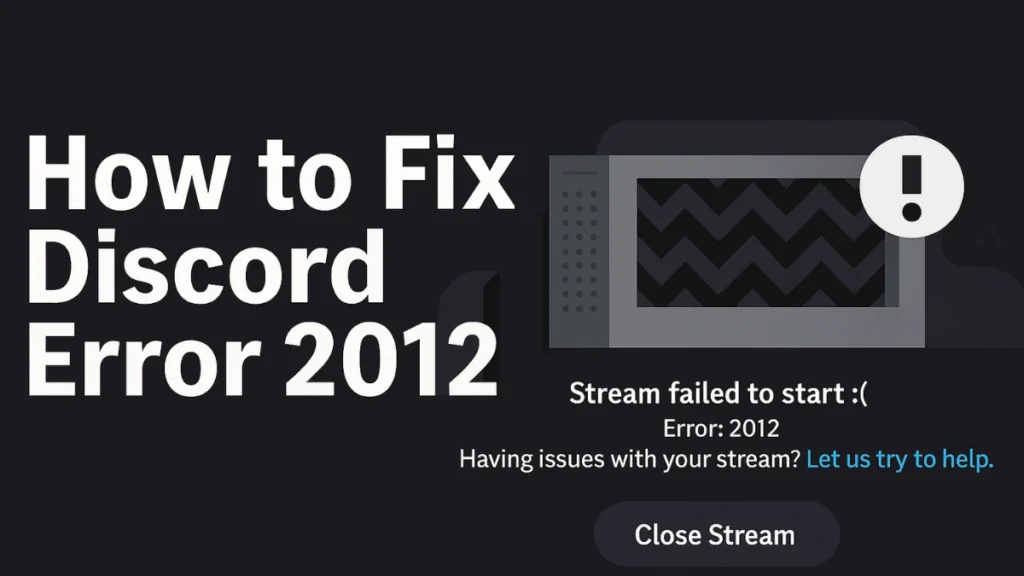
Discord Error 2012 is officially known as a Video Viewer Timeout. It means Discord is unable to establish a stable video connection in time when starting or viewing a stream.
You may see the message:
“Stream failed to start – Error: 2012. Having issues with your stream? Let us try to help.”
This error can appear:
- When starting your own screen or game stream
- When watching someone else’s stream
- On Discord desktop app, browser version, or mobile app
What Causes Discord Error Viewer Timeout?
Discord Error 2012 does not have a single cause. Based on Discord support references and consistent user reports, the most common causes are:
- Discord server outages or routing issues
- VPNs or proxies interfering with video connections
- Hardware Acceleration conflicts
- Unstable DNS or ISP routing problems
- Outdated or buggy graphics drivers
- Corrupted Discord app cache
- Full-screen game capture conflicts
In some cases, the issue is entirely on Discord’s end, meaning no local fix will work until services stabilize.
How to Fix Discord Error 2012 (All Working Fixes)
Follow these fixes in order. Test streaming after each step.
1. Check Discord Server Status First
Before changing any settings, confirm whether Discord itself is having streaming issues.
If Discord reports problems with Media, Video, or Screen Share, the only solution is to wait until services are restored.
2. Restart Discord and Your System
Temporary glitches often trigger Error 2012.
- Fully close Discord (exit from system tray)
- Restart your PC or Mac
- Open Discord again and test streaming
3. Disable VPNs and Proxies (Very Common Fix)
VPNs are one of the most common causes of Discord Error 2012.
- Turn off any active VPN
- Disable split tunneling (if enabled)
- Restart Discord after disabling the VPN
Many users report streams working instantly after turning off their VPN.
4. Toggle Hardware Acceleration (On or Off)
Hardware Acceleration can either fix or cause this issue depending on your system.
To toggle it:
- Go to User Settings → Advanced
- Toggle Hardware Acceleration
- Restart Discord
If it was ON, turn it OFF.
If it was OFF, turn it ON.
Always restart Discord after changing this setting.
5. Change Your DNS (Fixes Routing Issues)
If your ISP has unstable routing to Discord’s servers, changing DNS can help.
Try one of the following:
Google DNS
- Preferred:
8.8.8.8 - Alternate:
8.8.4.4
Cloudflare DNS
- Preferred:
1.1.1.1 - Alternate:
1.0.0.1
After changing DNS:
- Restart your router
- Restart your PC
- Relaunch Discord
6. Update Graphics Drivers
Outdated GPU drivers can break Discord’s video encoding.
- NVIDIA: Update via GeForce Experience
- AMD: Update via Adrenalin Software
- Intel: Update via Intel Driver Assistant
Restart your system after updating drivers.
7. Clear Discord App Cache (Windows & macOS)
Corrupted cache files frequently trigger Error 2012.
Windows
- Press
Win + R - Type
%appdata%and press Enter - Delete the Discord folder
- Reopen Discord and log in
macOS
- Go to
~/Library/Application Support/ - Delete the Discord folder
- Restart Discord
Your servers and friends will not be deleted.
8. Use Windowed or Borderless Mode for Games
If Error 2012 happens only while streaming games:
- Switch the game from full-screen to windowed or borderless windowed
- Restart the stream
Full-screen capture can fail on some GPUs and game engines.
9. Try Discord in a Browser
If the desktop app keeps failing:
- Open Discord in Chrome or Edge
- Join the same server
- Test streaming or watching streams
This bypasses local app conflicts.
10. Reinstall Discord Completely
If nothing else works:
- Uninstall Discord
- Restart your system
- Download the latest version from the official Discord website
- Reinstall and log in
Platform-Specific Fixes
- Discord Error 2012 on Windows 11 / Windows 10: Most commonly caused by VPNs, hardware acceleration, or GPU drivers.
- Discord Error 2012 on macOS: Often linked to cache corruption or screen recording permissions.
- Discord Error 2012 in Browser: Usually caused by extensions, VPNs, or browser hardware acceleration.
- Discord Error 2012 on Mobile: Clear app cache or reinstall the Discord mobile app.
Can Discord Error 2012 Always Be Fixed?
No. When Discord experiences backend routing or video server issues, the error may resolve on its own after some time. In such cases, local fixes will not work until Discord stabilizes its services.
Bookmark this page and retry once Discord restores video functionality.
FAQs: Discord Error 2012
How to fix Discord Error 2012 stream failed to start?
Disable VPNs, toggle hardware acceleration, change DNS, and clear Discord cache.
Does VPN cause Discord Error
Yes. VPNs are one of the most common causes of this error.
Is Discord Error 2012 a server issue?
Sometimes. If Discord’s video servers are down, users must wait.
Why does Error 2012 only happen when watching streams?
This usually indicates a routing or DNS issue between your device and Discord’s servers.
Can outdated GPU drivers cause Error 2012?
Yes. Updating NVIDIA, AMD, or Intel drivers often resolves streaming issues.
Does using Discord browser version fix Error 2012?
In many cases, yes. Browsers can bypass desktop app conflicts.
[fdaytalk_readmore keyword=”Discord”]

