FACEIT login issues can show up suddenly—even if everything worked fine before. You may see errors like “Something went wrong,” get logged out repeatedly, or find that the login button simply doesn’t respond. These problems usually happen due to server outages, browser conflicts, or issues with the FACEIT Anti-Cheat system.
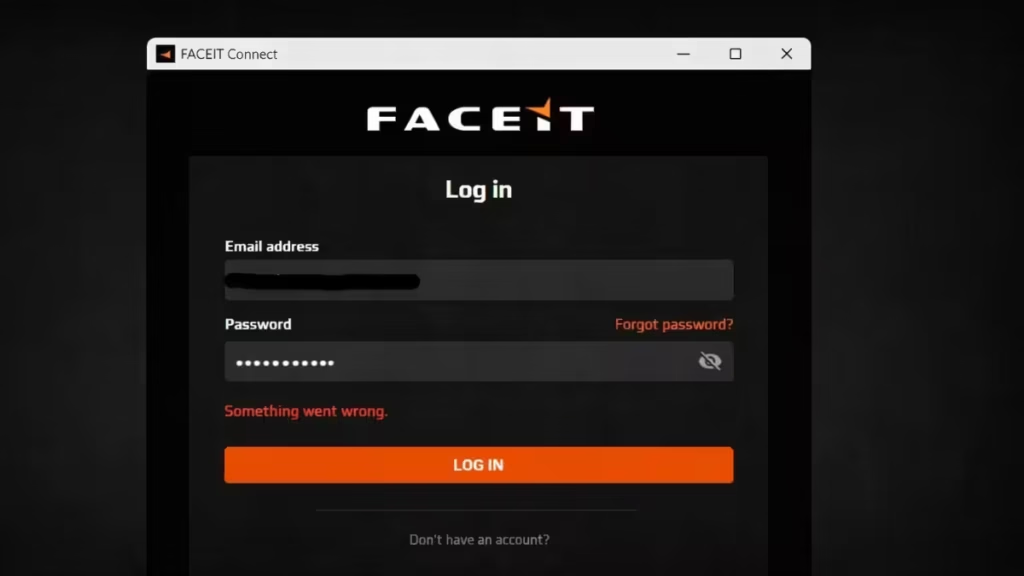
The key is not to try random fixes. First identify whether the problem comes from FACEIT servers or your own setup. This guide walks you through the exact steps to diagnose and fix FACEIT login issues quickly, so you can get back into matches without wasting time.
Step 1: Check FACEIT Server Status First
Always start here. This saves you time.
- Visit the FACEIT status page
- Check if Login or Play shows errors
- Look for outage spikes on X (Twitter)
If servers are down: Wait. There is nothing you can fix. Once servers are back online, login will work again.
FACEIT outages happen occasionally due to updates or backend failures, and users may experience login problems or queue issues during that time.
Step 2: Restart FACEIT and Your System
If servers are working, fix your local setup.
- Close FACEIT completely
- Restart your PC
- Reopen FACEIT and try again
This clears temporary glitches that block login.
Step 3: Clear Browser Cache (Very Important)
FACEIT login depends on your browser.
- Open browser settings
- Clear cache and cookies
- Restart browser
- Try login again
Cache issues are one of the most common causes of login failure.
Step 4: Try a Different Browser
Sometimes your default browser causes the issue.
- Switch to Chrome / Edge / Firefox
- Or use Incognito mode
FACEIT login relies on browser integration, so a broken setup can block access.
Step 5: Check Default Browser Settings
FACEIT Anti-Cheat uses your default browser for login.
- Go to Windows Settings
- Set a proper default browser
If this is misconfigured, the login button may not work
Step 6: Disable Extensions (AdBlock / VPN)
Extensions can break login requests.
- Turn off AdBlock
- Disable VPN
- Disable privacy extensions
Then try logging in again.
Step 7: Reinstall FACEIT Anti-Cheat
If login fails in the client:
- Uninstall FACEIT Anti-Cheat
- Restart your PC
- Download latest version
- Install and run as admin
Corrupted installs can block authentication.
Step 8: Check Network Issues
If the problem continues:
- Restart your router
- Try a different network
- Avoid VPN connections
FACEIT recommends checking connection and ISP issues if servers are fine.
If none of the fix’s work, the issue is likely temporary. FACEIT servers may be unstable, or high player traffic can cause login failures.
In this situation, the best approach is to wait for 10–30 minutes and try again. If FACEIT is experiencing a global outage, no local fix will solve the problem—you simply need to wait until the servers are stable again.
FAQs
Is FACEIT down right now?
If many users report login problems or the status page shows errors, FACEIT servers may be down. In that case, you need to wait until the issue is fixed.
How do I fix FACEIT login not working?
Start by checking server status, then clear browser cache, disable extensions, and restart FACEIT. If the issue continues, reinstall Anti-Cheat or check your network.
Why does FACEIT keep logging me out?
This usually happens due to session errors, expired cookies, or server-side issues. Clearing cache and disabling VPN often fixes it.
FACEIT login button not working—what should I do?
Set a proper default browser and restart FACEIT. The login button depends on your browser to open the authentication page.
Can VPN cause FACEIT login issues?
Yes, VPNs can block or interrupt FACEIT authentication. Disable VPN and try logging in again.
Does FACEIT Anti-Cheat affect login?
Yes, if Anti-Cheat is outdated or corrupted, it can block login. Reinstalling it usually fixes the issue.
How long do FACEIT login issues last?
Most issues resolve within minutes to an hour. If it’s a server outage, you need to wait until FACEIT fixes it.
Can I fix FACEIT login issues instantly?
If the problem is on your system, yes. But if FACEIT servers are down, there is no instant fix—you must wait.

