Armor sets play a major role in Monster Hunter Wilds, giving your hunter powerful stats, resistances, and abilities. However, many helmets completely cover your character’s face, which can hide the hairstyle or appearance you spent time customizing.
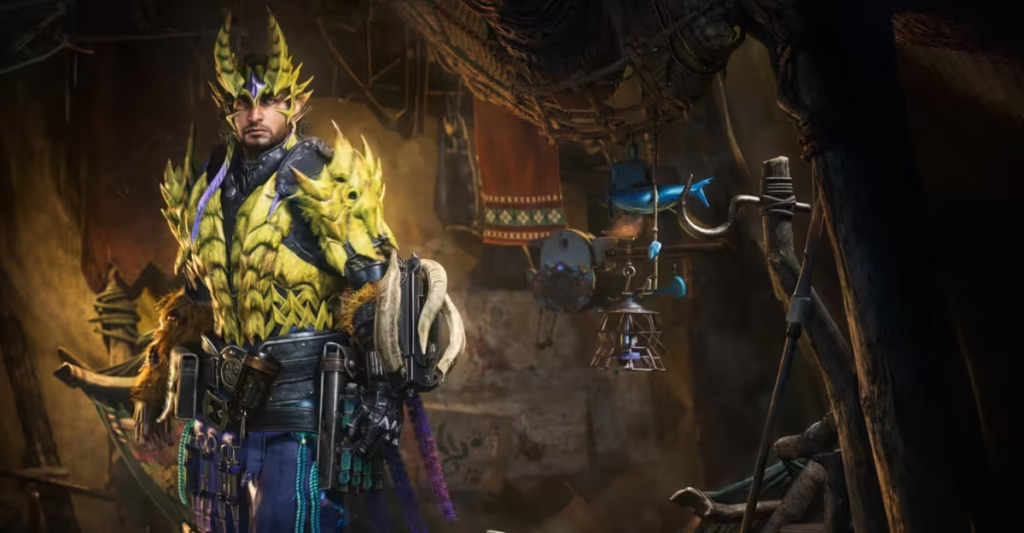
Fortunately, the game includes a simple option that lets you hide your helmet while keeping its armor stats active. This guide explains exactly how to hide your helmet in Monster Hunter Wilds and customize your character’s appearance without losing equipment bonuses.
How to Hide Helmet in Monster Hunter Wilds
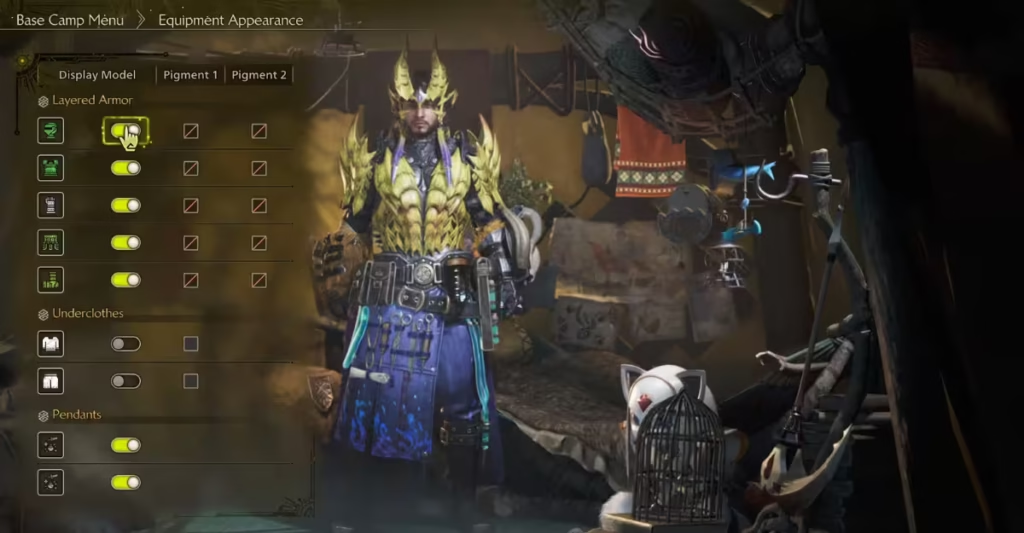
You can disable helmet visibility directly from the equipment menu.
Step-by-Step Guide
- Open the main in-game menu.
- Navigate to the Party or Equipment section.
- Select Change Equipment.
- Look for the Display Headgear or Head Armor Visibility option.
- Toggle the setting to Off.
Once you turn this option off, your hunter will stop displaying the helmet while still wearing the armor piece.
Headgear Display Options Explained
The game usually provides three different display settings for helmets.
| Option | What It Does |
|---|---|
| On | Helmet always appears on your character |
| Off | Helmet is hidden during gameplay |
| Off During Cutscenes | Helmet appears normally but disappears in story scenes |
These options allow you to balance visual customization and immersion depending on your preference.
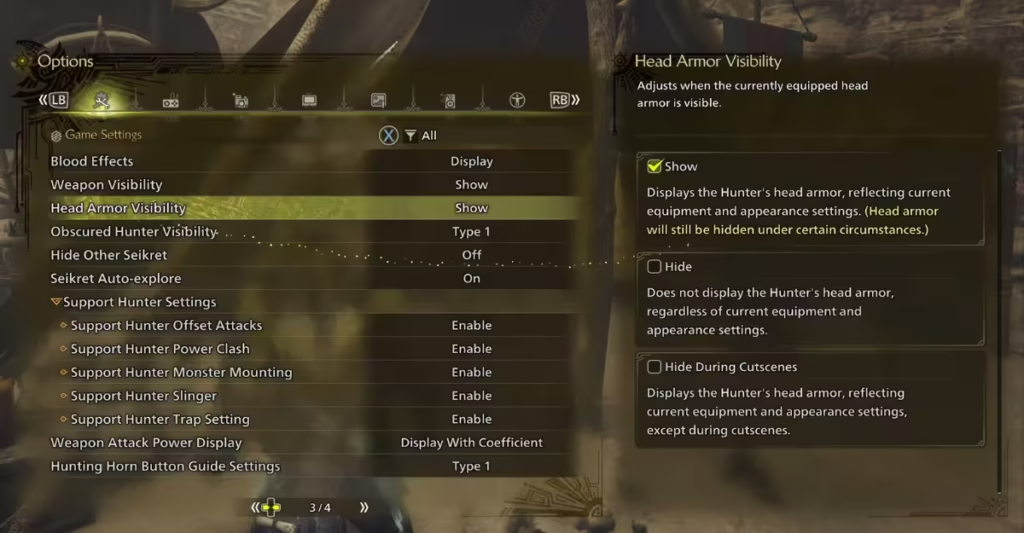
Alternative Way to Hide Helmet (Options Menu)
Some players prefer adjusting helmet visibility through the settings menu.
Steps
- Open the Menu.
- Go to Settings or Options.
- Navigate to the Head Armor Visibility setting.
- Select Hide or Hide During Cutscenes.
This menu allows quick changes without opening the equipment screen.
Can You Hide Other Armor Pieces?
Yes. Monster Hunter Wilds allows you to customize the appearance of several armor parts.
You can adjust:
- Helmets
- Chest armor
- Gloves
- Waist armor
- Leg armor
These settings usually appear under Equipment Appearance or Layered Armor options, depending on your progress in the game.
Does Hiding the Helmet Remove Armor Stats?
No. This is one of the most important details.
Even when the helmet is hidden:
- Armor stats still apply
- Skills and abilities remain active
- Resistances remain unchanged
The game only disables the visual model, not the equipment itself.
If you enjoy customizing your hunter’s style, this simple feature makes exploration, combat, and cutscenes feel much more immersive. Play Now!

