Many new Roku users stop during setup because Roku asks for payment details. This often creates confusion and leads people to think a credit card is mandatory. It is not. Roku activation is completely free, and you can finish setup without adding any payment method.
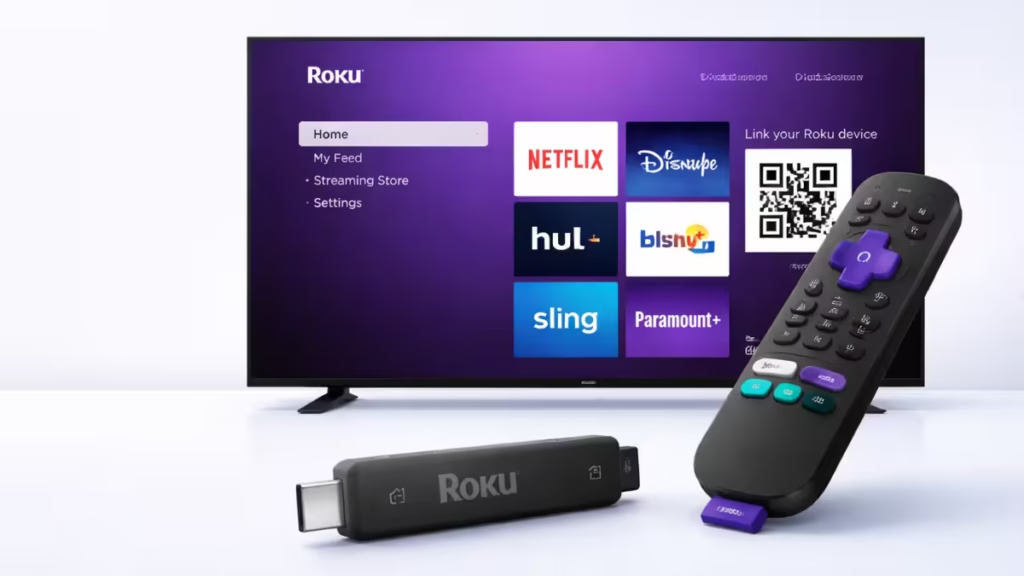
This guide shows exactly how to create a Roku account without a credit card, using methods that work reliably during device activation.
Method 1: Create a Roku Account Without a Card Using the No-Payment Signup Link (Best Method)
This is the most reliable way to create a Roku account without entering any payment details.
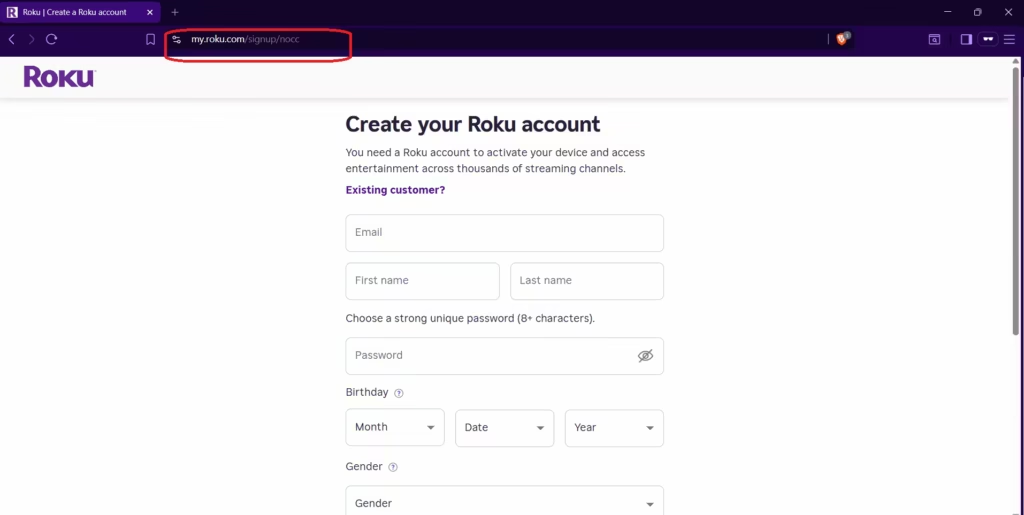
Steps to follow
- Open a browser on your phone or computer.
- Go directly to this official Roku signup link:
https://my.roku.com/signup/nocc - Enter your email address, name, and password.
- Complete the account creation process.
- Verify your email address when Roku sends the confirmation link.
Roku creates your account without showing the payment page at all.
What Happens After Account Creation
After creating your account using the no-card signup link, Roku takes you to the account dashboard.
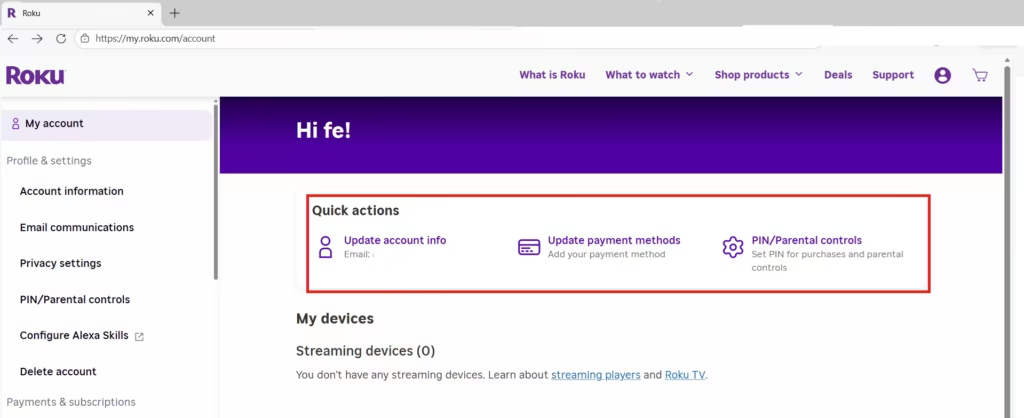
You will see options like:
- Update account info
- Update payment methods (Add your payment method)
- PIN / Parental controls
This does not mean payment is required. Your Roku account is already active. You can:
- Activate a Roku device
- Use free channels
- Install streaming apps
- Watch content normally
Adding a payment method remains optional and only applies if you later choose to subscribe, rent, or buy content.
See also: Roku Error 004: How to Fix Streaming Issues in 5 Minutes
Method 2: Add a Payment Method Temporarily, Then Remove It (Fallback Option)
Use this method only if Roku forces the payment page during signup and does not allow skipping.
Steps to follow
- Complete Roku signup using the normal link:
https://my.roku.com/signup - Add a payment method if Roku requires it.
- Finish account setup and reach the Roku home screen.
- Open https://my.roku.com/account in a browser.
- Sign in to your Roku account.
- Open Payment methods.
- Remove the saved credit card or PayPal account.
Once removed, Roku continues to work normally.
Roku activation is always free. Never pay third-party websites or phone services claiming to “activate” Roku devices. Any site asking for payment is not official.
FAQs
Can I create a Roku account without a credit card?
Yes. You can create a Roku account without a credit card by using the official no-payment signup link. This skips the payment page entirely and allows full account creation without adding any card or PayPal details.
What is the Roku no-credit-card signup link?
The official Roku no-payment signup link is https://my.roku.com/signup/nocc. This link creates a Roku account without showing the payment screen and works on both mobile and desktop browsers.
Why does Roku ask for payment details during signup?
Roku asks for payment details to make it easier to start subscriptions, free trials, or rentals using Roku Pay. Payment information is optional and not required to activate a Roku device.
Does Roku charge money during account creation?
No. Roku does not charge any money during account creation. Charges only occur if you choose to subscribe to a paid channel, rent, or buy content.
Is the “Add your payment method” option mandatory after signup?
No. Seeing “Add your payment method” in account settings does not mean payment is required. It only gives you the option to add payment details later if you want to make purchases.
Can I use Roku without adding any payment method?
Yes. You can use Roku without adding a payment method. Free channels, apps, and device activation work normally without a credit card or PayPal account.
What should I do if Roku forces the payment page?
If Roku forces the payment page, you can complete setup and then remove the payment method immediately from your Roku account settings. Roku allows payment methods to be removed at any time.
Will Roku stop working if I remove my payment method?
No. Removing your payment method does not affect device functionality. Your Roku device continues to work normally, and you can still access free content.
Is it safe to use the Roku no-card signup link?
Yes. The no-card signup link is an official Roku URL. It is safe to use and does not violate Roku’s terms or policies.
Do I need a payment method to activate a Roku TV or device?
No. Roku activation is always free. You do not need a payment method to activate a Roku TV or streaming device.

