Most WordPress owners guard against hackers who break in through an outdated plugin. The UpdraftPlus breach in October 2026 showed a different threat: attackers who never touch your site's code at all, because they steal the trust a plugin vendor already holds over it. When a vendor that can send commands or ship updates to your site gets breached, your fully patched WordPress install can still fall.
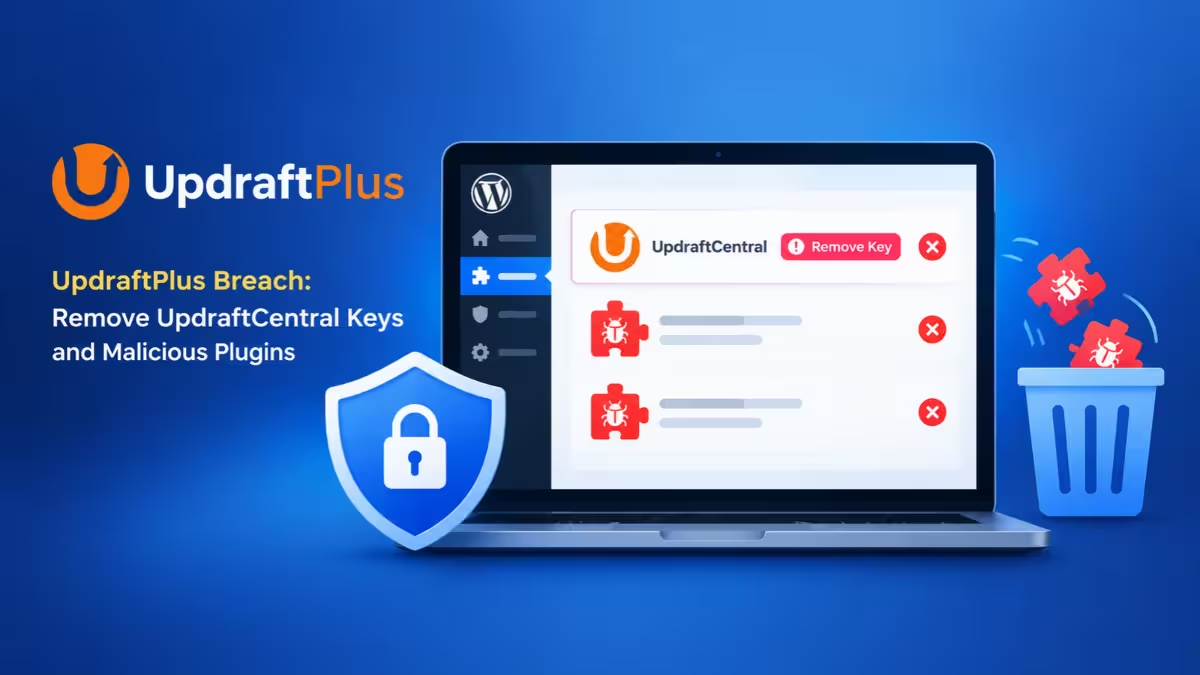
This guide explains how vendor credential leaks work, uses the recent UpdraftPlus and Rank Math PRO incidents as real examples, and walks you through the checks and cleanup steps that actually matter.
What Is a WordPress Plugin Credential Leak?
A vendor credential leak happens when a plugin company loses the keys or packages that let it act on your site remotely.
Many premium plugins and management services keep a live connection to the sites that use them. A remote dashboard stores keys that let it run commands on your site. A premium plugin downloads updates from the vendor's own server instead of the WordPress.org repository. In both cases, your site accepts whatever arrives because it carries a valid signature or comes from the expected source.
If an attacker steals those keys or tampers with that update server, every connected site becomes a target at once. Your firewall sees normal, signed traffic. Your update checker sees a genuine release. Nothing on your end looks broken until the backdoor runs.
UpdraftPlus Breach: How Stolen UpdraftCentral Keys Backdoored Sites
The UpdraftPlus incident shows how one stolen database can turn into thousands of site takeovers.
Over the weekend of 17 and 18 October 2026, attackers broke into teamupdraft.com, the site behind the UpdraftPlus backup plugin, which runs on more than four million WordPress installs. TeamUpdraft confirmed the intruder likely reached its customer database, which held:
- Names, email addresses, billing addresses and order history
- Hashed account passwords and two-factor authentication settings
- Connection keys for UpdraftCentral, UpdraftVault and UpdraftClone
Card details stayed safe because Stripe and PayPal handle payments. The plugin files and downloads stayed clean too.
The connection keys caused the real damage. UpdraftCentral is a remote management console, and its client code ships inside every copy of UpdraftPlus. Once a site holds a key, it obeys any command signed by the matching dashboard key, with the rights of the user who created the link. The attacker used stolen keys to push backdoor plugins straight onto connected sites, starting on 18 October. Security researchers counted 99 differently named backdoor plugins, many posing as maintenance or speed tools such as "Site Health Cache."
Two details made this campaign especially dangerous:
- Keys never expire. Researchers found keys issued in late 2025 still accepted commands in October 2026.
- Many owners had keys without knowing it. When you link UpdraftPlus to a TeamUpdraft account, a checkbox that adds the site to UpdraftCentral comes ticked by default. Owners who only ever used the plugin for backups ended up enrolled.
Rank Math PRO 3.0.123 Malware: What the Tampered Update Did
Days earlier, a separate attack hit the update channel of a popular SEO plugin rather than its keys.
Between 20:02 UTC on 15 October and 07:12 UTC on 16 October 2026, some downloads and updates of Rank Math PRO delivered a tampered version 3.0.123 carrying malicious code. The free Rank Math plugin from WordPress.org stayed clean. Rank Math released a safe 3.0.124, and the case received CVE-2026-111862 with a CVSS score of 9.8.
This backdoor rebuilds itself whenever someone loads the site, can plant admin accounts whose usernames start with wpsupport_, drops a fake core file at wp-includes/class-wp-cache-util.php and adds .htaccess rules that let cache-style files run as PHP. It also talks to a command server at rank1cdn[.]com. Rank Math tells affected customers to treat every credential the site could reach as exposed, including database, API, SMTP and hosting logins.
No public evidence links the two incidents, but both follow the same pattern: attack the vendor once, reach thousands of sites.
Why Updates, Firewalls and 2FA Failed to Stop These Backdoors
Your usual security habits target code bugs, and these attacks contained none.
- Patching did not help. UpdraftCentral had no flaw to fix. Fully updated sites accepted the commands because the signatures were valid. With Rank Math, updating during the bad window was the very thing that delivered the malware.
- Waiting a few days before updating did not help either. Rank Math 3.0.123 had been public for eight days before someone swapped the package.
- Generic firewalls saw nothing unusual. The traffic looked like a normal download or a signed console command. Plugin-aware firewalls only added blocking rules after disclosure.
- Two-factor authentication never ran. The UpdraftCentral backdoor sets the login cookie directly through WordPress functions, so it skips the login form, 2FA prompts and login-limit plugins entirely.
Step 1: Check if Your Site Has UpdraftCentral Keys
Start by confirming whether any remote console can still send commands to your site.
If you use UpdraftPlus, run this WP-CLI command from your site's root folder:
wp option get updraft_central_localkeys --skip-plugins --skip-themesAny output means the site holds an UpdraftCentral key and was exposed. Check the migration keys too, which sit in a separate option:
wp option get updraft_migrator_localkeys --skip-plugins --skip-themesThe --skip-plugins --skip-themes flags stop a malicious plugin from hiding its own traces from the output. Run the check even if you never opened the UpdraftCentral dashboard, because the default checkbox may have enrolled your site anyway.
For Rank Math PRO, check your plugin version and the date you last installed or updated it. A PRO update or fresh install inside the 15 to 16 October window puts the site at risk.
Step 2: Delete UpdraftCentral Keys and Update UpdraftPlus
Remove the entry point before you clean anything, or the attacker can simply reinstall the backdoor.
For UpdraftPlus:
- Log in to the site's own WordPress dashboard directly, not through UpdraftCentral.
- Update to UpdraftPlus 1.26.13 (free) or 2.26.13 (Premium) or later. These releases revoke older UpdraftCentral connections automatically. The earlier 1.26.12 and 2.26.12 fixes carried a bug that stopped the revocation working.
- Go to Settings > UpdraftPlus Backups > Advanced Tools > UpdraftCentral, open the existing keys list and delete every key.
You can also delete the key from the command line:
wp option delete updraft_central_localkeysDo this manually even after updating. Independent analysis found that 1.26.13 only wipes keys created before 12:07 UTC on 18 October, while TeamUpdraft gives 21:00 UTC as the cutoff. Keys created in that gap stay on the site. Removing the site from the UpdraftCentral dashboard does not disconnect it, because the key that matters lives on your server. Your scheduled backups keep running after you delete the key.
For Rank Math PRO, delete the whole plugin folder rather than just deactivating it, then install the clean 3.0.124.
Step 3: Check for Indicators of Compromise (Backdoor Plugins, Hidden Admins)
With the door closed, search the site for anything the attacker left behind.
Check plugins. Open Plugins and the Must-Use tab and look for anything you did not install. Every UpdraftCentral backdoor sample shares one description line, so search for it from the server:
grep -rl "Small maintenance toolkit: keeps option storage tidy" wp-content/plugins/Also look for unexpected PHP files inside wp-content/uploads/ and wp-content/mu-plugins/.
Check users by capability, not by role. The UpdraftCentral backdoor creates an account that shows as an Editor but quietly holds manage_options and install_plugins, so a quick look at your admin list misses it. List your admins and audit what each editor can actually do:
wp user list --role=administrator --fields=ID,user_login,user_email,user_registered --skip-plugins --skip-themes
wp user list --role=editor --field=ID --skip-plugins --skip-themes | xargs -I{} wp user list-caps {} --skip-plugins --skip-themes
Watch for display names like "Site Tools," emails ending in @example.org or @example.com, usernames built from two words plus two digits, and Rank Math style usernames starting with wpsupport_.
Check leftover options and scheduled jobs. Search for options ending in _sync_token, and review the web server user's crontab for entries you did not add:
wp option list --search="*_sync_token" --skip-plugins --skip-themes
crontab -l -u web-server-user
Check core files. Compare WordPress core against official checksums, including the root folder:
wp core verify-checksums --include-root
wp plugin verify-checksums --all
Keep in mind that the plugin checksum check only covers WordPress.org plugins. It skips premium plugins, so you need to compare those against a fresh copy from the vendor.
Check access logs. Look for POST requests to the site root with odd user agents, and GET requests carrying a short random parameter with a 32-character value, which is how the backdoor gets triggered. A hit on that trigger means someone used the backdoor, not just installed it.
If you find a backdoor plugin, do not try to repair it. Some early samples crashed sites with HTTP 500 errors because of a coding bug, and fixing that bug switches the backdoor on. Deactivate it and move the folder out of the web root instead of deleting it from wp-admin, since its uninstall routine can erase its own traces.
Step 4: Restore a Clean Backup and Rotate All Credentials
Treat any site that shows a single indicator as fully compromised and rebuild trust from scratch.
- Restore the site from a backup taken before the incident. For UpdraftCentral, that means before 17 October. For Rank Math PRO, before 15 October.
- Change every administrator password and end all active sessions.
- Regenerate the WordPress keys and salts in
wp-config.phpto kill stolen login cookies. - Rotate every secret the site could read: database password, API keys, SMTP login, hosting and SSH credentials.
- If the attacker reached the site through UpdraftCentral, re-authorise your remote backup storage (Google Drive, Dropbox, Amazon S3) and change any storage access keys.
- Change your teamupdraft.com password, reset its 2FA, and change the same password anywhere else you reused it.
- Reconnect UpdraftVault from Settings > UpdraftPlus > Settings, then run a manual backup to confirm it works.
If you have no clean backup from before the attack, you face a slow manual purge with no guarantee you caught everything. That alone makes a tested, offsite backup your most valuable defence.
How to Protect Your WordPress Site From Future Vendor Breaches
You cannot stop a vendor from getting hacked, but you can limit what a stolen key or poisoned update can do to your site.
- Keep an inventory of trust. List which plugins update from the vendor's own servers instead of WordPress.org, which remote consoles hold keys on each site, and which user account sits behind each key.
- Issue remote keys under a low-privilege user. On one targeted site, the attack failed because the connection belonged to a user who could not install plugins. Create remote management keys under an account without
install_pluginswherever you can. - Make the plugins folder read-only where practical. A plugins directory that PHP cannot write to blocked at least one install attempt.
- Delete connections you do not use. If you never use UpdraftCentral, delete the key and leave it off. An unused key is pure risk.
- Restrict outbound traffic. A web server that can only reach a short list of destinations, such as update repositories and your payment gateway, makes it much harder for malware to call home.
- Back up before every update. Keep automatic updates on for security fixes, but make sure a recent, verified backup exists before each one runs.
- Ship logs off the server. UpdraftCentral's built-in log keeps only the last 50 events. Send access logs somewhere an attacker on your server cannot edit them.
- Hold your agency to the same standard. If an outside agency manages your site, ask which consoles they connect, under which user, and how fast they will report an incident like this.
Also keep UpdraftPlus at version 1.26.5 or 2.26.5 or later. In June 2026 the vendor fixed CVE-2026-10795 (CVSS 8.1), a flaw that let attackers forge UpdraftCentral commands with no keys at all, and attackers still probe old installs for it.
Frequently Asked Questions
Am I affected if I use the free version of UpdraftPlus?
Only if your site holds an UpdraftCentral key. Free users who never linked the plugin to a teamupdraft.com account have no key and need no action beyond keeping the plugin updated. If you did link an account, run the updraft_central_localkeys check, because the default checkbox may have enrolled your site.
How do I know if my WordPress site was hacked through UpdraftCentral?
Check for four signs: a value returned by wp option get updraft_central_localkeys, plugins you did not install (especially ones with the description "Small maintenance toolkit: keeps option storage tidy"), Editor accounts that hold manage_options, and options ending in _sync_token. Any one of these means you should treat the site as compromised and follow the restore steps above.
Is my site safe once I update to UpdraftPlus 1.26.13 or Rank Math PRO 3.0.124?
No. The updates close the entry point, but they do not remove any plugin, account or session the attacker created before you updated. You still need to hunt for indicators and restore from a clean backup if you find any.
Does the free Rank Math plugin carry the backdoor?
No. The free Rank Math plugin from WordPress.org stayed clean. Only Rank Math PRO packages downloaded or updated during the 15 to 16 October window carried the malicious code.
Should I turn off automatic plugin updates after these attacks?
Turning them off leaves known security flaws unpatched, which remains one of the most common ways into WordPress sites. Keep updates on, take a verified backup before each one, and ask premium vendors to publish package hashes you can check.
Can I reconnect my site to UpdraftCentral?
TeamUpdraft says you can reconnect with freshly issued keys after you check and clean the site. Some security researchers advise waiting until the vendor explains how the breach happened. If you reconnect, create the key under a user that cannot install plugins.
Did the attackers steal my payment card details?
No. TeamUpdraft does not store card details, because Stripe and PayPal process all payments. The breach exposed names, emails, billing addresses, order history, hashed passwords, 2FA settings and service connection keys.