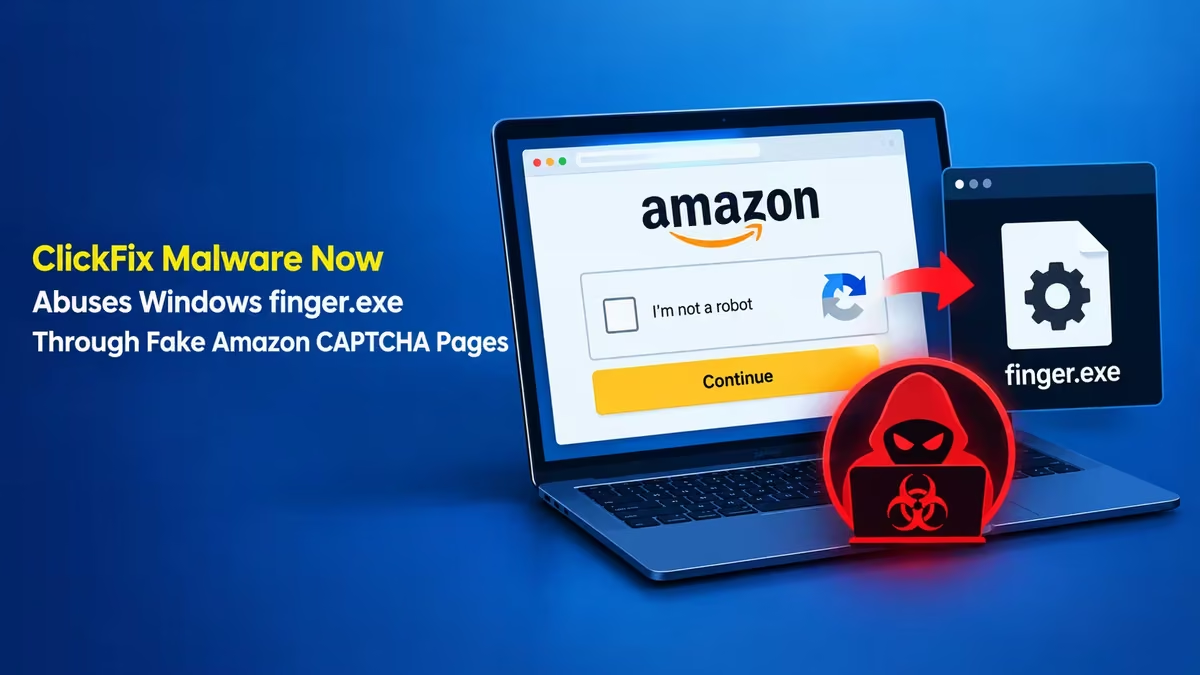
A new ClickFix campaign turns one of the oldest tools in Windows into a malware launcher. Attackers bought sponsored Google search ads for "amazon business," sent clickers to a fake Amazon sign-in page, and then showed a bogus CAPTCHA that tricks people into running a command themselves. That single command calls finger.exe, a utility from the early 1970s, and starts a long infection chain that ends with Lumma Stealer and a hidden copy of the NetSupport remote access tool.
Here is how the attack works, why an ancient utility makes it harder to catch, and what you can do to protect your PC.
What Is a ClickFix Attack and How Does It Work?
ClickFix is a social engineering trick where the victim runs the malware for the attacker.
Instead of sending a malicious file, the attacker shows a fake problem on a web page. It might look like a CAPTCHA, a broken video meeting, or a browser error. The page then offers a "fix": copy a command, press Win + R, paste it into the Run box, and hit Enter.
Some pages skip the copy step entirely. A script on the page quietly places the command on your clipboard, so all you do is paste it.
Because you launch the command through trusted Windows tools, many security products treat it as normal user activity. No suspicious download appears, and no email attachment needs opening. ClickFix has grown into one of the most common lures since it surfaced in 2024, and incidents involving fake CAPTCHA pages jumped by more than 500% in 2025.
How the Fake Amazon Business Ad Leads to ClickFix Malware
The attack begins with a paid search ad that looks like a normal Amazon Business result.
People who searched "amazon business" on Google saw a sponsored link that led to a lookalike domain, orders-amazon[.]com[.]advancedfences[.]com. That address redirected to a fake Amazon login page hosted on a private Google Sites page, which gave the page a layer of borrowed trust.
The fake page asks for an email address or phone number first. Once you fill that in, a CAPTCHA box pops up. This box is the actual trap. Following its instructions runs a command that calls finger.exe.
Google pulled the malicious ad, but the attacker servers stayed online. The group also keeps registering new domains, many with an odd barbecue theme, so expect fresh versions of this lure under different names.
Why Attackers Use finger.exe in ClickFix Attacks
The finger utility gives attackers a quiet delivery channel that few people watch.
Finger dates back to the early internet. Its original job was simple: ask a remote server for details about a user, such as their name and the contents of a text file called .plan. Windows still ships finger.exe today, even though almost nobody uses it for that purpose.
Attackers abuse it as a living-off-the-land binary (LOLBIN). In this campaign, the command reaches out to an attacker server, pulls back the contents of a remote .plan file, and passes that text straight into the next stage. The "user info" is really a set of instructions, and in related campaigns those instructions arrive encoded in Base64.
Three things make finger attractive to attackers:
- It is built in. No download is needed, so file-based scanners have nothing to flag.
- It uses TCP port 79. Firewalls, web filters, and data loss prevention tools rarely inspect traffic on such an uncommon port.
- It ignores proxies. Finger does not route through a configured proxy, so corporate web gateways may never see the connection.
Defenders also rarely expect to see finger.exe in an attack, which buys the malware extra time before anyone notices.
What Malware Does the finger.exe ClickFix Attack Install?
One fake CAPTCHA command sets off a multi-stage chain that drops several payloads instead of just one.
After finger.exe fetches the remote instructions, the chain installs IronPython, a version of Python that runs on .NET. It then runs several obfuscated loaders, each one unpacking the next. The final stage drops two main payloads:
- Lumma Stealer: An infostealer that grabs saved browser passwords, cookies, session tokens, and crypto wallet data.
- NetSupport Client: A pirated copy of a legitimate remote monitoring and management (RMM) tool, installed in hidden mode so the attacker can control the PC remotely.
This layered design matters. Each extra stage makes the attack harder for analysts to trace back to its source. The same entry point could also deliver ransomware, a different remote access trojan, or any other payload the attacker chooses later.
Other ClickFix campaigns that use finger, including ones tied to the KongTuke and SmartApeSG operations, have delivered similar mixes of stealers and remote access tools.
How Dangerous Are ClickFix Attacks in 2026?
The technique accounts for a small share of detections, yet nearly every hit carries a high severity rating.
Security telemetry from 2026 shows ClickFix behind roughly 2.2% of managed endpoint detection signals, and close to 99% of those carried a high severity rating. State-backed groups also use the technique. North Korean and Russian threat actors have run ClickFix lures through fake video meeting errors and compromised websites serving fake CAPTCHA checks.
The danger comes from the user doing the work. A fully patched Windows PC with good antivirus can still fall if you paste and run the attacker's command yourself.
How to Spot a Fake CAPTCHA ClickFix Page
A real CAPTCHA never asks you to open Windows tools or run commands.
Legitimate verification checks ask you to tick a box, click images, or solve a puzzle inside the browser. Treat any of these signs as a red flag:
- The page tells you to press
Win + R,Win + X, or open PowerShell, Command Prompt, or Terminal. - The page says a command has been copied for you, or asks you to press
Ctrl + Voutside the browser. - A "verification" step appears right after you enter your email, phone number, or password on a login page you reached through an ad.
- The address bar shows a long, strange domain where the real brand name sits at the start but the actual domain sits at the end, like
orders-amazon.com.advancedfences.com.
If you see any of these, close the tab. Do not paste anything.
How to Block finger.exe and Stop ClickFix Attacks on Windows
Most home and office users never need finger, so a few quick firewall changes shut this attack path down.
Method 1: Block Outbound TCP Port 79
Blocking port 79 stops finger.exe from reaching attacker servers.
- Right-click the Start button and select Terminal (Admin) or Windows PowerShell (Admin).
- Run this command:
netsh advfirewall firewall add rule name="Block Finger TCP 79" dir=out action=block protocol=TCP remoteport=79- Windows confirms with Ok. and the rule takes effect right away.
Method 2: Block finger.exe in Windows Firewall
This rule stops the program itself from making any outbound connection, on any port.
- Open Terminal (Admin) again.
- Run these two commands:
netsh advfirewall firewall add rule name="Block finger.exe" dir=out action=block program="%SystemRoot%\System32\finger.exe"
netsh advfirewall firewall add rule name="Block finger.exe (32-bit)" dir=out action=block program="%SystemRoot%\SysWOW64\finger.exe"
To undo either method later, open Windows Defender Firewall with Advanced Security, go to Outbound Rules, and delete the rules you added.
Method 3: Use Ad Blocking and Type Brand URLs Yourself
This campaign started with a sponsored search ad, so cutting out ads removes the entry point.
When you need a login page for Amazon, your bank, or any other service, type the address directly or use a saved bookmark. Avoid clicking the sponsored results at the top of search pages for sign-in links. A reputable ad blocker also hides most of these malicious ads before you ever see them.
What to Do If You Ran a ClickFix Command (Lumma Stealer Removal)
Act fast, because the stealer starts collecting data as soon as it runs.
- Disconnect from the internet. Unplug the cable or turn off Wi-Fi to cut the attacker's remote access.
- Check for NetSupport. Open Task Manager and look for
client32.exeor anything named NetSupport. Also checkC:\ProgramDatafor folders you do not recognize. - Run a full scan. Use Microsoft Defender's Full scan or Microsoft Defender Offline scan, plus a second-opinion scanner.
- Change your passwords from a clean device. Start with email, banking, Amazon, and any account saved in your browser. Turn on two-factor authentication everywhere you can.
- Sign out of all sessions. Lumma steals session cookies, so log out of all devices in your important accounts to kill stolen sessions.
- Watch your accounts. Check bank, card, and crypto wallet activity over the next few weeks.
If you used a work PC, tell your IT or security team right away. Stolen credentials often become the first step in a larger breach.
How IT Teams Can Detect finger.exe ClickFix Activity
Businesses should treat user-driven command execution as a primary risk, not an edge case.
- Block or monitor outbound TCP/79 at the network edge.
- Alert on any
finger.exeexecution, especially when launched fromexplorer.exethrough the Run dialog. - Restrict the Run dialog through Group Policy for users who do not need it.
- Watch for unusual staging folders under
C:\ProgramData, hidden NetSupport processes, and traffic on nonstandard ports such as TCP/725. - Audit built-in tools with no business purpose and disable them.
- Train staff with one simple rule: no website will ever ask you to paste a command into Windows.
Frequently Asked Questions
Is finger.exe a virus?
No. finger.exe is a genuine Windows file located in C:\Windows\System32. Attackers abuse it to fetch malicious instructions, but the file itself is legitimate. Blocking its network access does not break normal Windows features for most users.
Can I delete finger.exe from Windows?
You should not delete system files, because Windows updates or System File Checker may restore them or flag errors. Blocking it with a firewall rule is the safer option.
Does this attack affect Mac users?
This specific chain targets Windows because it relies on finger.exe and the Run dialog. Other ClickFix variants do target macOS by asking users to paste commands into Terminal, so the same rule applies on a Mac.
Will antivirus stop a ClickFix attack?
Not always. Because you run the command yourself through trusted Windows tools, antivirus may not block the first step. It often catches later payloads, but by then the stealer may have already taken your data.
How do I know if Lumma Stealer infected my PC?
Signs include unexpected logins on your accounts, password reset emails you did not request, and unknown processes in Task Manager. A full scan with Microsoft Defender and a second scanner gives you the clearest answer.