Running into the “Connection to online services failed” message in ARC Raiders can be frustrating, especially when you’re ready to drop into a raid and the game stops you before the main menu. This error usually looks vague, but in practice it points to a small set of clear causes—either something is wrong on Embark Studios’ servers, or your system isn’t reaching them cleanly.
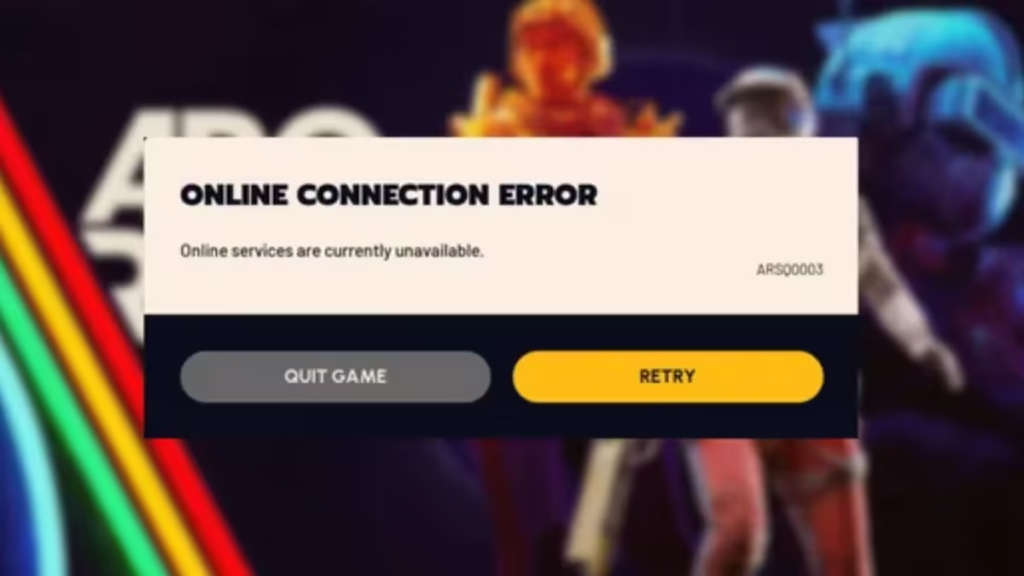
ARC Raiders is an always-online extraction shooter. Even basic actions like logging in, matchmaking, and entering a raid require a stable connection to backend services.
When the game shows “The connection to online services failed, please try again later”, it usually means one of the following:
- The game’s servers are temporarily unavailable or overloaded
- Authentication services can’t verify your session
- Your PC or console is blocked by DNS, routing, or network instability
- Steam or the platform client failed to handshake correctly
Because the message is generic, the fix depends entirely on where the failure is happening.
First Step: Check If ARC Raiders Is Down for Everyone
Before touching your network or system settings, confirm whether this is a global server issue.
If large numbers of players are reporting login failures at the same time—especially with similar messages or error codes—this strongly suggests a backend outage. During these periods, no local fix will help. The game usually starts working again once Embark restores the affected services.
See also: How to Fix ARC Raiders Error ARMR0002 (Matchmaking Failed) on PC, PS5 & Xbox
If the issue appears widespread, the smartest move is to close the game and try again later instead of repeatedly reconnecting.
If Servers Look Fine, Check Your Local Connection
When ARC Raiders is online, but you still can’t connect, the problem is more likely on your side.
1. Make sure your internet is stable
- Load multiple websites to confirm your connection is responsive
- Restart your modem and router if pages are slow or timing out
2. Use a wired connection if possible
Short Wi-Fi drops can be enough to break ARC Raiders’ login process. Ethernet is far more reliable for extraction shooters.
3. Turn off VPNs and proxies
VPN routing often interferes with matchmaking and authentication. Many players clear the error instantly after disabling their VPN.
Restart Steam Properly (Not Just the Game)
ARC Raiders depends heavily on Steam services for authentication.
- Fully close Steam
- Open Task Manager and make sure all Steam processes are ended
- Relaunch Steam and let it update if prompted
- Then start ARC Raiders again
A partially hung Steam session can block server access even if your internet is fine.
Reset Your Network Configuration on Windows
If the error keeps appearing on PC, clearing cached network data often helps.
Resetting your IP and DNS forces Windows to rebuild its connection path to ARC Raiders’ servers. This is especially effective if your ISP’s routing is unstable.
After resetting, reboot your PC before launching the game again.
Try Switching to a Public DNS
Some ISPs have unreliable DNS resolution for newer online games.
Switching to a public DNS provider can stabilize how your system finds ARC Raiders’ servers. Players have reported improved connection reliability after moving away from their default ISP DNS.
After changing DNS settings, reconnect to your network or restart your system before testing the game.
Check System Time and Windows Updates
ARC Raiders relies on secure authentication tokens, which can fail if your system clock is incorrect.
- Make sure your time zone is accurate
- Sync your system time with the internet
- Install any pending Windows updates
An incorrect clock or outdated system can trigger vague connection errors without any clear warning.
Adjust Server Region Settings In-Game
If you can reach menus but fail during matchmaking:
- Open the settings menu
- Navigate to server or gameplay options
- Set server selection to Automatic
Letting the game choose the healthiest region often resolves repeated connection failures.
Reduce Background Network Traffic
Heavy background usage can destabilize online sessions, especially in extraction shooters where timing matters.
See also: How to Fix ARC Raiders Error ART00004 – Network Timeout Explained and Solutions
Disabling Windows delivery optimization and limiting background downloads helps keep your connection focused on the game.
When You Should Stop Troubleshooting
If you’ve checked server status, confirmed your network is stable, reset DNS, restarted Steam, and updated Windows—but the error persists while other players in your region can log in—this may be an account-level or region-specific issue.
At that point, gather:
- The exact error message or code
- Your platform and region
- The approximate time the issue started
Then contact ARC Raiders support with those details. They can check backend logs that aren’t visible to players.
FAQs ARC Raiders Connection to Online Services Failed
Why does ARC Raiders say “connection to online services failed”?
This error appears when ARC Raiders cannot communicate with its backend servers. It usually happens due to a server outage, heavy server load, unstable internet connectivity, DNS issues, or problems with Steam authentication.
Are ARC Raiders servers down right now?
ARC Raiders servers occasionally go offline due to maintenance, updates, or unexpected outages. If many players are reporting the same error at the same time, the issue is server-side and usually resolves once Embark Studios restores services.
Can I fix the ARC Raiders connection error myself?
Yes, if the servers are online. Restarting Steam, disabling VPNs, flushing DNS, switching to a wired connection, and updating Windows often resolve the “connection to online services failed” error on PC.
Does using a VPN cause ARC Raiders connection issues?
Yes. VPNs can interfere with matchmaking and authentication in ARC Raiders. Disabling the VPN before launching the game resolves connection errors for many players.
Why does ARC Raiders fail to connect even though my internet works?
Your internet may be working for browsing but still have routing, DNS, or packet stability issues. ARC Raiders is sensitive to brief network drops, outdated DNS records, and Steam client problems.
How do I fix ARC Raiders connection issues on PC?
Make sure Steam is fully restarted, your system time is correct, Windows updates are installed, DNS cache is cleared, and server region is set to Automatic. These steps cover most PC-related connection failures.
Does restarting Steam really help with ARC Raiders login errors?
Yes. ARC Raiders relies on Steam services for authentication. A full Steam restart, including closing all background processes, often fixes failed connections.
What should I do if ARC Raiders still won’t connect after all fixes?
If none of the fixes work and other players in your region can log in, contact ARC Raiders support with your error message, platform, region, and the time the issue started.
Is the “connection to online services failed” error permanent?
No. The error is temporary and linked either to server instability or fixable local network issues. Once the underlying cause is resolved, ARC Raiders connects normally.
Does ARC Raiders require a constant online connection?
Yes. ARC Raiders is an always-online extraction shooter. Logging in, matchmaking, raids, and progression all require a stable connection to online services.
The “Connection to online services failed” error in ARC Raiders isn’t always something you can fix—but when it is, the solution is usually straightforward. Check for outages first, keep Steam and Windows healthy, reset your network when needed, and avoid unstable connections.
If the servers are struggling, the best fix is patience. When they’re healthy, a clean local setup makes all the difference.

