Microsoft has finally fixed one of the longest-standing complaints from macOS users running PowerShell. Starting with the May 2026 maintenance releases, the PowerShell package for macOS is properly notarized by Apple, which means GateKeeper no longer flags it as software from an unidentified developer.
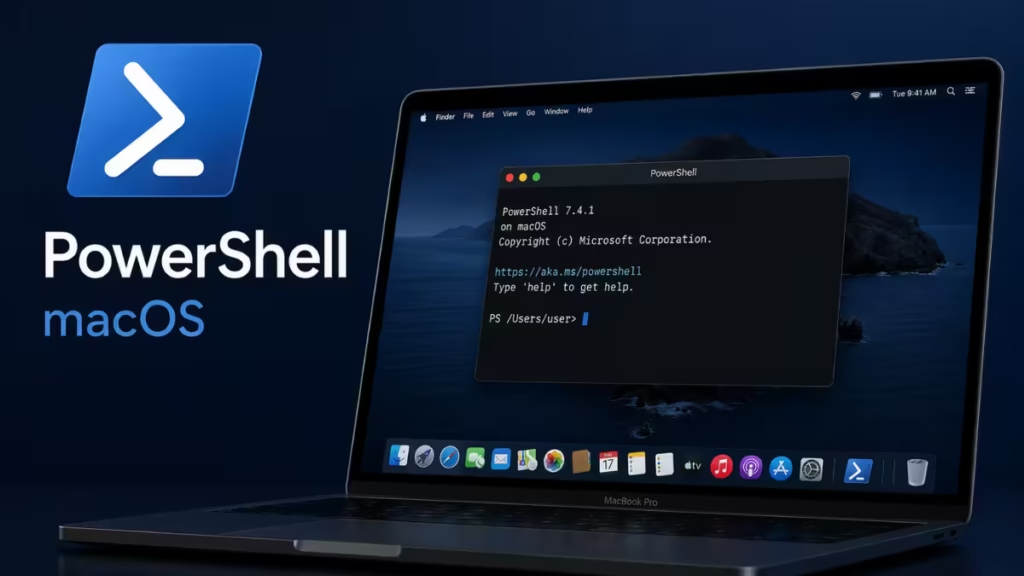
If you have been dismissing security warnings, running xattr commands, or walking teammates through manual workarounds every time you install PowerShell 7 on Windows or a Mac, those extra steps are now gone on the macOS side.
What Changed in This Release
Microsoft’s PowerShell team shipped three concrete fixes in the May 2026 releases of PowerShell 7.4 and higher.
- Apple notarization is now in place: The
.pkginstaller and the.tar.gztarball are both notarized and signed by Microsoft. macOS no longer presents the “unidentified developer” prompt when you open the package. - Binaries and libraries are hardened: Microsoft built the PowerShell binary and its libraries with the security entitlements Apple recommends for distributed software. This brings the package in line with both Apple’s requirements and Microsoft’s internal compliance standards.
- File permissions in the tarball are fixed: A separate bug that set incorrect file permissions on files inside the
.tar.gzarchive is also resolved in this release.
Together, these three changes close more than 14 long-standing GitHub issues that the community had filed over several years.
What This Means for You
For most users, the change is invisible in the best way possible. You no longer need to:
- Click through GateKeeper warning dialogs
- Open System Settings and manually select “Open Anyway” under Privacy and Security
- Run
sudo xattr -rd com.apple.quarantinebefore installing the package - Use
sudo installer -allowUntrustedfrom the command line - Guide new team members through the workaround steps every time they set up a Mac
Install or update PowerShell exactly as you normally would. The May 2026 .pkg files download and open cleanly without any security intervention from macOS.
This fix applies to PowerShell 7.4 (LTS) and all later versions. If you run Exchange Online PowerShell or other Microsoft 365 tooling on macOS, updating to the latest patched release also gives you a cleaner install path going forward.
How to Install or Update PowerShell on macOS
Install Using the PKG Package
- Go to the PowerShell releases page on GitHub.
- Download the
.pkgfile that matches your processor:- Apple Silicon (M1 and later):
powershell-7.6.2-osx-arm64.pkg - Intel:
powershell-7.6.2-osx-x64.pkg
- Apple Silicon (M1 and later):
- Open the downloaded file. macOS will no longer block it.
- Follow the installer prompts.
- Open a terminal and run
pwshto confirm the installation.
Install Using the Binary Archive
Use this method when you need a custom install path or want to script deployments.
# Download the tarball (replace with your version and architecture)
curl -L -o /tmp/powershell.tar.gz https://github.com/PowerShell/PowerShell/releases/download/v7.6.2/powershell-7.6.2-osx-arm64.tar.gz

# Create the target folder
sudo mkdir -p /usr/local/microsoft/powershell/7

# Extract the archive
sudo tar zxf /tmp/powershell.tar.gz -C /usr/local/microsoft/powershell/7

# Set execute permissions
sudo chmod +x /usr/local/microsoft/powershell/7/pwsh

# Create the symbolic link
sudo ln -s /usr/local/microsoft/powershell/7/pwsh /usr/local/bin/pwsh
Run pwsh from a new terminal session to start PowerShell 7.
Install as a .NET Global Tool
If you already have the .NET Core SDK installed, this is the quickest path:
dotnet tool install --global PowerShellAfter installation, open a new shell and run pwsh.
Supported macOS Versions
Microsoft supports the following versions as of this release:
- macOS 26 (Tahoe) on x64 and Arm64
- macOS 15 (Sequoia) on x64 and Arm64
- macOS 14 (Sonoma) on x64 and Arm64
Frequently Asked Questions
Do I need to uninstall my current PowerShell version first?
No. Newer stable releases replace existing stable versions automatically. You only need a side-by-side install if you want to run a preview release alongside a stable one.
Does this fix apply to PowerShell 7.5 as well?
Yes. The notarization and hardening changes apply to the next maintenance release of PowerShell 7.4 and higher, which includes 7.5 and 7.6.
What if I installed PowerShell via Homebrew?
Microsoft supports the package-based installation methods described above. Homebrew installs may work, but Microsoft cannot guarantee support for that path. If you used Homebrew previously, check your version and consider migrating to the official .pkg installer to stay on a supported track.
Where does PowerShell 7 store user profiles on macOS?
User profiles load from ~/.config/powershell/profile.ps1. Default profiles load from $PSHOME/profile.ps1. User modules live at ~/.local/share/powershell/Modules.

