GitLab shipped version 19.2 on July 16, 2026, and the release leans hard into agentic automation, tighter security review, and access controls that scale across large organizations. If you manage a GitLab instance or work inside one daily, several of these changes directly affect how you write code, review merge requests, and lock down permissions. Here’s what changed and how to start using it.
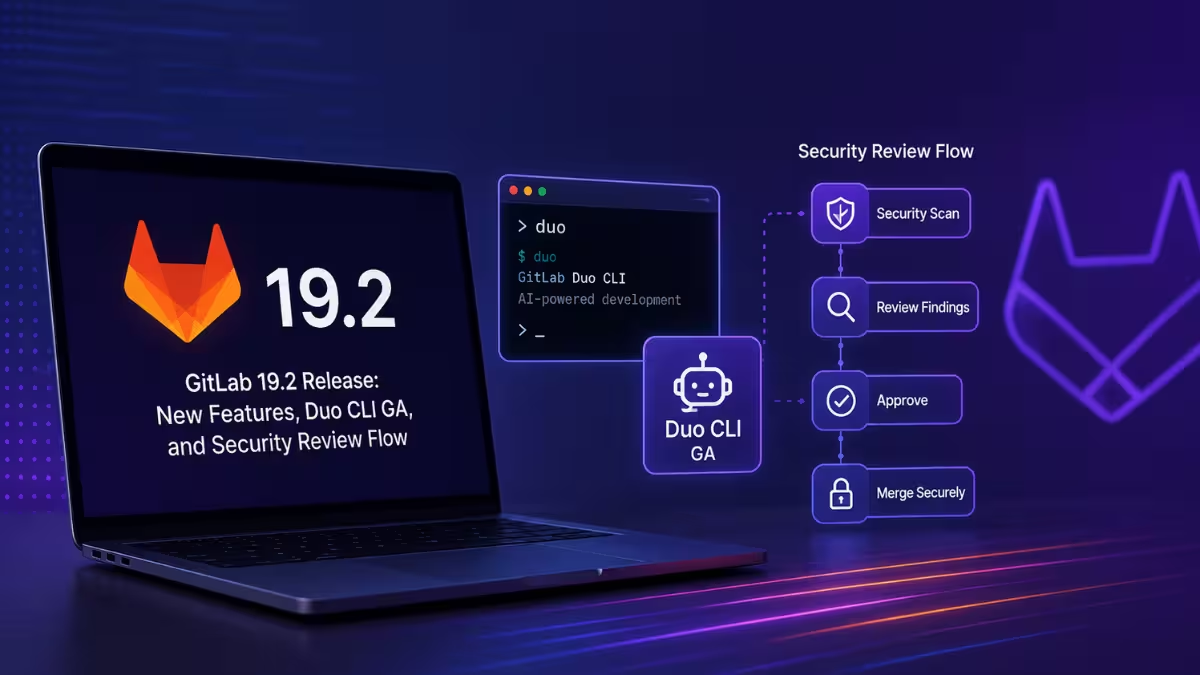
GitLab Duo CLI Reaches General Availability
Before 19.2, using GitLab Duo Agent Platform meant staying inside the browser. Now the same agent platform runs as a command you type from wherever you already work: your terminal.
That matters because most generic AI coding tools in a terminal have no idea what project you’re in, what your pipelines look like, or how your agents are configured. Duo CLI reads all of that automatically, so its answers stay grounded in your actual GitLab setup rather than generic suggestions. It runs in two modes: an interactive chat mode for day-to-day questions and a headless mode built for CI/CD pipelines. Administrators get on/off control for Self-Managed and Dedicated deployments, along with model selection, tool approvals, and support for Model Context Protocol connections.
You can install it through the GitLab CLI (glab) or run it as a standalone tool. If your team already scripts against glab, adding Duo CLI on top requires no separate authentication setup.
Custom Flows Automate Multi-Step Development Tasks
Custom Flows let you define your own agentic workflows using YAML, then trigger them off real GitLab events like mentions, assignments, pipeline runs, or merge request lifecycle changes.
These flows support multi-agent orchestration, so a single flow can hand off different parts of a task to different agents. You can also insert human-in-the-loop checkpoints at sensitive steps, meaning nothing ships without a person signing off first. Flows run inside GitLab CI/CD itself, and you can build or manage them from your project settings or the AI Catalog.
One addition worth noting: Custom Flows can now authenticate to external services using short-lived, job-scoped tokens rather than long-lived credentials. That keyless pattern matches how GitLab CI/CD pipelines already authenticate, so you avoid storing static secrets for automation that reaches cloud providers or internal APIs.
Security Review Flow Catches What Static Scanners Miss
Traditional static analysis tools match code against known vulnerability signatures. They catch common issues but miss application-logic flaws such as broken authorization, race conditions, and business logic errors, since these don’t follow a fixed pattern.
Security Review Flow, now in public beta, works from a different starting point. Instead of matching patterns, it evaluates what a piece of code is meant to accomplish, then checks whether the actual implementation lines up with that goal. Any mismatch becomes a candidate finding. This approach catches broken object-level and function-level authorization, missing authorization on state-changing operations, information disclosure, mass assignment issues, business logic errors, and race conditions, categories that pattern-matching scanners routinely miss.
You see each result as a comment attached to the exact line of code where it applies, right inside the merge request thread. GitLab tags every comment with a CWE classification and a severity score, and adds a one-click fix suggestion when one is available. GitLab is clear that the system doesn’t approve code by itself. A human reviewer still makes the final call before anything merges.
Fix CI/CD Pipeline Flow Gets Smarter Diagnosis
The Fix CI/CD Pipeline Flow now classifies why a pipeline failed before it attempts a fix, which GitLab says leads to more targeted repairs instead of generic patches.
When the affected files already sit inside a merge request diff, the flow delivers fixes as code suggestions right on that merge request. It also traces failures across child pipelines in the full pipeline hierarchy and supports customization through AGENTS.md files, so you can steer how it approaches your specific codebase.
Agentic Chat Now Launches Foundational Flows Directly
Previously, starting a foundational flow meant triggering it from a specific UI action, mention, or assignment. In 19.2, you can kick one off from inside a conversation with Agentic Chat.
When your request matches a specialist workflow, Agentic Chat hands off to the right flow automatically:
- Developer Flow implements changes or opens a merge request
- Code Review Flow reviews an existing merge request
- Fix CI/CD Pipeline Flow diagnoses and repairs a failed pipeline
You approve the handoff inside the chat window, then track progress either in the conversation itself or from AI > Sessions.
Dependency Scanning Auto-Remediation Enters Beta
GitLab 19.2 introduces automated vulnerability remediation inside the dependency scanning workflow through two capabilities: automated dependency version bumps and Agentic Breaking Change Resolution.
Automated dependency version bumps open merge requests on their own to update vulnerable dependencies to safe versions once you turn the feature on. By default, it targets patch and minor version updates only, which limits the blast radius of automated changes.
Fine-Grained Personal Access Tokens Are Now GA
Legacy access tokens grant a user access to every project and group they belong to, which creates unnecessary exposure if a token leaks. Fine-grained personal access tokens fix that by letting you scope a token to specific resources and actions only.
The feature now covers REST API endpoints completely and covers commonly used GraphQL types and mutations. If your team has been avoiding personal access tokens over security concerns, this release is the point to reconsider.
Governance and Audit Additions
Large organizations get several new controls for auditing and governing agentic activity in this release.
The AI Audit Event Report, now in beta, records every AI-assisted action as a dedicated audit event. Each agent session generates an artifact capturing the inputs, the model and configuration used, a chronological timeline, and the outputs. Security and compliance teams can browse, filter, and download these session artifacts.
Group-level custom instructions for GitLab Duo Code Review let administrators set review behavior across every project in a group at once instead of configuring each project separately. Instance-level custom review instructions extend the same idea to self-managed and dedicated deployments.
New MCP access controls determine which agents can run and what they’re allowed to reach. Selective GitLab Duo availability for subgroups adds a default-deny, per-subgroup allowlist on dedicated instances, so compliance teams can block specific subgroups from GitLab Duo entirely while leaving others enabled.
Scheduled Pipeline Execution Policies Reach GA
You can now define a pipeline schedule once inside a security policy project and enforce it across every in-scope project, without touching each project’s individual .gitlab-ci.yml file. Updating the schedule in one place propagates the change everywhere it applies.
This works well for compliance scripts, security scans, or other CI/CD jobs that need to run on a fixed cadence regardless of commit activity, such as dependency scans on repositories that don’t see frequent code changes. Each policy runs as its own pipeline, with time zone support, time window distribution, and branch targeting built in.
Other Notable Changes in 19.2
A handful of smaller updates round out the release:
- GitLab Duo can now read and respond to merge request review comments, and a “Resolve with GitLab Duo” option lets it implement a requested change and commit it directly to the branch
- Automatic rebase before merge removes the manual rebase step that semi-linear and fast-forward merge methods previously required
- The CI Expert Agent has reached GA, offering AI assistance for creating, debugging, and optimizing CI/CD pipelines, and it integrates with Orbit for more contextual recommendations
- Custom Agent validation now checks prompt configurations when you create or update custom agents, which prevents silent failures caused by prompts tripping security rules
- GitLab Runner 19.2 adds a circuit breaker that falls back to Rails when KAS job requests fail repeatedly, along with fixes for secret resolution misclassification and context deadline errors
Frequently Asked Questions
Is GitLab Duo CLI free to use?
No. GitLab Duo CLI is available on Premium and Ultimate tiers across GitLab.com, GitLab Self-Managed, and GitLab Dedicated.
Does Security Review Flow replace manual code review?
No. It flags logic-based vulnerabilities that static scanners typically miss, but a human reviewer still makes the final call on whether the code ships.
What triggers a Custom Flow?
Custom Flows respond to native GitLab events such as mentions, assignments, pipeline events, and merge request lifecycle events.
Are fine-grained personal access tokens available on all tiers?
The release notes don’t restrict fine-grained personal access tokens to a specific tier, and the feature now covers REST API endpoints completely along with commonly used GraphQL types and mutations.
Related Guides
- CISA Warns of Active Supply Chain Attacks Targeting GitHub Repositories and Nx Console
- Nightmare-Eclipse vs Microsoft: GitHub Ban, Unpaid Bounties, and a July 14 Warning
Tech How-To

