When your internet drops, every search engine and cloud AI tool goes dark with it. A local copy of Wikipedia keeps working. With a free open-source tool called Kiwix, you can store all of Wikipedia on a drive you own, serve it to every phone and laptop on your home network, and even connect it to a local AI model that answers questions without touching the internet.
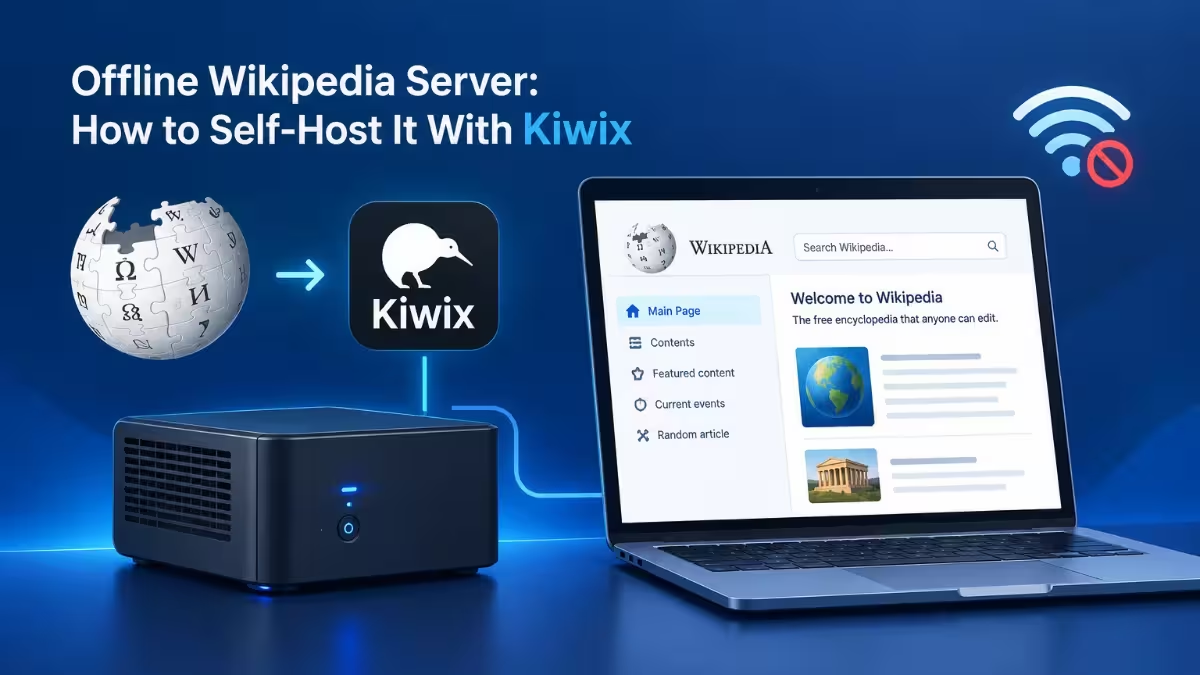
This guide covers how offline Wikipedia works, how much storage each version needs, three ways to set it up, and how to add a local LLM on top so you can ask questions in plain language.
What Is Kiwix? How to Read Wikipedia Offline
Kiwix is a free, open-source reader that opens compressed website archives called ZIM files.
A ZIM file packs an entire website, such as Wikipedia, into one indexed file built for fast offline search. Kiwix reads that file and shows the content in a browser-style interface that looks almost identical to the live site. Search works, internal article links work, and pages keep their layout.
You can run Kiwix in two ways:
- Desktop app: reads ZIM files on one computer only.
- Kiwix server (kiwix-serve): runs in the background and shares the library with every device on your network through a web browser.
Each ZIM file shows up as a separate “book” in Kiwix, so you can keep several versions side by side, such as English Wikipedia, another language edition and a medical subset.
How Big Is Offline Wikipedia? Download Size by Version
Storage decides which version you can run, so pick your ZIM file before you size your drive.
| Wikipedia Version | Approximate Size | Best For |
|---|---|---|
| Full English with images | About 97 GB (ZIM) | Complete reading experience on a dedicated drive |
| Full English without images | About 22 GB | Full article text with tight storage |
| Simple English, no images | A little over 1 GB | Small containers, Raspberry Pi or quick testing |
| Wikipedia for Schools | A few GB | Families and younger readers |
| WikiMed (medical subset) | Varies | Offline health and medical reference |
Sizes change slightly with every new snapshot. If you also plan to store offline maps and a local AI model, budget 250 to 300 GB, which makes a 500 GB or 1 TB NVMe drive the practical choice.
Best Hardware for an Offline Wikipedia Server
Kiwix needs very little computing power, so storage matters far more than the processor.
- For Wikipedia only: any old laptop, mini PC, Raspberry Pi or home lab VM works. A cheap refurbished mini PC handles it without strain.
- For Wikipedia plus a local AI model: you need much stronger hardware. A machine with a recent multi-core CPU and 64 GB of RAM can run a 27-billion-parameter model at usable, though slow, speeds.
Keep the server wired to your router with Ethernet if other devices will use it all day.
Method 1: Download Wikipedia Offline With the Kiwix App
This method takes a few minutes and suits a single user.
- Download the Kiwix desktop app for Windows, macOS or Linux.
- Open the app and browse its built-in library.
- Pick a Wikipedia version that fits your free disk space and download it.
- Open the downloaded book and start reading or searching offline.
The limit is simple: Wikipedia only works on that one computer while it runs.
Method 2: Self-Host Wikipedia on a Home Server With Kiwix Serve
A dedicated server lets every device in your house read Wikipedia through a browser.
Step 1: Prepare the Server and Storage
Set up a Linux machine, a VM or a container with enough disk space for your chosen ZIM file. On Proxmox, a community helper script can deploy a Kiwix container in a few clicks. The default container disk is small, so increase it before you download anything. A 10 GB disk fits the Simple English no-image version, while the full edition needs 100 GB or more.
Step 2: Download a Wikipedia ZIM File
Open the Kiwix ZIM download directory and copy the link for the version you want. On the server, move into Kiwix’s data folder and download the file:
wget https://download.kiwix.org/zim/wikipedia/<file-name>.zimLarge files can take hours, so start the download when you do not need your bandwidth.
Step 3: Start Kiwix Server
If you installed Kiwix tools directly, run the server and point it at your file:
kiwix-serve --port 8080 /path/to/<file-name>.zimIf you used a container or script, restart Kiwix so it loads the new book.
Step 4: Open Wikipedia From Any Device
On any phone, tablet or laptop on the same network, open a browser and go to your server’s local IP address with the port, for example http://192.168.1.50:8080. Wikipedia loads from your server with no internet needed.
Article text and internal links work offline. External reference links still need an internet connection, so you can check original sources once you are back online.
Method 3: Connect Offline Wikipedia to a Local LLM With MCP
You can connect a local AI model to your Kiwix library so it answers natural-language questions using only your offline copy.
This setup needs three pieces working together:
| Component | Job |
|---|---|
| Kiwix MCP server | Lets an AI agent search and read your ZIM files |
| Local LLM runner such as llama.cpp | Runs the AI model on your own hardware |
| Agent harness with MCP support | Connects the model to the Kiwix tools and takes your questions |
Step 1: Set Up a Kiwix MCP Server
Pick an open-source MCP server that can query Kiwix or read ZIM archives directly. Build it with npm and start it. Community projects change often, so check the repository’s issues if the build fails. Some builds need a small fix to a configuration parameter before they compile.
Step 2: Run a Local Model With llama.cpp
Download an open-weight model through llama.cpp and run it on your strongest machine. Model size matters a lot here. Small 4B models tend to invent facts even when they have the right article, while 27B-class models give far more accurate answers.
Step 3: Connect Everything in an Agent Harness
Add the Kiwix MCP server to your agent harness configuration and point the harness at your llama.cpp model. If the agent answers without calling the Kiwix tools, check how the harness exposes MCP tools. Switching the exposure mode from a code-based mode to direct tool calls often forces the model to query your library.
Step 4: Test With Real Questions
Ask a few questions you can verify yourself. Expect each answer to take a few minutes on consumer hardware.
How Accurate Is a Local LLM Using Offline Wikipedia?
Accuracy depends mostly on model size and the length of the article it reads.
Short, focused pages give the best results. Questions about a product or event with a compact Wikipedia page usually come back almost fully correct. Long pages with big tables cause more trouble, because many MCP servers pass raw HTML to the model and strip tags crudely. Those leftover tags waste the model’s context window, and errors start to appear in details further down the page, such as made-up film titles or wrong character names.
Keep these points in mind:
- Use a larger model if answers include invented details.
- Run the same question twice when something looks off, since errors do not always repeat.
- Check the source article in Kiwix for anything important.
- Remember the snapshot date. The AI cannot be more accurate than the Wikipedia copy you downloaded.
How to Update Kiwix Wikipedia ZIM Files
Kiwix publishes fresh ZIM files every few months for major language editions.
To update, download the newer ZIM file, swap it into the data folder, delete the old one and restart the server. If your server stays permanently offline, grab the latest version before you disconnect it.
Best Kiwix ZIM Files to Download Besides Wikipedia
Wikipedia is only one of many ZIM archives Kiwix can serve.
- WikiMed: a curated medical encyclopedia with clinical and drug information
- Project Gutenberg: tens of thousands of public domain books
- Stack Overflow: an offline programming reference
- Wikipedia in other languages: useful for multilingual households
For a bigger all-in-one setup, platforms such as Project NOMAD bundle Kiwix with offline maps, an education library and a local AI assistant behind a single web dashboard.
Why Run an Offline Wikipedia Server at Home?
People run offline Wikipedia for very different reasons, but they all want information that does not depend on a live connection.
- Unreliable internet: rural homes and capped data plans keep full reference access.
- Emergency preparedness: repair guides, medical facts and history stay available during outages.
- Off-grid living: RVs, boats and cabins get a low-power reference library.
- Privacy: every search stays on your network with no tracking or ads.
- Kids and schools: a clean, ad-free research tool with child-friendly versions.
Frequently Asked Questions
How big is offline Wikipedia?
Full English Wikipedia with images is about 97 GB as a ZIM file. The text-only version is about 22 GB, and Simple English without images is just over 1 GB.
Is Kiwix free?
Yes. Kiwix is free and open source, and the Wikipedia ZIM files cost nothing to download.
Can I access offline Wikipedia on my phone?
Yes. Run Kiwix server on a home machine and open its local address in your phone’s browser. Kiwix also offers mobile apps that read ZIM files directly on the device.
Does offline Wikipedia include images?
Only if you download a version with images. The no-image variants save a lot of space but show text only.
Can a local AI answer questions from offline Wikipedia?
Yes. Connect a Kiwix MCP server to a local model through an agent harness. Larger models give much more accurate answers than small ones.
How often should I update my offline Wikipedia?
Every few months is enough for most people, since Kiwix releases new snapshots for major editions on roughly that schedule.

