Keeping coins on an exchange means someone else holds the keys. A hardware wallet flips that arrangement. The device generates your private keys inside a sealed chip, keeps them off the internet permanently, and signs every transaction on the device itself. Your computer only passes the finished signature along to the network, so even a malware infected laptop cannot leak the key.
I narrowed the current market down to five devices. Each one earns its place for a different reason: raw certification level, coin coverage, price, or a backup design that removes the seed phrase entirely. Prices below reflect official store listings at the time of writing.
What Is a Crypto Hardware Wallet and How Does It Work?
A hardware wallet is a small physical device that holds your private keys offline. It never stores the coins themselves, since those live on the blockchain. The device only holds the keys that prove you own them.
When you send crypto, your phone or computer builds the transaction and passes it to the device. You check the details on the device screen and approve. The chip signs the transaction internally and hands back only the signature. Your keys never touch an internet connected device, so malware on your laptop has nothing to steal.
Best Hardware Wallets Compared: Price, Chip and Coin Support
| Wallet | Price | Secure element | Coins supported | Connection |
|---|---|---|---|---|
| Ledger Nano X | $149 | CC EAL5+ | 5,500+ | USB-C, Bluetooth |
| Trezor Safe 5 | $169 | EAL6+ | 9,000+ | USB-C |
| ELLIPAL Titan 2.0 | $119 | CC EAL5+ | 10,000+ | QR code only |
| Tangem Wallet | $54.90 (2 cards) | EAL6+ | 16,000+ | NFC |
| Cypherock X1 | $149 | EAL6+ | 9,000+ | USB-C and NFC cards |
1. Ledger Nano X: Best Hardware Wallet Overall
Most people asking me which wallet to buy should buy this one. Ledger has shipped hardware to millions of holders, the Nano X runs a CC EAL5+ certified secure element, and the companion software covers thousands of assets plus staking and Web3 connections. The device holds roughly 100 coin apps at once, so you rarely juggle installs.
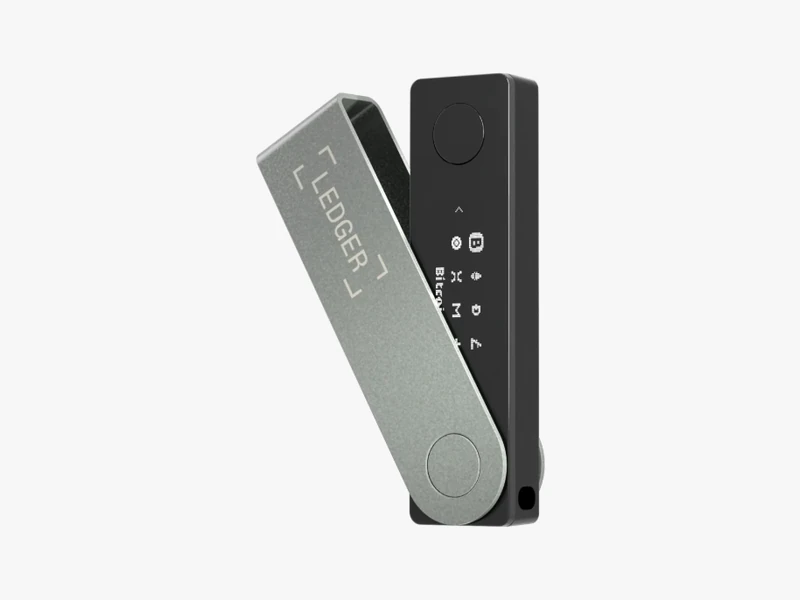
Bluetooth separates the Nano X from cheaper Ledger models. You can confirm a transfer from your phone while travelling, and the key never leaves the chip during that exchange. A 100 mAh battery handles about eight hours of standby, and a small OLED screen plus two buttons handle confirmation.
Pros:
- CC EAL5+ certified secure element
- USB-C and Bluetooth connection
- Holds around 100 coin apps at once
- Broad asset support with staking and Web3 access through Ledger’s app
Cons:
- Menus take a few days to get used to
- Firmware is closed source
- Costs more than Ledger’s entry level Nano S Plus
Buy it if: you hold a mixed portfolio, touch DeFi occasionally, and want the most widely supported device on the market.
2. Trezor Safe 5: Best Open Source Hardware Wallet
Trezor invented this product category and still publishes its code for anyone to inspect. The Safe 5 pairs that transparency with an EAL6+ secure element, so you no longer trade auditability for chip level protection.
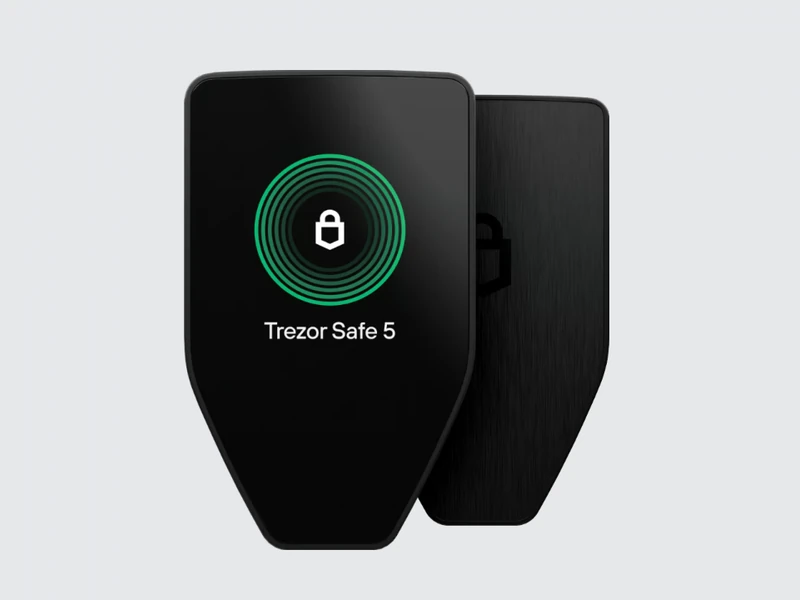
The 1.54 inch colour touchscreen with haptic feedback makes seed entry far safer than typing words into a browser. Everything happens on the device. Gorilla Glass and an anodised aluminium back give it a solid feel, and a microSD slot adds an extra protection option. Multi share backup splits your recovery across several locations, which beats a single sheet of paper hidden in a drawer.
Trezor Suite handles sending, receiving and staking, and routes traffic through Tor if you want it.
Pros:
- Open source code anyone can audit
- EAL6+ secure element
- Color touchscreen with haptic feedback
- Multi share backup and microSD support
- Tor routing and coin control for privacy
Cons:
- No native iOS app
- No Bluetooth
- Priced above entry level wallets
Buy it if: open source matters to you and you want privacy tools built into the desktop app.
3. ELLIPAL Titan 2.0: Best Air-Gapped Crypto Wallet
The Titan 2.0 strips out every wireless path. No WiFi, no Bluetooth, no NFC, no USB data. The device talks to your phone purely through QR codes shown on its 4 inch screen and scanned by the app. An attacker needs physical possession to get anywhere near your keys.
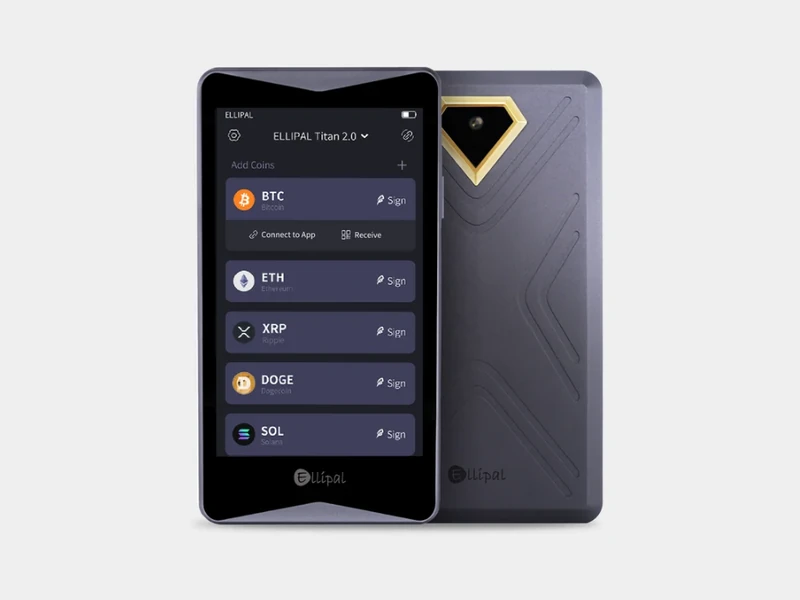
ELLIPAL seals the body in metal and builds in anti tamper and anti disassembly protection. Pry it open and it wipes itself. Coin coverage runs past 10,000 tokens across more than 40 chains, which is the widest network spread among the air gapped devices I tested.
Every transaction runs through two QR scans, one to send the unsigned data to the device and one to bring the signature back to the app.
Pros:
- Fully air gapped with QR code only communication
- Metal body with anti tamper and anti disassembly protection
- 10,000+ coins across 40+ chains
- Large 4 inch touchscreen
Cons:
- Every transaction needs two QR scans
- No desktop app
- Customer support gets mixed feedback
Buy it if: you hold a long term stack and want zero wireless attack surface.
4. Tangem Wallet: Best Cheap Hardware Wallet
Tangem throws out the familiar shape entirely. You get a set of two or three linked cards, each thinner than a credit card, with no screen, no battery and no cable. Tap one against your phone and the app opens your balance.
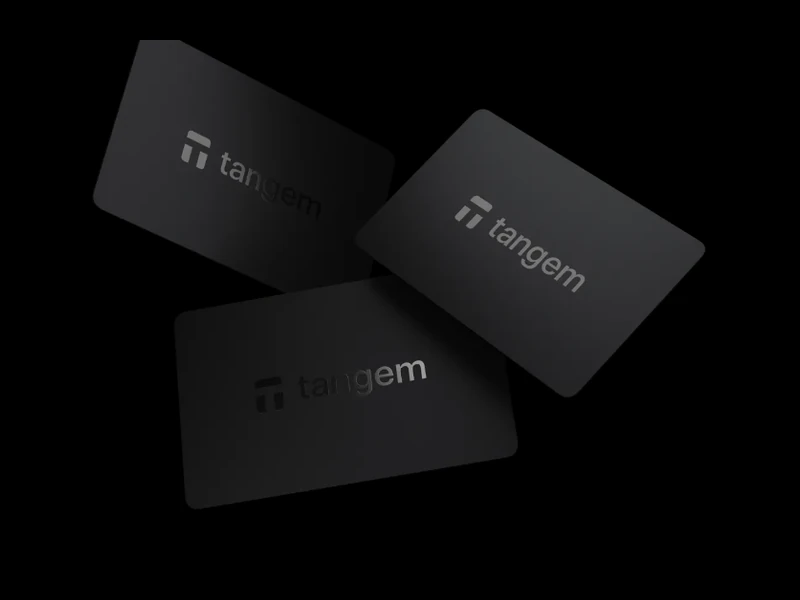
The clever part is backup. Instead of writing down a recovery phrase that someone can photograph, Tangem links the cards to each other. Lose one and another still opens the same funds. The EAL6+ chip generates the key on the card, and that key never leaves it.
A two card set costs $54.90 and a three card set runs $69.90, which makes this the cheapest credible cold storage here. Coin support passes 16,000 assets across dozens of networks.
Pros:
- Starts at $54.90 for a two card set
- Linked backup cards replace the seed phrase
- EAL6+ chip
- 16,000+ assets supported
- Long replacement warranty
Cons:
- Needs an NFC capable phone
- No desktop support
- No screen on the card
Buy it if: you want portable cold storage at a low price and you manage crypto from your phone anyway.
5. Cypherock X1: Best Seedless Crypto Wallet
Every wallet above leaves you guarding 12 or 24 words. Cypherock removes that single point of failure. The X1 splits your key cryptographically into five shards and distributes them across a vault device and four NFC smart cards. No single piece reveals anything useful.
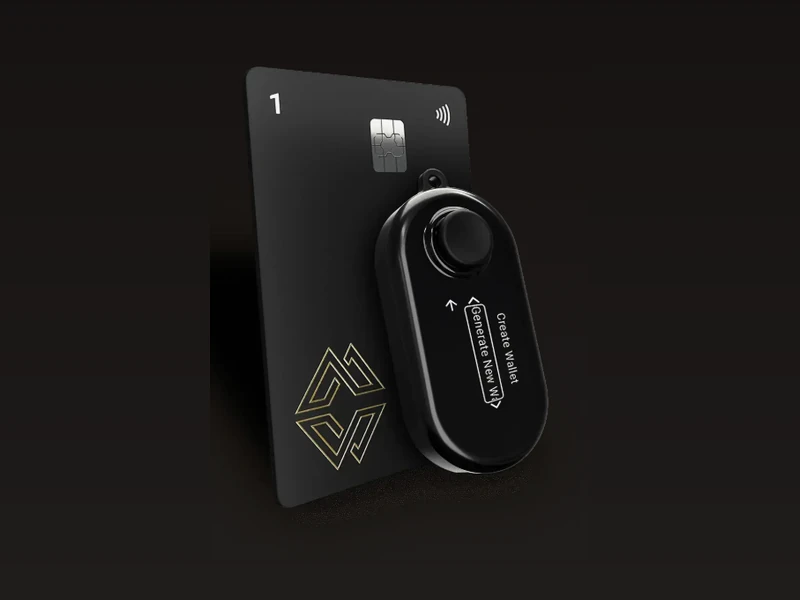
To sign a transaction you need the vault plus any one card. That means you can lose one or two components and still recover everything, while a thief who grabs a single card gets nothing. The vault carries an EAL6+ secure element and an OLED screen with a joystick, and the cards carry EAL6+ chips of their own.
You can run up to four separate wallets on one device, which suits anyone who keeps trading funds apart from long term holdings. Coin support sits above 9,000 assets, and the device connects to MetaMask for DeFi work.
Pros:
- No seed phrase to lose or expose
- Key split into five shards across a vault and four cards
- EAL6+ chips in the vault and every card
- Up to four separate wallets on one device
- Works with MetaMask
Cons:
- You manage several cards, and losing too many means losing funds
- No Bluetooth
- Mobile app has fewer features than desktop
Buy it if: losing or exposing a written seed phrase is the risk that keeps you awake.
Hardware Wallet vs Software Wallet
A software wallet is an app on your phone or computer. It costs nothing and works fast, but it keeps your keys on a device that connects to the internet. A phishing link or a piece of malware can reach them.
A hardware wallet costs roughly $50 to $400 and adds a step to every transaction. In return, your keys stay isolated in a dedicated chip. Use a software wallet for small balances you spend often. Use a hardware wallet for anything you plan to hold.
How to Choose the Best Crypto Hardware Wallet
Start with how often you transact. Frequent movers want Bluetooth or NFC, so the Nano X or Tangem fits. Long term holders can pick the Titan 2.0 for a genuinely isolated device.
Next, check coin coverage against what you actually own. Flagship assets work everywhere. Smaller chains do not, and finding out after purchase is an annoying way to learn.
Then weigh the backup model. A standard recovery phrase works fine if you store it on metal in a place only you know. If that plan sounds fragile for your situation, Cypherock’s card split or Tangem’s linked cards solve a problem the others leave to you.
Finally, budget honestly. Good devices run from roughly $50 to $400, and the premium tiers mostly buy you bigger screens and nicer materials rather than stronger cryptography. A $55 card protects a $5,000 portfolio about as well as a $400 flagship.
How to Set Up a Hardware Wallet Safely
Order directly from the manufacturer or an authorised reseller. Marketplace listings have shipped tampered units before, and the damage shows up only after you fund the wallet.
Inspect the packaging when it arrives. If a seal looks disturbed, contact the maker before you power it on.
Generate the recovery phrase on the device yourself. No legitimate wallet ever ships with a phrase printed on a card inside the box. That is a known scam, and anyone who follows the printed instructions hands their funds to the seller.
Write the phrase on paper or stamp it into metal, store copies in two separate physical locations, and never type it into a phone, a photo, a password manager or a website. Metal backup plates survive fire and flooding that paper does not.
Add a PIN during setup, and if the device supports a passphrase, consider using one. A passphrase opens a hidden account, so a small decoy balance can sit behind the PIN while your real holdings stay invisible to anyone who forces the device open.
Install firmware updates when the manufacturer releases them. Skipping updates leaves known weaknesses in place.
Which Hardware Wallet Should You Buy?
Any of these five beats leaving coins on an exchange. Pick the Nano X for balanced everyday use, the Trezor Safe 5 for open source assurance, the Titan 2.0 for maximum isolation, Tangem for cheap pocketable storage, and Cypherock X1 if you want the seed phrase problem solved rather than managed. Then guard your backup properly, because the device replaces easily and the recovery material does not.
Frequently Asked Questions
Does a hardware wallet store my coins?
No. Your coins live on the blockchain. The device stores the private keys that prove the coins are yours and signs transactions with them.
What happens if the device breaks or I lose it?
You buy a replacement, enter your recovery phrase or restore from your backup cards, and your balance reappears. The hardware is disposable, the backup is not.
Can a hardware wallet be hacked?
Remote attacks are extremely difficult because the keys never touch the internet. The realistic risks are physical theft, a tampered device from an untrusted seller, approving a malicious smart contract, and exposing your recovery phrase.
Is a cold wallet the same thing as a hardware wallet?
Not quite. Cold wallet describes any key storage kept offline, including paper. A hardware wallet is one type of cold storage, and the most practical one for regular use.
Do I need one if I own a small amount?
If your holdings are worth less than the device, probably not yet. Once the balance exceeds what you would hate to lose, buy one.
Related Reading
- How to Pay for a VPN with Cryptocurrency in 2026 (Step-by-Step)
- P2P Crypto Trading Risks: How a Buyer Lost 900 USDT Despite Proof and What You Can Learn
- Bybit P2P Refund Guide: What to Do If Your Seller Doesn’t Release Crypto
- Binance P2P Scam Explained: Flash USDT, AML Bots & How Victims Are Losing Crypto
- How to Use Binance P2P to Sell Crypto and Withdraw Money Safely

