If Roblox suddenly stops launching and shows Error Code 280, the game client on your device is outdated or cannot sync with the latest Roblox version. The platform requires players to run the newest client version to connect to servers. When the installed version becomes incompatible, Roblox blocks the session and displays the update error.
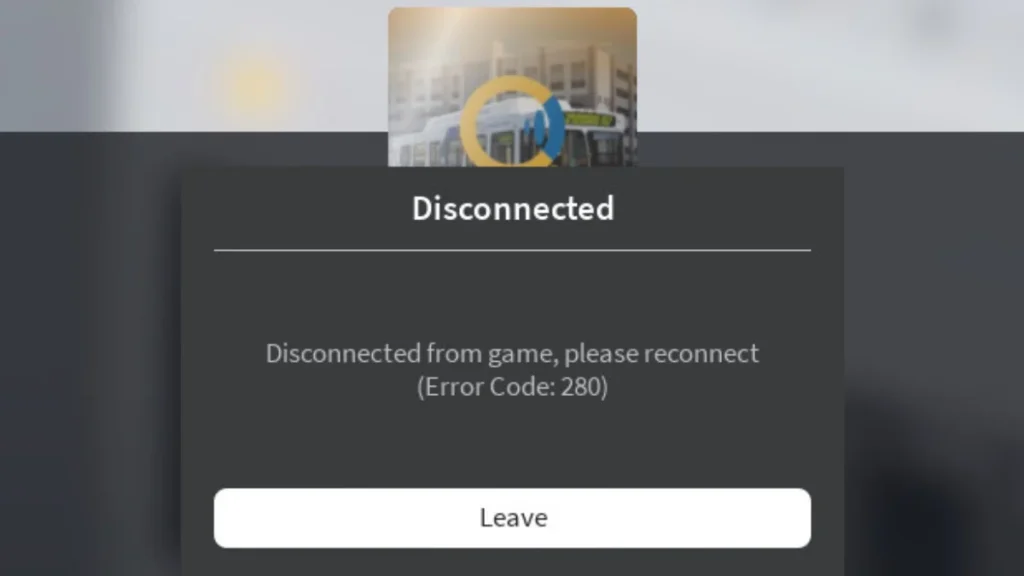
This guide explains why Roblox Error Code 280 happens and how to fix it quickly on Windows, Mac, iPhone, Android, and other devices.
What Is Roblox Error Code 280?
Roblox Error Code 280 appears when the game detects that the client version running on your device is outdated. The error message usually says:
“Your version of Roblox may be out of date. Please update Roblox and try again.”
Roblox updates frequently to improve performance, add features, and patch security issues. If the update process fails or the game files become corrupted, Roblox refuses to start.
Why Roblox Shows Error Code 280 When Launching a Game
Several issues can trigger this error. In most cases, the problem comes from outdated or corrupted game files. Common causes include:
- Roblox client is outdated
- Corrupted installation files
- Cached data conflicts
- Incorrect system date and time
- Network connection issues
- App permission problems on Mac or mobile devices
However, fixing the problem usually takes only a few minutes.
Fix 1 – Reinstall Roblox (Most Effective Fix)
Reinstalling Roblox removes corrupted files and installs the latest version of the game client.
Steps (Windows 10 / Windows 11)
- Open Start Menu → Settings
- Click Apps → Installed Apps / Apps & Features
- Find Roblox in the list
- Click Uninstall
- Restart your computer
- Download Roblox again from the official website
- Install and launch the game
A fresh installation ensures that your system runs the latest Roblox client version, which usually resolves Error 280.
Fix 2 – Clear Roblox App Data
Sometimes Roblox stores corrupted temporary files that prevent the client from updating properly. Clearing the app data resets the application.
Steps
- Press Win + R
- Type:
cmd- In Command Prompt, enter:
cd AppData\Local
rmdir /s Roblox- Type Y when asked for confirmation
- Restart your computer
- Reinstall Roblox
This process removes cached Roblox files that may block updates.
Fix 3 – Restart Your Device
A simple reboot clears temporary memory conflicts that may prevent Roblox from launching.
For PC or Mac
- Close Roblox completely
- Restart your system
- Launch Roblox again
For Mobile Devices
- Power off the device
- Wait 30 seconds
- Turn the device back on
- Open Roblox
Many players fix Error 280 with this quick reset.
Fix 4 – Check Date and Time Settings (Mobile Devices)
Incorrect system time can prevent Roblox from communicating with its servers.
Steps
- Open Settings
- Go to Date & Time
- Enable Automatic Date & Time
- Restart Roblox
This ensures the device stays synchronized with Roblox servers.
Fix 5 – Force Close the Roblox App
If Roblox freezes during updates, forcing the app to close can reset the client.
On iPhone / iPad
- Swipe up from the bottom of the screen
- Find the Roblox app
- Swipe it up to close
- Reopen Roblox
On Android
- Open Recent Apps
- Swipe Roblox away or select Close All
- Launch Roblox again
Fix 6 – Check Internet Connection
Network issues can interrupt Roblox updates and trigger Error 280.
Try these steps:
- Restart your router
- Switch from Wi-Fi to mobile data
- Connect to a different network
- Disable VPN temporarily
If the problem continues, contact your internet provider for network troubleshooting.
Fix 7 – Grant Roblox Permission on Mac
Mac users may see Error 280 if the operating system blocks Roblox permissions.
Steps
- Click the Apple Menu
- Open System Settings
- Go to Privacy & Security
- Allow Roblox to run
After enabling permission, relaunch the game.
Quick Checklist to Fix Roblox Error 280
Before contacting support, make sure you have tried these solutions:
- Reinstall Roblox
- Clear Roblox cache files
- Restart the device
- Update system date and time
- Force close the app
- Check internet connection
- Allow app permissions (Mac)
These fixes resolve the majority of Error 280 cases.
When to Contact Roblox Support
If none of the methods work, the issue may relate to a deeper account or server problem.
You should contact Roblox support when:
- Error 280 appears after reinstalling the game
- The error occurs on multiple devices
- Roblox fails to update repeatedly
- Network tests show no problems
Provide details such as your device, operating system, and screenshots of the error message.
FAQs
What is Roblox Error Code 280?
Roblox Error Code 280 appears when your installed Roblox client is outdated and cannot connect to the latest Roblox servers.
How do I fix Roblox Error Code 280?
Update Roblox or reinstall the game client to install the latest version and remove corrupted files.
Why does Roblox say my version is out of date?
This message appears when Roblox detects that your client version is older than the current server version.
Can Roblox Error Code 280 happen on mobile devices?
Yes, the error can appear on Android and iOS if the Roblox app is outdated or corrupted.
Does reinstalling Roblox fix Error Code 280?
Yes, reinstalling Roblox usually fixes Error Code 280 because it installs the newest client and clears corrupted files.
Can internet issues cause Roblox Error Code 280?
Yes, unstable internet connections can interrupt Roblox updates and trigger Error Code 280.
Why does Roblox keep asking me to update?
This usually happens when the installed client fails to update properly or cached files block the update.
How do I update Roblox on PC?
Uninstall Roblox from Apps or Control Panel, download the latest installer from the Roblox website, and reinstall the game.

