The “Error in message stream” warning appears when ChatGPT loses its connection while sending or receiving a response. Network instability, browser cache conflicts, session timeouts, or overloaded servers usually trigger the issue.
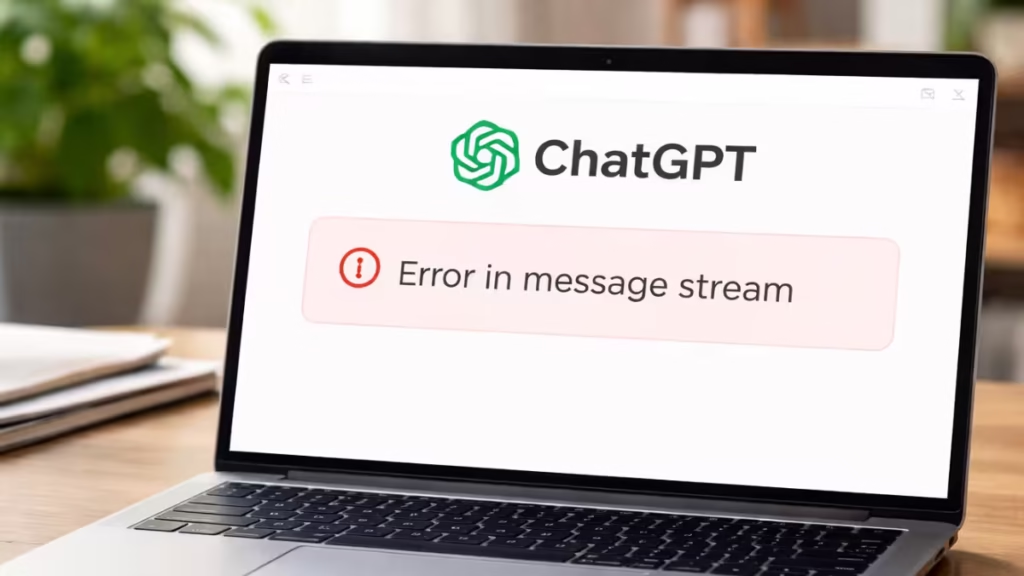
The error does not indicate account suspension or data loss. You can resolve it quickly using the steps below.
Fix 1: Hard Refresh the ChatGPT Page
A hard refresh reloads all scripts and clears temporary page memory.
Steps
- Click inside your ChatGPT tab.
- Press Ctrl + F5 (Windows) or Cmd + Shift + R (Mac).
- Wait for the page to reload fully.
- Resend your message.
This solves most stream errors instantly.
Fix 2: Copy and Resend the Message
Sometimes the message fails only during transmission.
Steps
- Copy your last message text.
- Refresh the page once.
- Paste the message again.
- Click Send.
If the stream reconnects normally, the error disappears.
Fix 3: Check Internet Stability
Live streaming responses require consistent connectivity.
What to verify
- Disconnect and reconnect Wi-Fi or Ethernet.
- Avoid switching networks while ChatGPT is loading.
- Disable VPN temporarily if enabled.
- Close heavy downloads or streaming apps.
Even small packet loss can trigger this error.
Fix 4: Clear Browser Cache and Cookies (Chrome)
Corrupt cache files often break real-time scripts.
Steps
- Open Chrome.
- Press Ctrl + Shift + Delete.
- Select:
- Cached images and files
- Cookies and site data (optional but recommended)
- Click Clear data.
- Restart the browser and reopen ChatGPT.
Fix 5: Test in Incognito Mode or Another Browser
Browser extensions frequently interfere with streaming responses.
Steps
- Open Incognito Mode (Ctrl + Shift + N).
- Sign into ChatGPT.
- Send a test message.
If the error disappears, disable extensions one-by-one in your normal browser until you find the conflict.
Fix 6: Wait and Retry During Server Load
If none of the local fixes work, OpenAI servers may be under heavy traffic.
What to do
- Wait 2–5 minutes.
- Refresh the page.
- Try again.
Server-side issues usually resolve automatically.
Fix 7: Log Out and Log Back In
Refreshing authentication sometimes stabilizes the stream connection.
Steps
- Log out of ChatGPT.
- Close the browser completely.
- Reopen the browser and log in again.
- Retry your message.
If you applied any of the fixes above, the ChatGPT error in message stream should now be resolved and your chat should work normally again.
When Should You Worry?
You should only investigate further if:
- The error appears on every device and network.
- ChatGPT fails to load entirely for hours.
- You see repeated authentication errors.
In those cases, the issue may relate to regional outages or account verification.
FAQS
What does ChatGPT error in message stream mean?
It means ChatGPT lost its live connection while sending or receiving a response, usually due to network instability, browser issues, or temporary server load.
Why does ChatGPT show error in message stream repeatedly?
The error appears when your internet connection fluctuates, browser cache becomes corrupted, VPNs interfere, or OpenAI servers experience heavy traffic.
How do I fix ChatGPT error in message stream quickly?
Refresh the page using Ctrl + F5, resend your message, check internet stability, and clear browser cache. These steps resolve most cases instantly.
Can browser extensions cause ChatGPT error?
Yes. Ad blockers, privacy tools, script injectors, and VPN extensions can interrupt streaming responses and trigger this error.
Does ChatGPT error in message stream mean my account is blocked?
No. The error does not indicate account suspension or access restrictions. It is a technical connectivity issue.
Will clearing cache fix ChatGPT error in message stream?
Clearing browser cache removes corrupted files that may block real-time scripts, which often restores normal message streaming.
Why does ChatGPT error in message stream happen on slow internet?
Slow or unstable connections cannot maintain continuous data streaming, causing the response to break mid-transfer.
Is ChatGPT error in message stream a server issue?
Sometimes. During peak traffic or maintenance, OpenAI servers may temporarily fail to deliver streaming responses.
Can mobile browsers also show ChatGPT error?
Yes. Mobile networks fluctuate more frequently, which increases the chance of streaming interruptions.
How can I prevent ChatGPT error in message stream in the future?
Use a stable internet connection, keep your browser updated, limit heavy extensions, and refresh long sessions periodically.

