Brawl Stars Server Error 43 can kick you out of a match mid-game or prevent you from connecting entirely. The frustrating part is that it has two different causes, and fixing it depends on which one you are dealing with. This guide covers both so you can get back into the game fast.
What Is Server Error 43 in Brawl Stars?
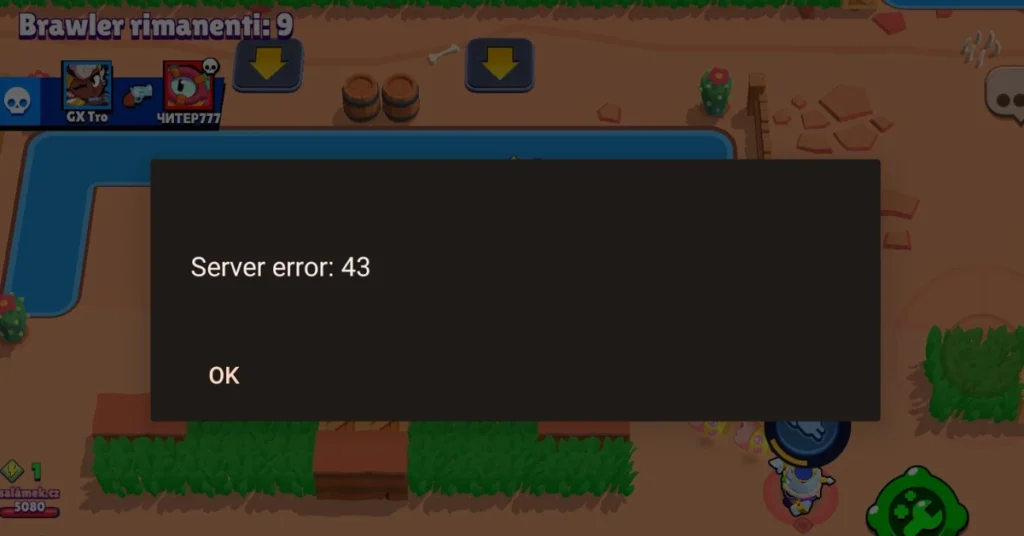
Server Error 43 occurs when communication between your device and Brawl Stars’ servers breaks down. There are two known triggers:
1. Connectivity-based: Poor internet, server downtime, or outdated game files cut the connection.
2. In-game bug: Specific brawler ability combinations, particularly stacked knockback effects, crash the match and send all players back to the lobby. This is a known Supercell bug, not a network issue on your end.
How to Tell Which Cause You Are Dealing With
- Happens at the login or loading screen? Connectivity issue. Follow the network fixes below.
- Happens mid-match, especially during ability use? Almost certainly the in-game bug. Network fixes will not help here.
- Happening to multiple players in the same match at once? Confirmed game bug.
Known In-Game Triggers for Error 43
Not every instance of Server Error 43 is a network problem. Some players report this error appearing mid-match with no connection issues on their end. In these cases, the error appears to be triggered by specific in-game interactions rather than anything related to your internet or device.
When this happens, the crash typically affects all players in the match at the same time, and everyone gets sent back to the lobby. No amount of restarting your router or clearing cache will prevent it, because the problem originates in the game itself, not your connection.
If the error hits you mid-match and other players in the same game experience it simultaneously, this is almost certainly a game-side bug. The only fix is to report it to Supercell via in-game support and wait for a patch.
How to Fix Brawl Stars Server Error 43 (Connection Issues)
If the error happens at the login screen or during loading, work through these steps.
1. Check Your Internet Connection
Make sure your connection is stable before launching the game. If you are on Wi-Fi, restart your router by turning it off, waiting 30 seconds, and turning it back on.
Once it reconnects, relaunch Brawl Stars and check if the error is gone. If the problem continues, switch to mobile data temporarily. This quickly tells you whether the issue is with your home network or something else entirely.
2. Update Brawl Stars
An outdated game version can cause communication failures with the current servers. Open the Google Play Store or Apple App Store, search for Brawl Stars, and install any available update.
3. Clear Cache on Android
Corrupted temporary files can block a clean connection to the servers. Clearing the cache forces the game to rebuild those files fresh. To do this:
- Open Settings on your device.
- Go to Apps > Manage Apps > Brawl Stars.
- Tap Storage, then select Clear Cache and Clear Data.
Relaunch the game after clearing the cache.
4. Check Brawl Stars Server Status
If nothing on your end appears wrong, Supercell’s servers may be down for maintenance or experiencing an outage. This happens occasionally after major updates or new brawler releases when player traffic spikes.
Check the Brawl Stars official social channels or Downdetector to see if other players are reporting the same error at the same time. If servers are down, the only option is to wait for Supercell to restore them.
5. Contact Brawl Stars Support
If the error keeps happening and none of the above steps resolve it, contact Supercell support directly through the game. Go to Settings > Help and Support and describe the issue, your device model, and the steps you have already tried. The more detail you provide, the faster they can diagnose it.
Server Error 43 is one of those errors that looks like a simple network problem but is often a confirmed game bug. Matching your fix to the right cause saves a lot of wasted troubleshooting time. If it is the in-game crash, the patch is on Supercell, not you.
For more Brawl Stars error fixes and gaming guides, visit fdaytalk.com.