Script Hook V is an essential tool for GTA V modders, enabling the use of custom scripts and mods. However, after every major GTA V update, players often encounter the “Script Hook V Critical Error” when trying to launch the game. This error occurs when the version of Script Hook V installed is incompatible with the updated GTA V version.
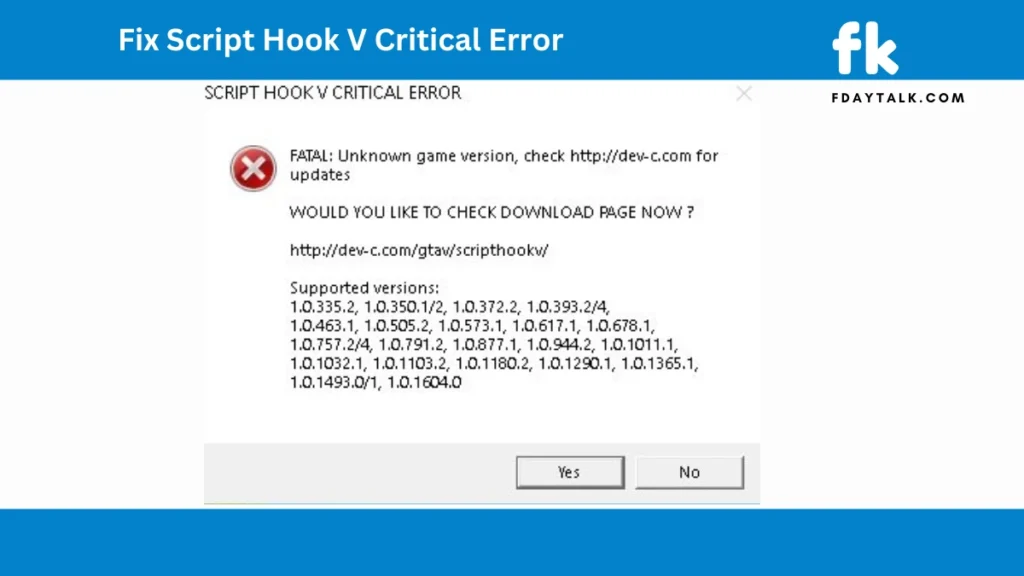
If you’re facing this issue, follow this step-by-step guide to fix it.
Why Does Script Hook V Critical Error Occur?
The main reason for this error is that GTA V updates frequently break Script Hook V compatibility. Since Rockstar Games does not officially support modding, each new patch may introduce changes that disrupt Script Hook V’s functionality. The developers of Script Hook V then release an updated version to restore compatibility, but there’s often a delay.
Methods to Fix Script Hook V Critical Error
Here are the best ways to resolve the issue and get back to playing with mods:
Method 1: Update Script Hook V
The first and most reliable fix is updating your Script Hook V files.
Steps to Update Script Hook V:
- Download the latest Script Hook V version from the official website.
- Extract the downloaded ZIP file.
- Open the ‘bin’ folder within the extracted files.
- Copy the following files:
ScriptHookV.dlldinput8.dllNativeTrainer.asi(optional, only if you use the built-in trainer)
- Paste these files into your GTA V root directory (where
GTA5.exeis located), replacing the old files. - Launch the game and check if the error is resolved.
Note: If a new GTA V update was just released, Script Hook V may not have an update yet. In that case, you’ll need to wait for the developer to release a compatible version.
Method 2: Revert to a Previous GTA V Version
If Script Hook V hasn’t been updated yet, you can downgrade GTA V to a version that still supports your installed Script Hook V.
Steps to Revert GTA V:
- Backup your current game files, especially
GTA5.exeandGTAVLauncher.exe. - Download an older version of these files (from a backup or a trusted source).
- Replace the new files with the older versions in the GTA V installation folder.
- Use a tool like No_GTAVLauncher to prevent Rockstar Launcher from automatically updating the game.
- Launch the game and check if the error persists.
Warning: This method is only useful if you already have backups of your older GTA V files. Otherwise, you may need to wait for the next Script Hook V update.
Method 3: Wait for a Script Hook V Update
If neither of the above solutions works, you may need to wait until Script Hook V is updated. The developers usually release a new version within a few days or weeks after a major GTA V update.
To stay updated:
- Regularly check the Script Hook V website.
- Follow GTA V modding communities on forums like GTA5-Mods.com and Reddit.
- Join modding-related Discord servers where users share updates on new releases.
Final Thoughts
The Script Hook V Critical Error is frustrating but fixable. In most cases, updating Script Hook V solves the issue. If no update is available yet, downgrading GTA V or waiting for a compatible Script Hook V version are your best options.
Prevent future issues by:
- Backing up your GTA V files before updates.
- Checking for Script Hook V updates before launching the game after a GTA V update.
- Using mod-friendly launchers like No_GTAVLauncher to prevent auto-updates.
With these fixes, you should be able to continue using your favorite mods in GTA V without any issues. Happy gaming!

