Grand Theft Auto VI launches on PlayStation 5 and Xbox Series X|S on November 19, and Rockstar has no Android or iOS version planned. You can still play it on your phone, though. Your phone just needs to act as a screen and controller while a console does the heavy work somewhere else.
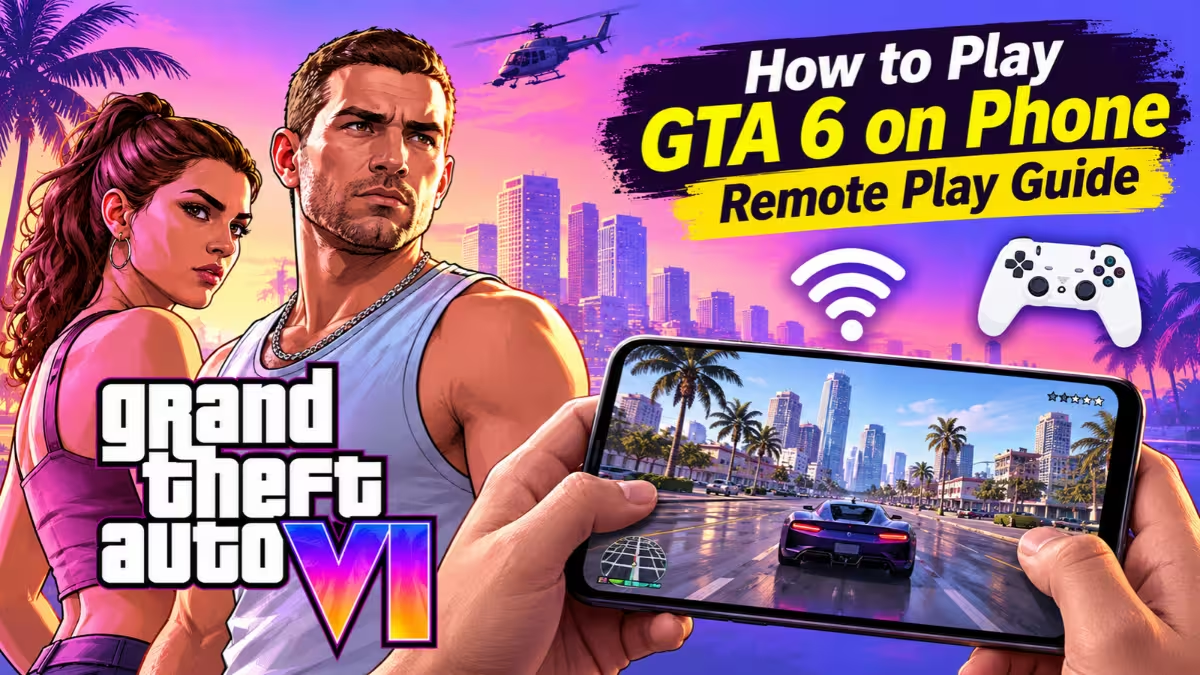
This guide shows which methods actually work at launch, which ones don't, what you need for each, and how to get a smooth session on mobile.
Can You Play GTA 6 on Android or iPhone?
Yes, but only through streaming. Remote Play from your own PS5 or Xbox Series X|S is the one method that works on phones at launch. Xbox Cloud Gaming carries GTA 6, but Microsoft only streams it to Xbox consoles for now, so phones, browsers, PCs and smart TVs can't use it yet.
| Method | Works on Phone at Launch? | What You Need |
|---|---|---|
| PS Remote Play | Yes | A PS5 with GTA 6 installed |
| Xbox Remote Play | Yes | An Xbox Series X|S with GTA 6 installed |
| Xbox Cloud Gaming | No (consoles only for now) | Xbox console, GTA 6, cloud hours |
| Native Android/iOS app | No | Rockstar has not announced one |
| PC streaming apps | Not yet | Requires the PC version, which has no release date |
Is There a GTA 6 Mobile App? Beware of Fake APKs
Before anything else, skip every "GTA 6 Mobile" APK, Play Store listing or "beta" download you see. Rockstar has not released any mobile build, so these files are fakes at best and malware at worst. They can steal your Google account, drain money through hidden payments or take over your phone. If an app claims to run GTA 6 natively on a phone, treat it as one of the many GTA 6 scams.
How to Play GTA 6 on Your Phone With PS5 Remote Play
PS Remote Play turns your PS5 into a private streaming server. The console runs GTA 6 at home, and your phone receives the video and sends back your button presses. Rockstar has confirmed that GTA 6 fully supports Remote Play on both PlayStation and Xbox. The setup works on the base PS5 and the PS5 Pro.
Supported phones: iPhone and iPad on iOS 14 or later, and Android 9 or later.
Set Up Your PS5
- Install GTA 6 on your PS5 and finish the GTA 6 preload, which needs up to 212 GB of space.
- Go to Settings > System > Power Saving > Features Available in Rest Mode.
- Turn on Stay Connected to the Internet and Enable Turning On PS5 from Network.
- Go to Settings > System > Remote Play and turn on Enable Remote Play.
- Connect the PS5 to your router with an Ethernet cable if you can.
Connect Your Phone
- Download the PS Remote Play app from Google Play or the App Store.
- Sign in with the same PSN account you use on your PS5.
- Tap your PS5 in the app. It wakes the console from rest mode automatically.
- Pair a controller, launch GTA 6, and start playing.
PlayStation Portal owners follow the same console setup. The Portal works as a dedicated Remote Play handheld, so GTA 6 runs on it as soon as your PS5 runs it.
How to Stream GTA 6 From Xbox Series X|S to Your Phone
Xbox Remote Play works the same way. Your Xbox Series X|S renders the game, and the Xbox app on your phone streams it.
Supported phones: Android 6.0 or later, and iOS 15.1 or later.
Steps
- On your Xbox, open Settings > Devices & connections > Remote features and turn on Enable remote features.
- Set the power mode to Sleep so the console can wake on request.
- Install the Xbox app on your phone and sign in with the same Microsoft account.
- Tap the console icon, then choose Remote play on this device.
- Connect a controller and launch GTA 6.
Can You Play GTA 6 on PlayStation Portal?
Yes. The PlayStation Portal is a Remote Play device, so GTA 6 works on it the moment your PS5 runs the game. Your PS5 must stay on or sit in rest mode, with Stay Connected to the Internet and Enable Turning On PS5 from Network switched on.
Sony recommends a wired PS5, 5GHz Wi-Fi for the Portal, and band steering turned off on your router. The Portal can also stream select PS5 games from the cloud with PlayStation Plus Premium, but Sony has not announced GTA 6 for that service.
Can You Play GTA 6 on Xbox One?
Only through the cloud, and only on the console itself. GTA 6 has no native Xbox One version, so Xbox One owners stream it through Xbox Cloud Gaming at Xbox Series S graphics settings.
That also rules out phone play from an Xbox One. Remote Play streams only what a console runs locally, and the Xbox One does not run GTA 6 locally. If you want the game on your phone, you need a PS5 or an Xbox Series X|S.
Does Xbox Cloud Gaming Support GTA 6 on Phones?
Xbox Cloud Gaming normally streams games to phones, tablets, browsers and TVs without any console at home. GTA 6 breaks that pattern. Rockstar and Microsoft confirmed that GTA 6 streams through the cloud only to Xbox Series X|S and Xbox One consoles at launch, using Series S graphics settings. Streaming opens at 1 a.m. ET on November 19, one hour after the game unlocks in the US.
Reports also confirm that Microsoft excluded phones, PCs, smart TVs and web browsers from GTA 6 cloud streaming for now. Microsoft may widen access later, but nobody has announced a date. If a guide tells you to open GTA 6 in your phone browser through Xbox Cloud Gaming today, it won't work.
GTA 6 Cloud Gaming Cost: Game Pass Hours and Extra Packs
Cloud gaming now runs on monthly hour limits. Here is how the current allowance and add-on pricing look:
| Plan | Cloud Hours | Price |
|---|---|---|
| Game Pass Ultimate | 15 per month | Included in subscription |
| Game Pass Premium | 10 per month | Included in subscription |
| Game Pass Essential | 5 per month | Included in subscription |
| Extra hours pack | 10 hours | $3.99 (intro price) |
| Extra hours pack | 25 hours | $7.99 (intro price) |
| Extra hours pack | 50 hours | $11.99 (intro price) |
You also need to buy GTA 6 separately. The standard edition costs $79.99 and the Ultimate Edition costs $99.99, and the game is not part of Game Pass. Pack prices may change by region, so check the GTA 6 price by region if you live outside the US.
Internet Speed and Data Needed to Stream GTA 6 on Mobile
Streaming quality depends far more on stable latency than raw speed. A connection that spikes or drops packets causes blurry frames, input lag and disconnects, which hurt badly in driving and shootouts.
| Method | Minimum | Recommended |
|---|---|---|
| PS Remote Play | 5 Mbps | 15 Mbps |
| PlayStation Portal | Stable Wi-Fi | 15 Mbps on 5GHz Wi-Fi |
| Xbox Remote Play | 5GHz Wi-Fi or 10 Mbps mobile data | Higher is better |
How Much Data Does It Use?
If you play on mobile data, expect heavy usage. These figures give a rough idea:
| Stream Quality | Approx. Data per Hour |
|---|---|
| 720p at 30 FPS | About 2 to 2.5 GB |
| 1080p at 60 FPS | About 4 to 5.5 GB |
| 1080p at 60 FPS with HDR | About 6.5 to 7 GB |
A three-hour session at 1080p can easily eat more than 12 GB, so use an unlimited plan or stick to Wi-Fi.
Tips for a Smoother Stream
- Wire your console to the router with Ethernet.
- Use 5GHz Wi-Fi on your phone, not 2.4GHz.
- Turn off band steering on your router if streams stutter.
- Drop to 720p if your connection fluctuates. A stable lower resolution plays better than a choppy 1080p feed.
Why Hotel Wi-Fi Ruins GTA 6 Streaming (and What to Use Instead)
Traveling with a handheld or phone exposes the biggest weakness of Remote Play. Hotel and airport networks serve dozens of guests who stream video at the same time, which creates random lag spikes. Login pages also block devices like the PlayStation Portal, and dropped packets cause blurry frames, audio desync and disconnects mid-mission.
Use your phone's 5G hotspot instead, and connect your handheld or tablet to it. The Portal has no SIM slot, so a hotspot is the only way to play it on mobile data. Pick an unlimited plan, since an hour at 1080p can use more than 4 GB. Before you leave home, confirm that your console stays connected and can wake from the network.
Best Controllers for Playing GTA 6 on Your Phone
Touch controls feel clumsy for a game built around driving and aiming, so a real controller makes a huge difference.
- PS5 DualSense: Pairs over Bluetooth with iPhone and Android, and feels identical to playing on the console.
- Xbox Wireless Controller: The natural choice for Xbox Remote Play, with simple Bluetooth pairing.
- Backbone One: Clips onto your phone and plugs in over USB-C for very low input delay.
- Razer Kishi Ultra: A larger grip with full-size sticks, good for long sessions.
- GameSir G8 Galileo: A strong budget-friendly clip-on with Hall effect sticks.
If you use a standalone controller, grab a phone stand or a clip mount so you can sit comfortably.
When Can You Play GTA 6 on PC and Stream It to Your Phone?
Some apps let you stream a Windows PC game to your phone, and cloud PC services can rent you a gaming PC by the hour. Both routes need the PC version of GTA 6, and Rockstar has not announced a GTA 6 PC release date. Based on past releases, GTA V reached PC about 19 months after its console launch and Red Dead Redemption 2 took around 13 months, so a GTA 6 PC release could land sometime between late 2027 and 2028. Until then, these options can't run GTA 6, and any fake GTA 6 PC download is a scam.
Best GTA Games for Android and iPhone Right Now
If you don't own a PS5 or Xbox Series X|S, you can still get a GTA fix on mobile today. The GTA 5 free upgrade on consoles and PC also makes a good warm-up.
Official GTA Ports on Android and iOS
- GTA: Vice City - Definitive: Takes you back to the same city GTA 6 uses, set in the 1980s with a smaller map. The free download includes a 30-minute trial before a one-time unlock.
- GTA III - Definitive: The game that took the series 3D, with the same free trial model.
- GTA: San Andreas - Definitive: A paid upfront purchase with one of the biggest maps in the classic era.
All three support full touch controls, so you don't need a controller.
GTA V Through PC Emulation
Gaming phones like the RedMagic 10 Pro and RedMagic 11 Pro include a built-in PC game emulator that can run Steam games you own. GTA V can reach a playable frame rate at around 720p after some settings tweaks. Other high-end phones can try third-party emulators, but setup takes real effort and suits only those comfortable tinkering.
GTA-Style Mobile Games
- OneState RP: A free online role-play game set in a modern Los Angeles-style city, where you can work as a cop, join a gang and buy homes and cars.
- Retro City Rampage DX: A cheap top-down open-world game that plays like the early GTA titles, with over 60 story missions.
- NTE: Neverness to Everness: A free open-world RPG with a huge detailed city and a supernatural story.
Frequently Asked Questions
Is there a GTA 6 app for Android or iPhone?
No. Rockstar has not released or announced a native mobile version. Any app claiming to be GTA 6 for mobile is fake.
Can I play GTA 6 on my phone without a console?
Not at launch. Xbox Cloud Gaming streams GTA 6 only to Xbox consoles for now, so you need your own PS5 or Xbox Series X|S for Remote Play.
Can I play GTA 6 in my phone's browser with Xbox Cloud Gaming?
No. Microsoft excluded browsers, phones, PCs and smart TVs from GTA 6 cloud streaming at launch.
Does GTA 6 work on PlayStation Portal?
Yes. The Portal streams GTA 6 from your own PS5 through Remote Play. Sony has not added GTA 6 to PlayStation Plus Premium cloud streaming on the Portal.
How much internet speed do I need for GTA 6 Remote Play?
Sony recommends at least 15 Mbps for PS Remote Play, and Xbox asks for 5GHz Wi-Fi or 10 Mbps on mobile data. Stable latency matters more than peak speed.
Can I use mobile data to play GTA 6 on my phone?
Yes, but expect around 4 to 5.5 GB per hour at 1080p and 60 FPS. An unlimited data plan works best.
Does GTA 6 cloud gaming come with Game Pass?
Game Pass includes monthly cloud hours, but GTA 6 itself is not in Game Pass. You must buy the game separately.
When will GTA 6 come to PC?
Rockstar has not announced a PC release date. Past patterns suggest a release in late 2027 or 2028.