Preloading for Grand Theft Auto VI is open. Rockstar pulled the date forward from November 12 to November 10, so anyone with a digital pre-order can already download the game and sit on a ready install until the November 19 launch. This guide covers when your console unlocks the download, how much space you need, how long the transfer takes, and how to start it on PS5 and Xbox Series X|S.
GTA 6 Preload Start Times for PS5 and Xbox by Region
Both consoles opened preload on November 10, but they use different clocks.
PS5 players got the download at midnight local time. Japan and Australia saw the button first, and North America saw it last.
Xbox players got one worldwide start at 12:00 AM GMT. That moment lands on the evening of November 9 in the Americas and in the morning or afternoon of November 10 across Asia and Oceania.
| Region | PS5 Preload | Xbox Preload |
|---|---|---|
| UK (GMT) | Nov 10, 12:00 AM | Nov 10, 12:00 AM |
| US Eastern | Nov 10, 12:00 AM | Nov 9, 7:00 PM |
| US Pacific | Nov 10, 12:00 AM | Nov 9, 4:00 PM |
| Central Europe | Nov 10, 12:00 AM | Nov 10, 1:00 AM |
| India | Nov 10, 12:00 AM | Nov 10, 5:30 AM |
| Japan | Nov 10, 12:00 AM | Nov 10, 9:00 AM |
| Sydney | Nov 10, 12:00 AM | Nov 10, 11:00 AM |
| New Zealand | Nov 10, 12:00 AM | Nov 10, 1:00 PM |
You do not need to hurry. The window stays open until launch, so you can start the download any time you like.
GTA 6 File Size: How Much Space to Free Up Before You Download
Rockstar lists up to 212GB of free space for the install. The company has not published separate sizes for PS5, Xbox Series X, and Xbox Series S, so plan for the full amount on every console.
Clear a buffer on top of that number. A target of 230GB free gives the download room to unpack and leaves space for a day-one patch if Rockstar ships one.
Xbox Series S owners need the most care. The console has limited usable storage, and 212GB takes a large share of it. If you keep several big games installed, you will likely need to delete something or add an expansion card.
Here is how to check and free up space:
- PS5: Open Settings, then Storage. Delete finished games, old captures, and unused add-ons. A compatible M.2 SSD in the expansion bay adds permanent room. Standard USB drives store PS5 games but cannot run them.
- Xbox Series X|S: Open Settings, then System, then Storage devices. A USB drive can park older titles, but GTA 6 must live on the internal drive or an official expansion card to run.
How Long Does the GTA 6 Download Take on Your Internet Speed?
These times assume 212GB at full, steady speed. Real transfers run longer because of server load and network overhead, especially on the first days.
| Connection Speed | Ideal Download Time |
|---|---|
| 25 Mbps | About 19 hours |
| 50 Mbps | About 9.5 hours |
| 100 Mbps | About 4.5 hours |
| 200 Mbps | About 2.5 hours |
| 500 Mbps | About 1 hour |
| 1 Gbps | About 30 minutes |
If your plan has a monthly data cap, check it first. A single 212GB download can eat most of a smaller allowance. A wired Ethernet connection also beats Wi-Fi for a file this large.
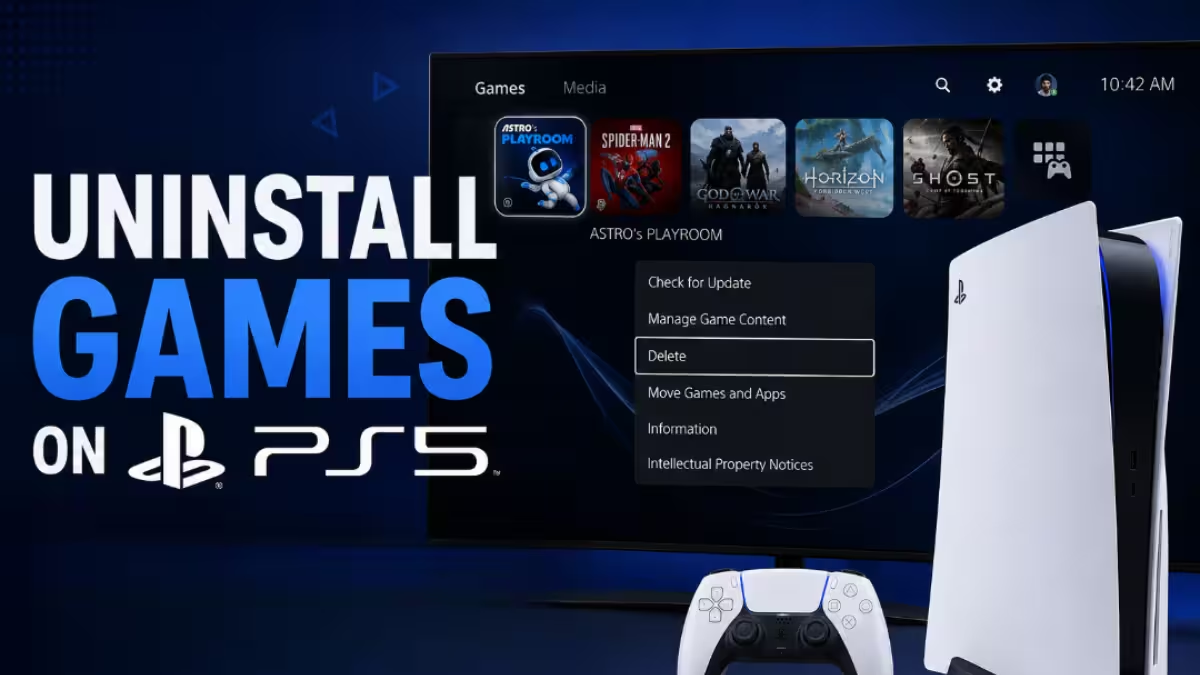
How to Preload GTA 6 on PS5 and PS5 Pro (Step by Step)
You need a digital pre-order tied to your PlayStation account. Then follow these steps:
- Open Game Library from the home screen and find your GTA 6 pre-order.
- Select the countdown timer under the game tile.
- Tick the auto-download options for the content you want, then confirm.
- Go to Settings, then System, then Power Saving, then Features Available in Rest Mode. Turn on Stay Connected to the Internet and Enable Turning On PS5 from Network.
- Check your download queue. If nothing started, open the game in your library and press Download.
Leave the console in Rest Mode overnight if the transfer is still running when you go to bed.
How to Preload GTA 6 on Xbox Series X and Series S (Step by Step)
Sign in with the account that holds your pre-order, then follow these steps:
- Open My games & apps and select See all.
- Go to Full library, then All owned games.
- Find GTA 6 and select Install when the option appears.
- Go to Settings, then System, then Updates and turn on the option that keeps your games and apps up to date.
- Open Settings, then General, then Power options and pick Sleep mode so downloads keep running while the console looks off.
If you do not see the game, confirm you used the right account and recheck after the global start time.
Can You Preload the GTA 6 Boxed Edition? Code-in-Box Release Date
The boxed edition ships without a disc. It contains a download code that you redeem in the PlayStation Store or Microsoft Store. Retail copies start reaching buyers on November 12, so code-in-box players cannot preload until their code arrives.
PlayStation codes are region locked, so buy from a retailer in the same region as your account. Xbox codes carry no region limit. Each code binds to one account permanently once you redeem it.
Does Preloading Let You Play GTA 6 Early?
No. Preloading only puts the files on your console. The game stays locked until the launch unlock on November 19, and neither the Standard nor the Ultimate Edition includes early access. Treat any site that sells early keys or unlocked files as a scam.
Can You Still Pre-Order GTA 6? Standard vs Ultimate Price
Yes. GTA 6 pre-orders remain open, and you need one to preload. In the US, the Standard Edition costs $79.99 and the Ultimate Edition costs $99.99. For other countries, see the GTA 6 price by region breakdown. Both editions preload at the same time and unlock at the same time, so the pricier version buys you no head start. If you pick Standard now, you can upgrade later.
GTA 6 Preload Not Working? Quick Fixes That Help
Work through these checks in order:
- Confirm you are signed in to the account that owns the game or redeemed the code.
- Check free storage. A shortage is the most common reason a download stalls.
- Look for paused items or pending system updates that block your queue.
- Make sure auto-downloads and Rest Mode or Sleep mode are on.
- Restart the console and try the manual download option again.
If the problem continues, visit the support pages on Rockstar Games for platform-specific help.
Frequently Asked Questions
When did GTA 6 preload start?
Preload opened on November 10. PS5 started at midnight local time and Xbox started at 12:00 AM GMT worldwide.
How big is the GTA 6 download?
Rockstar says up to 212GB, depending on your console.
Can I preload without a pre-order?
No. You need a digital pre-order or a redeemed code from the boxed edition.
Does the Ultimate Edition preload earlier?
No. Standard and Ultimate preload at the same time and unlock at the same time.
Can I preload GTA 6 on PC, PS4, or Xbox One?
No. Rockstar has announced GTA 6 only for PS5 and Xbox Series X|S. Follow the latest on the GTA 6 PC release date.
Can I still start the download after November 10?
Yes. November 10 is when preload opened, not a deadline.
Will there be a day-one patch?
Rockstar has not confirmed one. Keep auto-updates on and leave extra free space.
Related Guides
- GTA 6 PC Release Date: Is Q1 2027 Real?
- GTA 6 Global Prices: How Much It Costs in Every Region
- GTA 6 Cars and Vehicles: Every Confirmed and Leaked Vehicle So Far
- GTA 5 Gets Free PS5, Xbox Series, and PC Upgrade Ahead of GTA 6 Launch
- GTA 6 Pre-Orders Start June 25 as Rockstar Reveals Official Cover Art