Google Wallet on Android now stores digital home keys. If your smart lock already works with Google Home, you can save a key to Wallet and open your door by tapping your phone or by simply walking up to it. Google is rolling the feature out to Google Home Public Preview users first, and everyone else follows over the coming weeks.
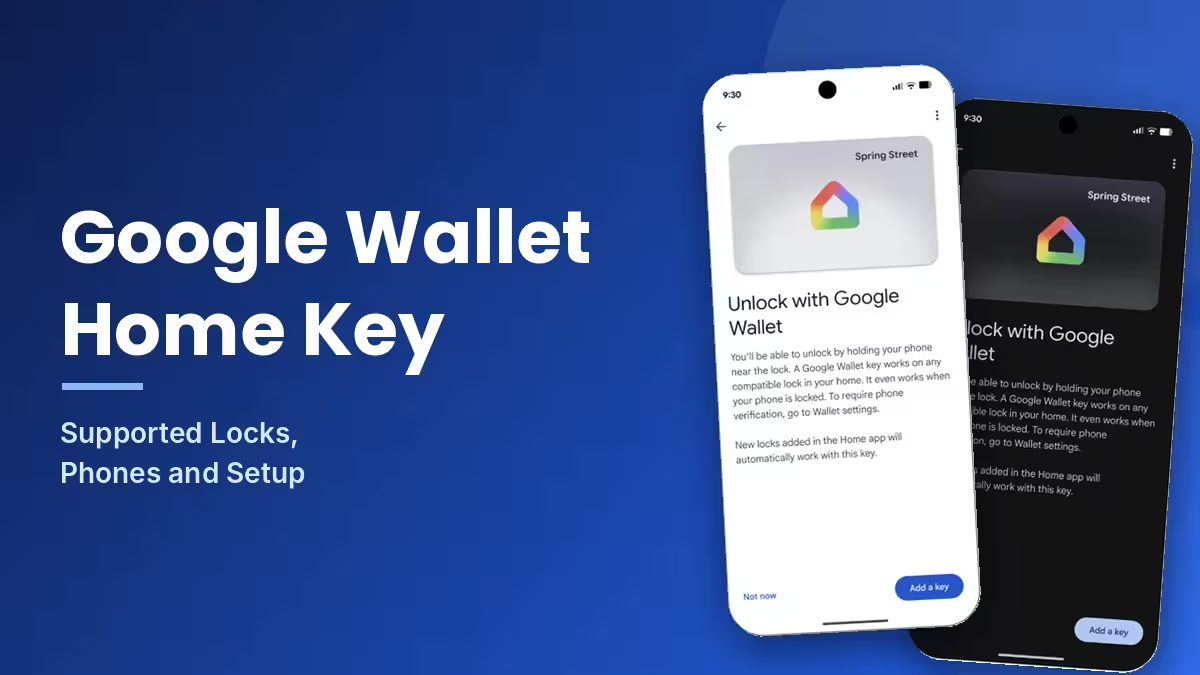
Apple Wallet has offered home keys since 2021, and Samsung added them to Galaxy phones earlier this year. Google now closes that gap with support built on Aliro, the new open access standard from the Connectivity Standards Alliance.
How Google Wallet Home Keys Work: Tap to Unlock vs Unlock on Approach
You can unlock your door in two ways.
Tap to Unlock uses NFC. You hold the back of your phone against the lock and the door opens. It works on any Android phone running Android 9 or later. By default, the phone does not need a fresh unlock, as long as you unlocked it within the last few hours. The screen can stay off.
Unlock on Approach uses Ultra Wideband (UWB). The lock detects your phone as you near the door and opens without you touching anything. You must switch this option on manually inside Google Wallet, and it needs both a UWB-capable phone and a UWB-capable lock.
Which Smart Locks Support Google Wallet Home Keys?
Three Aliro locks work at launch. Google says more models are coming.
| Smart Lock | Tap to Unlock (NFC) | Unlock on Approach (UWB) |
|---|---|---|
| Aqara U400 | Yes | Yes |
| Schlage Sense Pro | Yes | Coming later |
| Nuki Keypad 2 NFC | Yes | No |
Which Android Phones Work With Google Wallet Home Keys?
Any Android phone running Android 9 or later supports Tap to Unlock. Unlock on Approach needs a UWB phone. The Pixel 10 Pro series and newer Pixel models support it, and so do select UWB-enabled Samsung Galaxy phones.
Wear OS watches do not work with home keys at launch, so you cannot unlock your door from your wrist yet.
Requirements for Google Wallet Home Keys
Your setup needs four things:
- A Matter-certified smart lock that supports Aliro
- A Google Home hub that acts as a Thread Border Router
- An Android phone (Android 9 or later for NFC, a UWB model for Unlock on Approach)
- A lock already linked to your home in the Google Home app
How to Add a Home Key to Google Wallet
Adding the key takes a few taps. Follow these steps:
- Make sure your Aliro lock, Google Home hub and Android phone meet the requirements above, and that Google Home shows the lock in your home.
- Open the Google Home app and finish the setup flow for your compatible lock. If the lock is already set up, start from Home settings instead and choose the Google Wallet key option.
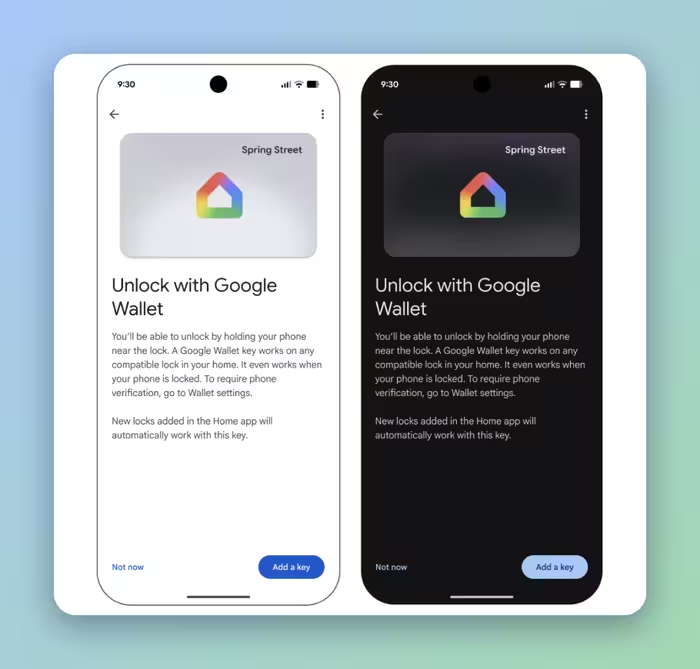
- When setup ends, Google Home shows an "Unlock with Google Wallet" screen. Tap Add a key to save the key to Google Wallet. Tap Not now if you want to add it later.
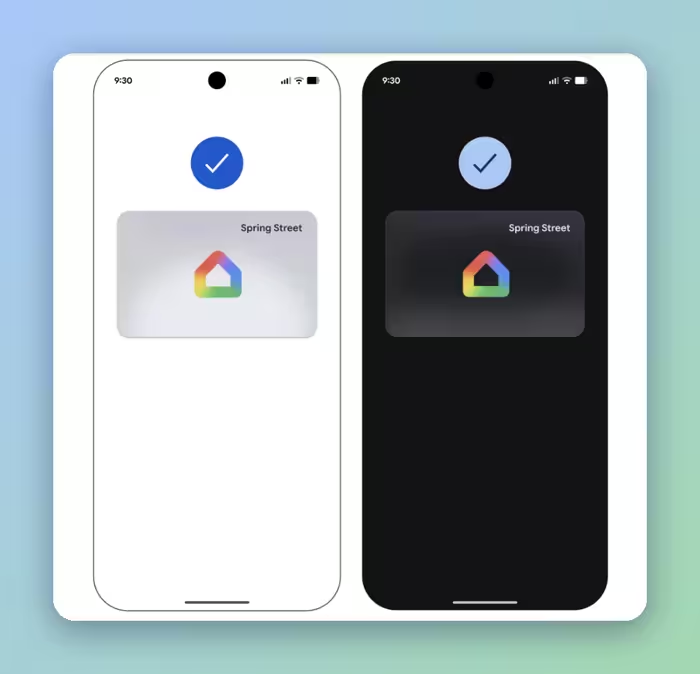
- Wait for the confirmation checkmark. The home key now appears in Google Wallet as a card with the Google Home logo and your home's name in the top-right corner.
- Hold the back of your phone against the lock to test Tap to Unlock. For hands-free entry, open the home key settings in Google Wallet and switch on Unlock on Approach. This works only with a UWB phone and a UWB lock.
- Open the same home key settings if you want the lock to ask for your screen lock or biometrics before each unlock.
Google ties the key to your home in the Google Home app, not to one specific lock. A single key in Wallet therefore opens every compatible Aliro lock in that home, and any new lock you add in the Home app later works with the same key automatically. The key also syncs across Android phones signed in to the same Google Wallet account. Google lists the same flow in its official home keys announcement.
Can You Share Google Wallet Home Keys With Family?
Yes. Each member of your Google Home household can add their own key to their personal Google Wallet. Everyone carries a separate key, so you do not need to pass one around.
Is Google Wallet Home Key Secure?
You control how strict the unlock is. By default, Tap to Unlock works with the screen locked, as long as you unlocked the phone within the last few hours. If that feels too loose, open the home key settings in the Google Wallet app and turn on the option that requires your screen lock or biometrics before each unlock. Then nobody else can open your door with your phone.
Unlock on Approach stays off until you enable it yourself, so the hands-free feature never runs without your say-so.
When Will Google Wallet Home Keys Roll Out?
Public Preview users in Google Home receive the feature first. The wider rollout runs over the coming weeks. Google has not said which countries will get home keys. Check the Google Home app for the Wallet prompt if you do not see the key option yet.
Frequently Asked Questions
Does Google Wallet home key work on every Android phone?
Tap to Unlock works on phones running Android 9 or later. Unlock on Approach needs a UWB phone, such as the Pixel 10 Pro series and newer or select UWB-enabled Samsung Galaxy models.
Can I unlock my door with a Wear OS smartwatch?
No. Google does not support Wear OS watches for home keys at launch.
Will my phone unlock the door when the screen is off?
Yes, by default. Tap to Unlock works with the screen locked if you unlocked the phone within the last few hours. You can require your screen lock or biometrics in the Google Wallet home key settings.
Do I need a separate key for each smart lock?
No. One key in Google Wallet works with every compatible Aliro lock linked to your home in Google Home.
Which smart locks work with Google Wallet home keys?
The Aqara U400, Schlage Sense Pro and Nuki Keypad 2 NFC work at launch. The Aqara U400 supports both NFC and UWB. The Schlage Sense Pro adds UWB later, and the Nuki Keypad 2 NFC supports NFC only.
Do I need a Google Home hub?
Yes. You need a Google Home hub that works as a Thread Border Router, along with a Matter-certified lock that supports Aliro.
Related Guides
- How to Use Google Find Hub NFC to Identify a Lost Tracker Tag
- How to Add Your Digital Passport to Samsung Wallet Using Samsung ID with CLEAR
- How to Disable Google Phone Number Verification on Android and Remove Your Number From Linked Accounts
- Best Private Android App Stores: Install Apps Without a Google Account
- Android Auto Signal Icon Fix Is Rolling Out: What Google Confirmed