You just received your Wells Fargo card in the mail. Before you can make any purchases, withdraw cash, or pay online, you need to activate it. Wells Fargo gives you three ways to do this: online, by phone, or through the mobile app. Debit card holders can also activate at an ATM.
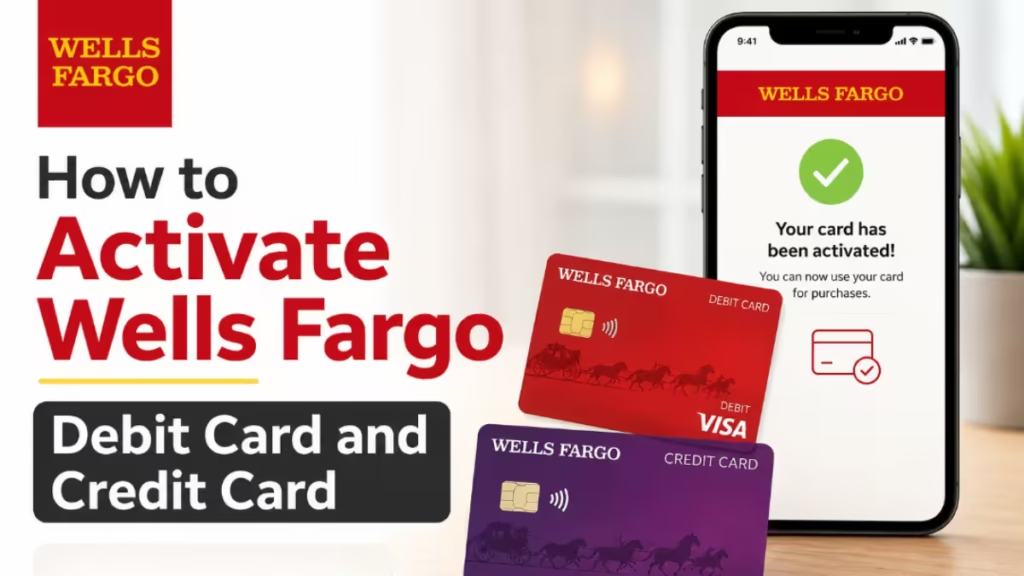
This guide walks you through every method for both debit and credit cards so you can get started in minutes.
How to Activate a Wells Fargo Debit Card
Method 1: Online or Through the Wells Fargo Mobile App
This is the fastest option if you already have a Wells Fargo account.
- Go to wellsfargo.com and sign in to your account, or open the Wells Fargo Mobile app on your phone.
- Look for a card activation banner or notification on the dashboard. Wells Fargo usually displays this automatically when a new card is on your account.
- Click or tap the prompt and follow the on-screen steps.
- If you do not see the banner, navigate to Account Services and select Activate My Card.
- Enter the required details to confirm your identity.
- Your card activates immediately.
Note: Mobile app availability depends on your carrier’s coverage area. Standard message and data rates may apply.
Method 2: By Phone
- Call Wells Fargo customer service at 1-877-294-6933.
- Follow the automated prompts.
- Provide your card details and identity information when asked.
- The system activates your card once it verifies your identity.
- If the automated system does not resolve your issue, stay on the line to reach a live representative.
Method 3: At a Wells Fargo ATM
- Locate any Wells Fargo ATM.
- Insert your debit card.
- Enter your PIN. Wells Fargo mails your PIN separately from your card, so have it ready.
- Follow the on-screen instructions to complete activation.
This is a good option if you prefer not to use a phone or computer.
How to Activate a Wells Fargo Credit Card
Method 1: Online
- Visit wellsfargo.com and sign in.
- Check the dashboard for an activation banner. Tap or click it and follow the prompts.
- If no banner appears, go to Account Services and select Activate My Card.
- Enter your card number, CVV, the last four digits of your Social Security Number, and your date of birth to verify your identity.
- Your card is active immediately.
If you do not have an online account yet, enroll on the same website. You can then manage payments, statements, and account alerts from one place.
Method 2: By Phone
- Call 1-800-642-4720. This number is printed on the sticker attached to your new card.
- Follow the automated prompts.
- Provide your card number, Social Security Number (or the last four digits), and date of birth.
- The system confirms your identity and activates the card.
- Call from your registered mobile number for the smoothest experience.
Method 3: Through the Wells Fargo Mobile App
- Open the Wells Fargo Mobile app and sign in.
- The app usually displays an activation prompt automatically when a new card is on your account.
- Tap the prompt and verify your information.
- Your card activates right away.
After activation, the app also lets you set up a PIN immediately. Do this before your first ATM visit.
What to Do After Activation
Once your card is active, take a few minutes to complete these steps:
- Set up account alerts: Wells Fargo lets you receive notifications for every transaction. This is one of the most reliable ways to catch unauthorized charges early. Sign-up may be required, and mobile carrier rates may apply.
- Check your credit limit: If you activated a credit card, your limit is already set. Confirm it inside your online account or the app.
- Create a PIN: If you plan to use your card at an ATM or for in-store chip payments, set a PIN through the app or online before you go.
- Review your account agreement: Understand the Zero Liability protection that covers promptly reported unauthorized transactions, subject to certain conditions.
If your new card is a replacement, the old card cancels automatically the moment you activate the new one. You do not need to deactivate it manually.
Tips to Keep Your Card Safe
- Monitor transactions regularly: Check your account activity often. If you spot a charge you did not make, contact a Wells Fargo representative immediately.
- Keep card details private: Do not share your card number, PIN, or CVV online or over the phone unless you are certain of who you are speaking to.
- Know how to turn your card off: You can temporarily disable your card through the app or online if you misplace it. Note that turning off your card does not replace reporting it lost or stolen. Recurring transactions and credit adjustments continue to post even when the card is turned off. Any digital card numbers linked to it also turn off.
- Report lost or stolen cards immediately: Contact Wells Fargo right away if you believe unauthorized transactions have occurred.
Frequently Asked Questions
How long does it take to activate a Wells Fargo debit card?
Activation completes in under five minutes regardless of the method you use. Your card is ready to use immediately after activation.
Can I activate my Wells Fargo debit card without an online account?
Yes. Call 1-877-294-6933 and follow the automated prompts to activate your debit card without logging in online.
Is there a deadline to activate my Wells Fargo card?
Wells Fargo does not publish a strict deadline for debit cards. For credit cards, you have 120 days to activate. Activating as soon as your card arrives is recommended.
What should I do if my Wells Fargo card is declined after activation?
Confirm the card status inside your online account or the app. If it shows as active, the issue may be on the merchant’s end or an incorrect credential entry. Contact Wells Fargo support if the problem continues.
What if I never received my Wells Fargo debit card or PIN?
Cards typically arrive within 7 to 10 business days. If yours has not arrived, call 1-877-294-6933 for debit cards or 1-800-642-4720 for credit cards. Wells Fargo will track the shipment or send a replacement.
Related Finance and Banking How-To
- Activate Bank of America Card Online in 2 Minutes (Step-by-Step)
- How to Activate TD Bank Debit Card
- How to Activate Chase Credit Card: Online, Phone, and App (Step-by-Step)
- Why Was My Chase Credit Card Application Denied? Common Reasons and How to Fix It
- What Happens to Social Security Benefits After a Family Member Dies?

