You just received your new Chase credit card in the mail. Before you can make any purchases, withdrawals, or use it for digital payments, you need to activate it. Chase gives you three activation methods: online, by phone, and through the mobile app. All three take just a few minutes.
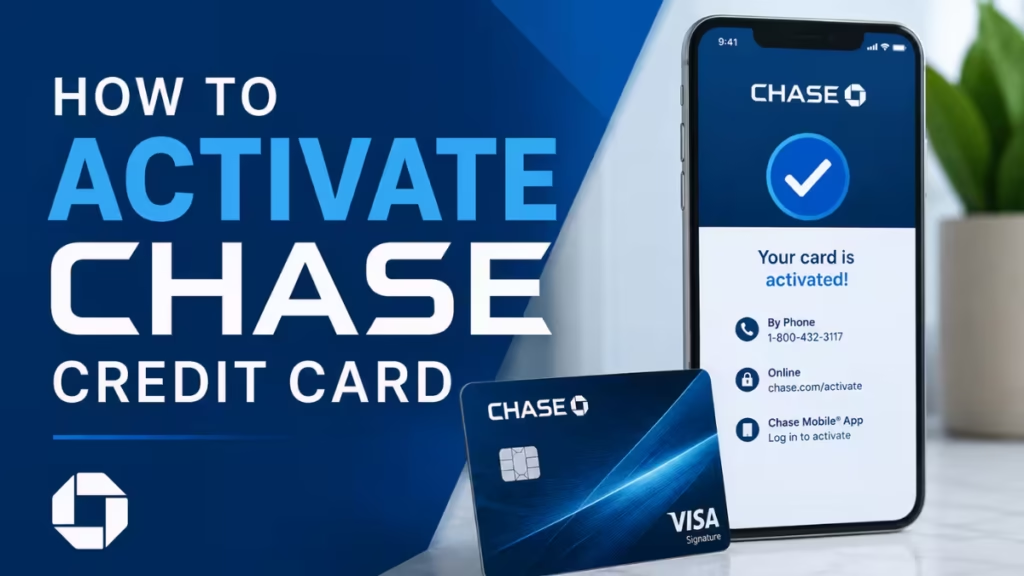
This guide walks you through each method step by step, plus what to do if activation fails.
3 Ways to Activate Your Chase Credit Card
| Method | Time Required | What You Need |
|---|---|---|
| Online (chase.com) | 2 to 3 minutes | Chase account login, card number, SSN |
| By Phone | 3 to 5 minutes | Card, SSN, date of birth |
| Chase Mobile App | 2 to 3 minutes | App installed, account login |
Pick the method that works best for you. All three activate the same card on the same account.
Method 1: Activate Chase Credit Card Online
Activating through the Chase website is the fastest option for most users.
Step 1: Go to the activation page
Open your browser and visit: chase.com
You can also find this URL printed on the sticker attached to the front of your card.
Step 2: Sign in or create an account
Log in with your existing Chase credentials. If you do not have an online account yet, click Not Enrolled? Sign up now and provide:
- Your new credit card number
- Your Social Security number or tax identification number
- Your billing address
- Your email address
Step 3: Select your card
After signing in, click the My Accounts tab and select the credit card you want to activate.
Step 4: Click the activation button
Chase will prompt you to activate the card. Click the activation button and follow any on-screen instructions. Your card activates immediately.
Step 5: Sign the back of the card
Once the card is active, sign the back where it says “Authorized Signature.” Use a ballpoint pen. If you want extra protection, write “See ID” instead of your signature.
Method 2: Activate Chase Credit Card by Phone
Phone activation works well if you do not have internet access or prefer speaking with an automated system.
Step 1: Locate the activation sticker
Your new Chase credit card arrives with a sticker on the front. Do not remove the sticker before activation. The sticker includes the activation phone number specific to your card.
Step 2: Call the activation number
Call 1-800-432-3117 or the number printed on the sticker. Use the same phone number you provided on your credit card application whenever possible. Chase may compare the incoming number against your application details as a security measure.
Step 3: Follow the automated prompts
The automated system will ask you to provide:
- Your full credit card number
- The last four digits of your Social Security number
- Your date of birth
- Answers to any personal security questions from your application (for example, your mother’s maiden name)
Enter each piece of information as prompted.
Step 4: Activate your cash back bonus (if applicable)
Chase 5% cash back bonuses require activation each quarter. When you activate a new card for the first time, the system may ask whether you want to activate the bonus for the current quarter. Say yes or no based on your preference.
Step 5: Remove the sticker and sign the card
After the system confirms activation, remove the sticker from the front of your card and sign the back. Your card is now ready to use.
Method 3: Activate Chase Credit Card on the Mobile App
The Chase mobile app lets you activate your card directly from your phone.
Step 1: Download and open the Chase app
If you do not have the app, download it from the App Store (iOS) or Google Play (Android). Open the app and sign in using the same credentials you use on the Chase website.
Step 2: Find the activation option
On the home screen, locate your new credit card account. Tap the card, then look for the activation button or prompt.
Step 3: Enter your security information
The app will ask for your card number and any security details needed to verify your identity. Enter the information as requested.
Step 4: Confirm activation
Tap the confirm button. The app will show a confirmation message once your card is active. You can now use the card for purchases immediately.
What to Do After Your Chase Credit Card Is Activated
Once your Chase credit card is active, take a few minutes to complete these steps:
- Review your cardmember agreement: The agreement arrived in the same envelope as your card. It outlines your interest rate, payment due dates, fees, and reward structure. Read it before your first purchase.
- Activate any card benefits: If your card includes rewards or cash back bonuses, go to the Card Benefits or Rewards Activity tab in your Chase account. Some benefits, including the 5% cash back categories, require manual activation each quarter.
- Set up autopay: Log in to your Chase account and enroll in automatic payments to avoid missing due dates. You can schedule payments for the minimum amount, the full balance, or a custom amount.
- Enable account alerts: Chase lets you set up SMS or email alerts for transactions, payment due dates, and balance thresholds. Turn these on in the account settings to stay on top of your spending.
Activation Not Working? Try These Fixes
1. Activation Failed by Phone
Chase may flag the activation if the number you call from does not match the number on your application. Try calling again from the phone number you listed when you applied. If you do not remember which number you used, skip the phone method and activate online or through the app.
2. Account Login Not Working
If you cannot log in to activate online or through the app, reset your password through the Chase login page. Once you reset it and sign in successfully, retry the activation steps.
3. The system keeps failing
Call Chase customer service at 1-800-935-9935 and tell the representative you are unable to activate your card. They can complete the activation manually on the phone.
4. Send a message through the Secure Message Center
Sign in to your Chase account, open the side menu, and go to Secure Messages. Select Compose Message and explain that you cannot activate your card. Chase support will respond and may send a replacement card if needed.
5. Visit a Chase branch in person
Any Chase banker at a local branch can activate your card for you. Bring your card, the paperwork that came with it, and a government-issued photo ID. You can find the nearest branch at https://locator.chase.com/.
Frequently Asked Questions
How long does Chase credit card activation take?
Activation takes two to five minutes regardless of which method you use. Your card is ready to use immediately after the confirmation.
Does Chase have a deadline to activate your credit card?
Chase does not publish a hard deadline, but activate your card as soon as you receive it. If you wait more than one to two months, Chase may assume the card was lost and cancel it.
Can you use a Chase credit card before activating it?
In some cases, yes. If your card does not require activation, you can use it for online purchases as soon as you have the card number, CVV, and expiration date. However, most Chase credit cards require activation before first use.
What happens if you never activate your Chase credit card?
Your account stays open but the card remains unusable. The credit limit still appears in your credit utilization ratio, which counts for 30% of your credit score. If your card carries an annual fee, Chase still charges it even if you never activate or use the card.
How do you check if your Chase credit card is active?
Log in to your Chase account and check the card status on the dashboard. You can also call the number on the back of the card to confirm activation with the automated system, or try a small purchase. A declined transaction may indicate the card is not yet active, though it can also signal other issues such as hitting your credit limit.
What information does Chase need to activate your card?
Chase typically requires your card number, the last four digits of your Social Security number, your date of birth, and your billing address. Phone activation may also ask answers to security questions from your original application.

