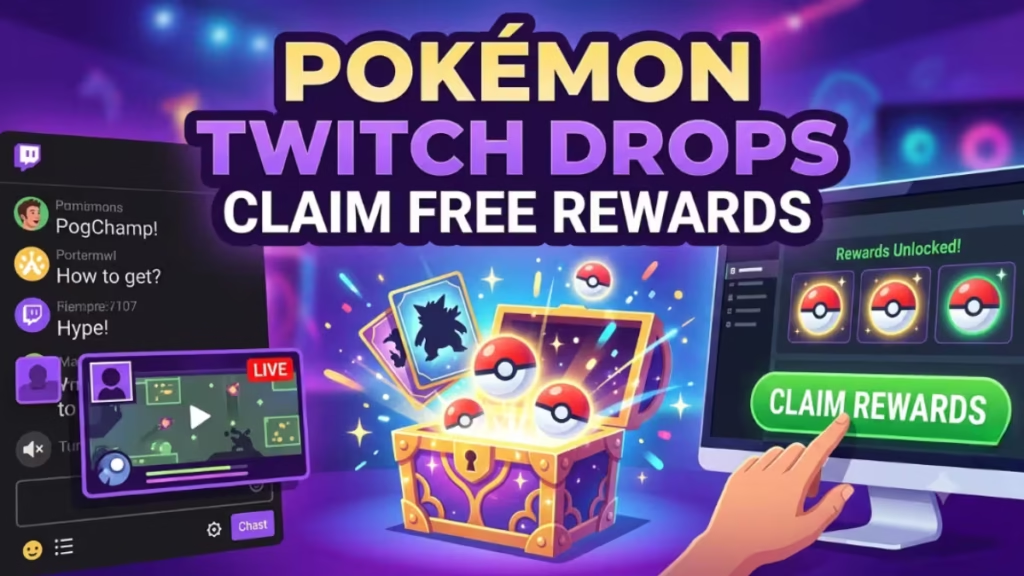
Pokémon Twitch Drops let you earn free in-game rewards by watching official Pokémon livestreams on Twitch. The system works across multiple games including Pokémon GO, Pokémon TCG Live, Pokémon UNITE, and Pokémon Champions. Every major Pokémon Championship event, including the North America International Championships (NAIC), the Latin America International Championships (LAIC), and the Pokémon World Championships, runs a Drops campaign with game-specific rewards.
This guide covers the full process from account setup to redemption, plus fixes for the most common issues.
What Are Pokémon Twitch Drops?
Twitch Drops are free rewards you earn by watching eligible Pokémon streams on Twitch for a set amount of time. The Pokémon Company uses Drops to reward fans who tune in during major championship broadcasts and special events.
Rewards vary by event and game but typically include:
- Exclusive Timed Research tasks (Pokémon GO)
- Rare Pokémon encounters with event-specific moves
- Elite Charged TMs and Rare Candy XL (Pokémon GO)
- Booster packs and special illustration rare cards (Pokémon TCG Live)
- Boost emblems, stickers, and cosmetics (Pokémon UNITE)
- Fully evolved Pokémon and in-game coupons (Pokémon Champions)
New campaigns launch for every major Play! Pokémon event, so checking drop availability before each tournament is worth making a habit.
What You Need Before You Start
You need two accounts to participate in any Pokémon Twitch Drops campaign:
- A Pokémon Trainer Central (PTC) Account: This is the central account that connects to your Pokémon GO profile and the Pokémon Rewards portal. Create one free at pokemon.com if you do not already have one.
- A Twitch Account: Create a free Twitch account at twitch.tv if you do not have one.
Once you have both accounts, you link them once through the Pokémon Rewards portal and all future campaigns work automatically.
How to Link Your Pokémon Trainer Central Account to Twitch
One thing many players get confused about: you do not connect Pokémon GO (or any Pokémon game) directly to Twitch through the app. Instead, you link your Pokémon Trainer Central (PTC) account to your Twitch account through the official Pokémon Rewards portal at rewards.pokemon.com. Once that connection is in place, rewards earned on Twitch route automatically to your linked PTC account. Think of it as a three-step chain: Twitch delivers the drop, the Rewards portal holds the code, and you redeem it inside your game.
Step-by-Step Linking Process
- Open rewards.pokemon.com in a PC or mobile browser. Avoid consoles and streaming devices as they can cause errors during the process.
- Click Log In and enter your PTC username and password.
- Select Link with Twitch.
- Log in to your Twitch account when redirected.
- Click Authorize to confirm the connection.
- Return to rewards.pokemon.com and confirm your accounts show as linked.
You only need to do this once. All future Drop campaigns work automatically with the linked accounts.
Critical Warning: The Link Is Permanent
Before you click Authorize, understand these rules:
- You cannot unlink a PTC account from a Twitch account, even by deleting one of the accounts.
- You can only link one PTC account to one Twitch account. The system does not support multiple linked accounts.
- Pokémon Customer Support cannot see which accounts are linked or reverse a connection mistake.
Make sure you log in to the correct PTC account before you link. If you accidentally link the wrong account, all your Drop rewards will route to that account with no way to transfer them.
How to Find Pokémon Streams With Drops Enabled
Not every Pokémon stream on Twitch offers drops. You need to watch a stream with drops actively enabled for your watch time to count.
How to identify drops-enabled streams:
- Look for the "DropsEnabled" tag on the stream broadcast page.
- On Twitch's Browse page, filter by the DropsEnabled tag to see all eligible streams.
- Follow official Pokémon channels and social media for campaign announcements.
Official Pokémon Twitch channels:
- Twitch.tv/Pokemon (main channel, used for VGC/Champions)
- Twitch.tv/PokemonTCG (TCG Live drops)
- Twitch.tv/PokemonGO (Pokémon GO drops)
- Twitch.tv/PokemonUNITE (UNITE drops)
Partnered co-streamers with drops enabled also count for some reward tiers. Check that the co-streamer's title or tags include "DropsEnabled" before you start watching.
How to Earn Pokémon Twitch Drops
Watch the Required Time
Each campaign sets a specific watch time requirement, usually 20 to 60 minutes depending on the game and reward tier. Some campaigns offer multiple reward tiers at different watch time milestones, where longer viewing earns progressively better rewards.
Track Your Drop Progress
Monitor your progress at the Twitch Drops Inventory Page inside your Twitch account settings. The progress bar shows the exact percentage you have completed toward the current reward milestone.
Rules While Watching
- Do not mute or minimize the stream. Twitch stops counting you as an active viewer when you do, and your progress pauses.
- You do not need to watch consecutively. Your progress saves as long as the campaign is still active. You can leave and return to the stream, and your watch time carries over from where you left off.
- Do not let the campaign end with incomplete progress. Any progress toward an incomplete reward disappears when the campaign closes.
How to Claim Your Earned Drops
Once your watch progress hits 100%, Twitch shows a pop-up notification in chat prompting you to claim your drop. If you miss the pop-up:
- Go to your Twitch Drops Inventory Page.
- Find the completed drop and click Claim.
You have 24 hours after a campaign ends to claim your drops. If you do not claim within that window, the reward disappears permanently with no recovery option.
How to Redeem Pokémon Twitch Drop Codes
After claiming on Twitch, your reward code appears in your Pokémon Rewards inventory.
- Go to rewards.pokemon.com and log in with your PTC account.
- Select View Inventory.
- Find the claimed drop and click Show Code. This reveals your unique one-time redemption code in an 11-digit alphanumeric format.
- Copy the code and redeem it in the appropriate game.
Redeeming in Pokémon GO
- Open store.pokemongolive.com/offer-redemption in a browser.
- Log in with your Pokémon GO account.
- Paste your code into the Enter Code field and confirm.
Android users can also redeem inside the app: Main Menu > Shop > scroll to the bottom > enter code.
After a successful redemption, open Pokémon GO and navigate to your research tab. Your exclusive Timed Research appears there as a new task set tied to the event. Completing the tasks earns the featured Pokémon encounters, items, and other bonuses shown in the research description.
Redeeming in Pokémon TCG Live
Open Pokémon TCG Live and go to the code redemption section inside the in-game shop. Enter your code to unlock your booster packs or cards.
Redeeming in Pokémon UNITE
Open Pokémon UNITE and use the gift code entry section in the in-game shop to enter your code and collect your reward.
Redeeming in Pokémon Champions
Use the in-game code redemption menu inside Pokémon Champions to enter your reward code and receive your Pokémon or items.
Pokémon Twitch Drops: Current and Upcoming Campaigns
The Pokémon Company runs Drop campaigns at every major Play! Pokémon championship event throughout the year. Below are the main recurring events that consistently offer Drops:
| Event | Timing |
|---|---|
| Europe International Championships (EUIC) | Typically January (2026 already completed) |
| Latin America International Championships (LAIC) | Typically March |
| Pokémon Regional Championships | Various dates, January through May |
| North America International Championships (NAIC) | June 12–14, 2026 (New Orleans) |
| Pokémon GO Fest | June 7, 2026 |
| Pokémon World Championships | August 2026 (San Francisco) |
NAIC 2026 example: The 2026 NAIC ran June 12 to 14 in New Orleans across Twitch.tv/Pokemon, Twitch.tv/PokemonGO, and Twitch.tv/PokemonTCG, offering rewards for Pokémon Champions, GO, UNITE, and TCG Live. Drops at that event included a Blastoise for Champions, an Elite Charged TM bundle for GO, and Mega Evolution booster packs for TCG Live.
Follow Pokémon's official social media and Twitch channels to get notified before each campaign starts.
Pokémon Twitch Drops Not Working? Try These Fixes
Drops Not Appearing in Rewards Inventory
If you claimed a drop on Twitch but cannot see it at rewards.pokemon.com, you are most likely logged into the wrong PTC account. Log out of the Rewards portal completely and log back in using the PTC account you originally linked to your Twitch account.
Watch Progress Not Counting
If your progress bar does not move while a stream is open:
- Confirm the stream is not muted or minimized.
- Verify the stream still shows the DropsEnabled tag. Some streams lose drop eligibility mid-broadcast.
- Avoid watching on consoles, via Chromecast, or via AirPlay. Twitch Drops do not work reliably on those platforms. Use a PC browser or the Twitch mobile app instead.
- Log out of Twitch, clear your browser cache, refresh the page, and log back in.
Pokémon Rewards Portal Not Loading
- Switch to Chrome or Firefox.
- Clear your browser cache and cookies.
- Log back in to rewards.pokemon.com.
During major events, heavy traffic can cause temporary slowdowns. If the issue persists, check Pokémon's official social channels for server status updates.
Invalid Client ID Error When Linking
This OAuth error appears during high-traffic periods or when there is a temporary server issue on Pokémon's end. Fix it with these steps in order:
1. Check your Twitch authorization connections Go to your Twitch account settings and open the Connections tab. Look for any existing Pokémon-related authorizations. If you see a partial or broken Pokémon connection listed, revoke it completely before trying to link again.
2. Restart the process through the official portal only Always begin the linking process from rewards.pokemon.com, not from Twitch's side. Log out of both your PTC and Twitch accounts, clear your browser cache and cookies, then go back to rewards.pokemon.com and start fresh. Do not use any third-party linking tools since they cause persistent OAuth failures.
3. Wait if the error persists During major events like the World Championships or NAIC, Pokémon's servers can run under heavy load. If you followed the steps above and still see the error, wait one to two hours and try again. The issue is on Pokémon's server side and resolves on its own once traffic drops.
Claimed Drop Has a Checkmark But No Code Appears
A checkmark below a drop in your Twitch inventory means Twitch already sent the reward to your linked PTC account. Go to rewards.pokemon.com, log in to your PTC account, and check your inventory for the Show Code button. If you still do not see it, you are logged into the wrong PTC account.
Frequently Asked Questions About Pokémon Twitch Drops
Do I need to watch the stream without stopping?
No. Your progress saves throughout the campaign period. You can leave the stream and return later, and your watch time carries over.
Do I need a Pokémon Trainer Central account to get Twitch Drops?
Yes. A PTC account is required. Your Pokémon GO profile and all other Pokémon game accounts connect through PTC, and the Rewards portal only delivers drop codes to a linked PTC account. If you signed up for Pokémon GO through Google or Facebook, you may not have a PTC account yet. Create one free at pokemon.com before trying to link.
What rewards can I get from Pokémon Twitch Drops?
Rewards vary by event and game. Pokémon GO drops have included exclusive Timed Research, rare Pokémon encounters with event-specific moves (sometimes with shiny chances), Elite Charged TMs, Rare Candy XL, and Stardust. TCG Live drops include booster packs and special illustration rare cards. UNITE drops include boost emblems and cosmetics. Champions drops have included fully evolved Pokémon and quick coupons.
How long do reward codes stay valid after I claim them?
Codes typically expire around two weeks after the campaign ends, though the exact window varies per event. Always redeem your code as soon as it appears in your Rewards inventory rather than letting it sit. Check the campaign page for the specific expiry date.
What happens if I forget to claim my drops in time?
Any unclaimed drops disappear 24 hours after the campaign ends. Set a reminder before the campaign closes to avoid losing your rewards.
Does the game need to be open while I watch Twitch?
No. You just need to watch the eligible Twitch stream in any browser or the Twitch app. The reward code delivers to your Pokémon Rewards inventory after you claim it on Twitch.
Where do I check which campaigns are currently active?
Visit your Twitch Drops Inventory Page or check the Browse page on Twitch filtered by the DropsEnabled tag. Pokémon's official social media channels also announce active campaigns.