The Shrooms update in Schedule 1 introduces an entirely new production chain that works very differently from existing products. Unlike standard crops, shrooms depend heavily on environmental control, careful preparation, and precise timing. Missing even one requirement can stop growth completely.
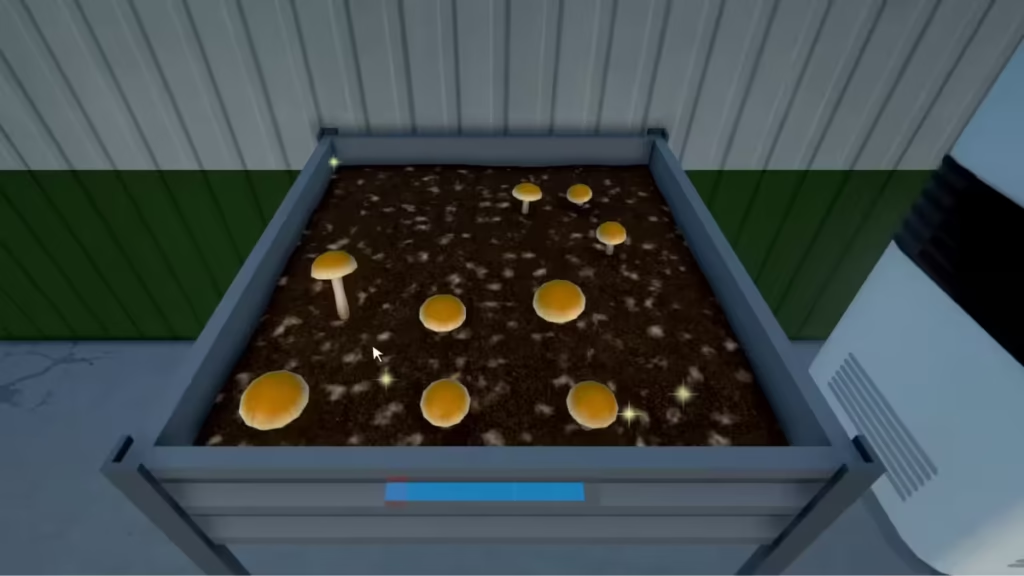
How to Unlock Shrooms in Schedule 1
Before you can grow shrooms, you must first unlock the shroom supply chain.
Shrooms become available after you:
- Unlock the Downtown region
- Progress relationships with specific NPC customers
- Advance far enough for a new supplier to appear
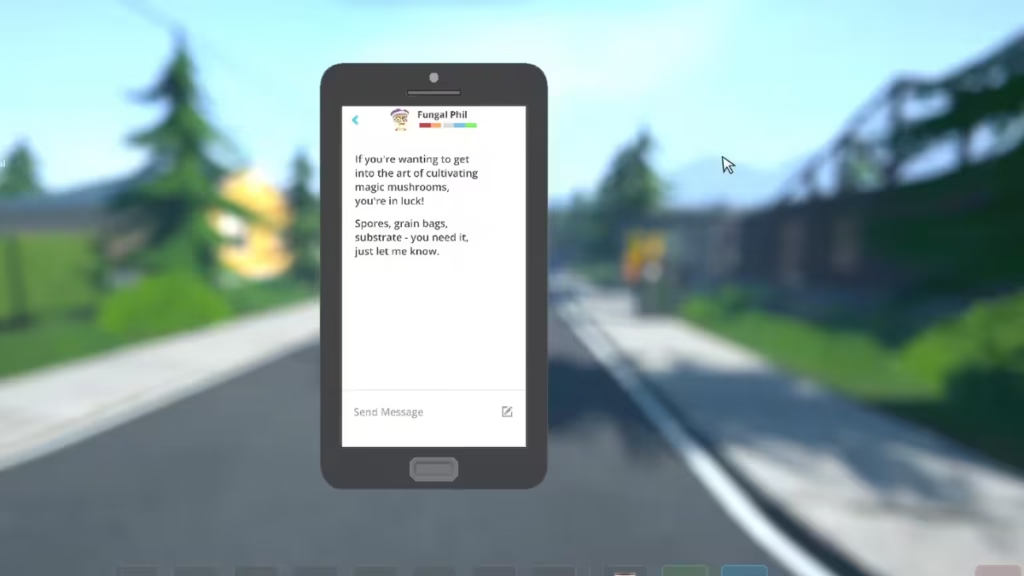
Once these conditions are met, you receive a message on your phone from Fungal Phil. He is the only supplier for all shroom-related materials and operates entirely through dead drops.
After the first interaction, Phil remains permanently available for reorders and reminders.
Items Required to Grow Shrooms in Schedule 1
Shrooms cannot be grown using basic equipment alone. You need a combination of biological materials and specialized hardware.
Items from Fungal Phil (Dead Drops)
- Grain Bag – Used to create mushroom spawn
- Spore Syringe – Injected into the grain bag
- Mushroom Substrate – Acts as the growth medium
Items from Oscar (Warehouse, After 6 PM)
- Mushroom Spawn Station – Creates mushroom spawn
- Mushroom Bed – Where shrooms grow
Items from the Hardware Store
- Spray Bottle – Required for watering
- AC Unit – Controls room temperature
- Plant Trimmers – Used during harvesting
- Packaging Station – Prepares shrooms for sale
Without every item listed above, the shroom process cannot begin.
How to Create Mushroom Spawn in Schedule 1
Shroom production starts at the Mushroom Spawn Station.
- Place the Spawn Station inside your property
- Insert a Grain Bag into the first slot
- Insert a Spore Syringe into the second slot
- Remove the syringe cap and rotate it until aligned
- Inject the spores into the grain bag
- Wait for the station to produce Mushroom Spawn
This step is manual and precise. Rushing or misaligning the syringe can cause failure.
How to Plant Shrooms in Schedule 1
Once spawn is ready, planting must be done carefully.
- Place a Mushroom Bed nearby
- Pour Mushroom Substrate into the bed
- Add the Mushroom Spawn
- Break the spawn into very small pieces
- Mix evenly throughout the substrate
If any spawn pieces fall off during mixing, the bed becomes unusable and must be reset.
Temperature and Water Requirements for Shrooms
Shrooms will not grow under default room conditions. Two environmental requirements must be met.
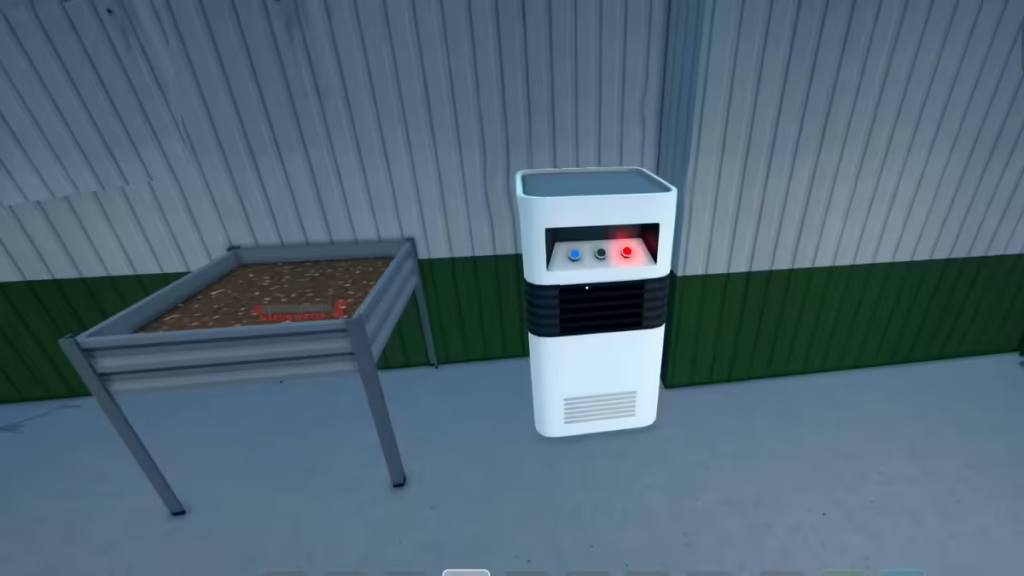
Temperature Control
- Place an AC Unit close to the Mushroom Bed
- Switch the AC to cooling mode
- Lower the temperature to below 15°C
Watering
- Use the Spray Bottle on the Mushroom Bed
- Spray five separate times
Only after both conditions are satisfied does the growth cycle begin.
How to Increase Shroom Quality in Schedule 1
By default, shrooms grow at common quality, but quality can be improved.
- Apply fertilizer to cover 100% of the substrate before growth
- Use a Drying Rack after harvesting
- Set a target quality using a clipboard during drying
Higher quality shrooms:
- Sell for more money
- Attract better customer demand
- Justify higher pricing without hurting sales
Harvesting and Selling Shrooms
Once the growth cycle finishes:
- Use Plant Trimmers to harvest the mushrooms
- Move them to a Packaging Station
- Bag them using standard baggies
- Open the Product Manager on your phone
- Set your selling price
Most players find stable demand when pricing shrooms between $80 and $85, depending on quality and market conditions.
Best Place to Grow Shrooms in Schedule 1
Shroom operations take more space than most products. At minimum, you need room for:
- Mushroom Spawn Station
- One or more Mushroom Beds
- AC Unit
- Packaging Station
- Optional Drying Racks
Smaller properties work early on, but larger locations like warehouses or bungalows make scaling production much easier and more efficient.
Shrooms may only be available in specific builds or beta tracks, depending on your version of Schedule 1. Availability can change with updates, so progression requirements may vary slightly over time.
FAQs
Why are my shrooms not growing?
Shrooms will not grow unless the temperature is below 15°C and the bed has been sprayed exactly five times.
Can shrooms grow without an AC unit?
No. Temperature control is mandatory for shroom growth.
Do fertilizers really matter?
Yes. Fertilizer directly increases final shroom quality and selling price.
Where should beginners grow shrooms?
Early players can use smaller properties, but warehouses are best for long-term scaling.
Shrooms in Schedule 1 are one of the most profitable but demanding products. When managed correctly, they offer excellent returns, but they punish mistakes in setup and environment. With the right space, temperature control, and quality optimization, shrooms can become a reliable income stream in your operation. Play Now!

