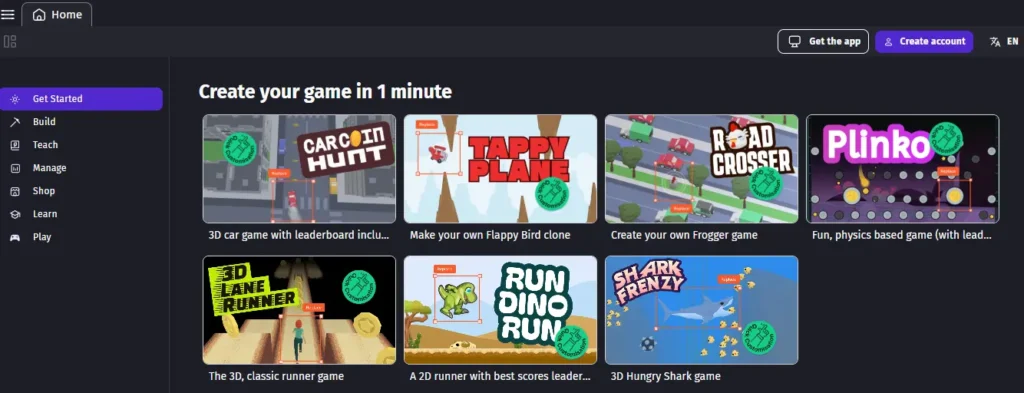
Is it possible to create a game without coding? Yes, we can create a simple game without any coding experience by using no-code platforms like GDevelop. In this guide, we'll walk through an example of creating a basic game like 'Catch the Falling Objects'.
Game Concept
In this game, objects fall from the top of the screen, and the player controls a character at the bottom, moving left and right to catch them.
Steps to Create the Game
1. Set Up the Scene
- Start a New Project: Open GDevelop and create a new project.
- Design the Background: Set the game scene's background and define the playable area.
2. Create the Player Character
- Add a Player Sprite: Insert a sprite object representing the player (e.g., a basket).
- Implement Controls: Configure keyboard inputs to move the player left and right.
3. Add Falling Objects
- Create Object Sprites: Add sprites for the falling items (e.g., apples).
- Spawn Objects Randomly: Set up events to spawn these objects at random positions at the top of the screen at regular intervals.
- Simulate Falling: Apply downward movement to these objects to mimic falling.
4. Implement Collision Detection
- Detect Catches: Define events to detect when the player catches an object.
- Update Score: Increase the player's score upon successful catches.
- Clean Up: Remove the caught objects from the scene.
5. Add Game Over Conditions
- Missed Objects: Set conditions for when an object reaches the bottom of the screen without being caught.
- End Game or Reduce Lives: Decide whether to end the game or decrease the player's lives in such events.
6. Enhance the Game
- Sound Effects: Incorporate sound effects for catching objects and game-over scenarios.
- Menus: Add a start screen and a game-over screen.
- Variety in Objects: Introduce different types of falling objects with varying point values or effects.
Resources
- GDevelop Tutorials: GDevelop offers tutorials and examples to assist beginners. For tutorials, visit the GDevelop Wiki for detailed guides.
- Free Assets: Explore GDevelop's asset store for free graphics and sounds to use in your game.
By following these steps, you can create a simple yet engaging game without any coding experience. Platforms like GDevelop provide intuitive interfaces and extensive resources to support your game development journey.
Was this guide helpful?