Cybersecurity company Malwarebytes has launched a new integration that allows users to check scams, phishing attempts, and suspicious links directly inside ChatGPT. The move makes Malwarebytes the first major security provider to deliver real-time threat intelligence without forcing users to leave an AI chat interface.

Scams continue to grow more convincing, driven by automation and AI-generated content. Malwarebytes aims to counter that trend by placing professional cybersecurity insight exactly where users already ask questions—inside everyday ChatGPT conversations.
How Malwarebytes Integrates With ChatGPT
The integration lets users paste suspicious texts, emails, direct messages, phone numbers, or URLs directly into ChatGPT. Once connected, users can simply ask:
“Malwarebytes, is this a scam?”
ChatGPT then analyzes the content using Malwarebytes’ continuously updated threat intelligence. Instead of returning a vague warning, the tool explains why something looks risky and highlights specific red flags such as impersonation attempts, urgency tactics, or suspicious domains.
This approach helps users make informed decisions rather than relying on guesswork or instinct.
How to Enable Malwarebytes in ChatGPT
Users do not need to install browser extensions or antivirus software to use the integration. Access requires only a ChatGPT account.
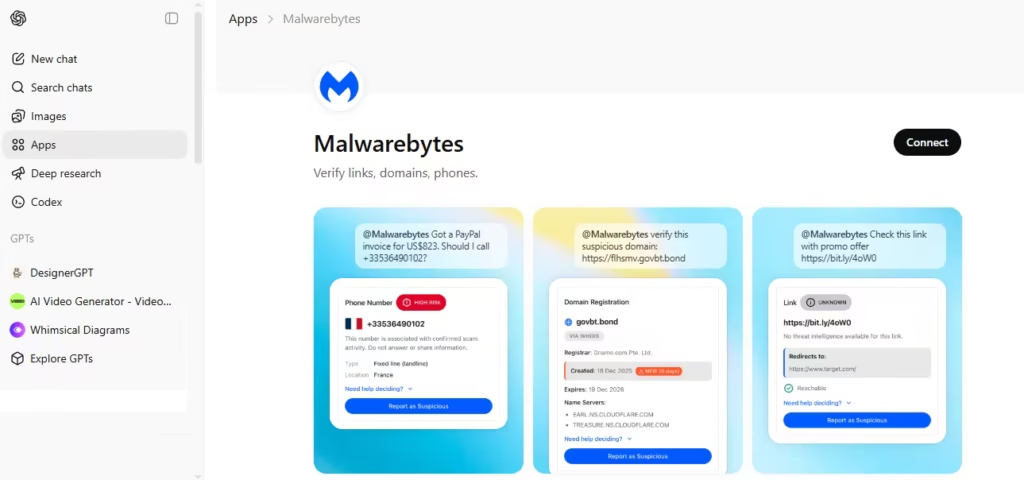
To enable Malwarebytes in ChatGPT:
- Sign in to ChatGPT
- Open Apps
- Search for Malwarebytes and select Connect
- Use
@Malwarebytesor ask scam-check questions directly
The feature works for ChatGPT Free, Plus, Team, and Enterprise users, wherever ChatGPT apps are available.
What Malwarebytes Can Access Inside ChatGPT
When you click Connect, you allow ChatGPT to query Malwarebytes’ threat-intelligence system under strict limits.
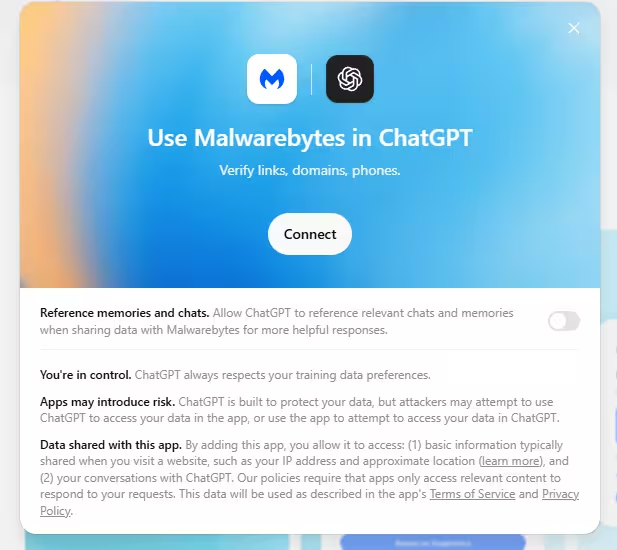
- ChatGPT can verify links, domains, email addresses, and phone numbers
- The integration has no system access
- It does not scan files or monitor devices
- It performs only reputation and safety checks
This design keeps the integration focused, limited, and privacy-conscious.
How Users Run a Scam Check
After connecting, users can ask ChatGPT to verify suspicious items they encounter online.
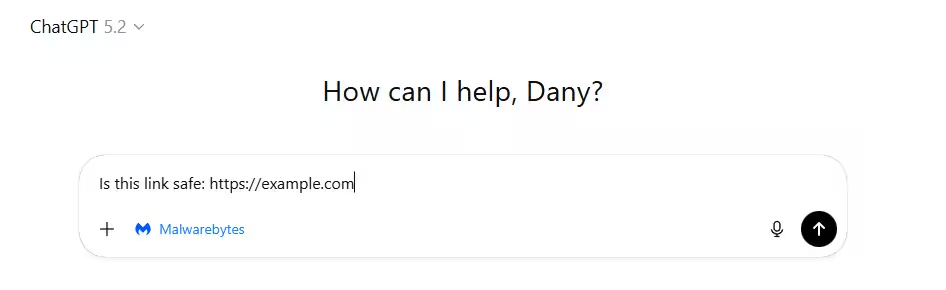
Common examples include:
- “Is this link safe: https://example.com”
- “Check this phone number: +91XXXXXXXXXX”
- “Is this email legit: [email protected]”
- “Is this domain a scam?”
These checks help users evaluate content received through email, SMS, WhatsApp, social media, or direct messages.
All verdicts rely on real threat data rather than generic advice. Malwarebytes uses the same intelligence that protects millions of devices worldwide.
How User Reports Help Improve Malwarebytes Threat Intelligence
The integration also allows users to submit suspicious content directly to Malwarebytes through ChatGPT. Each report improves detection accuracy and helps identify new scam tactics faster.
This feedback loop turns everyday users into contributors, expanding Malwarebytes’ visibility into emerging threats as they appear.
See also: Julius AI vs. ChatGPT: Which AI Tool is Better for Your Needs?
Scams now reach users through texts, messaging apps, fake job offers, and cloned login pages. Many attacks succeed because people hesitate for a moment—or click before verifying.
By embedding cybersecurity checks directly into ChatGPT, Malwarebytes removes friction from scam detection. Users can verify before they click, call, or reply, all within the same conversation.
As AI reshapes online communication, this integration shows how security tools can evolve alongside it—protecting users without slowing them down.

