Most people choose a spreadsheet app out of habit. You open whatever your school, office or team used first, and you stay there for years. That works until a colleague sends a file that breaks in your app, or your data grows past what your tool can handle.
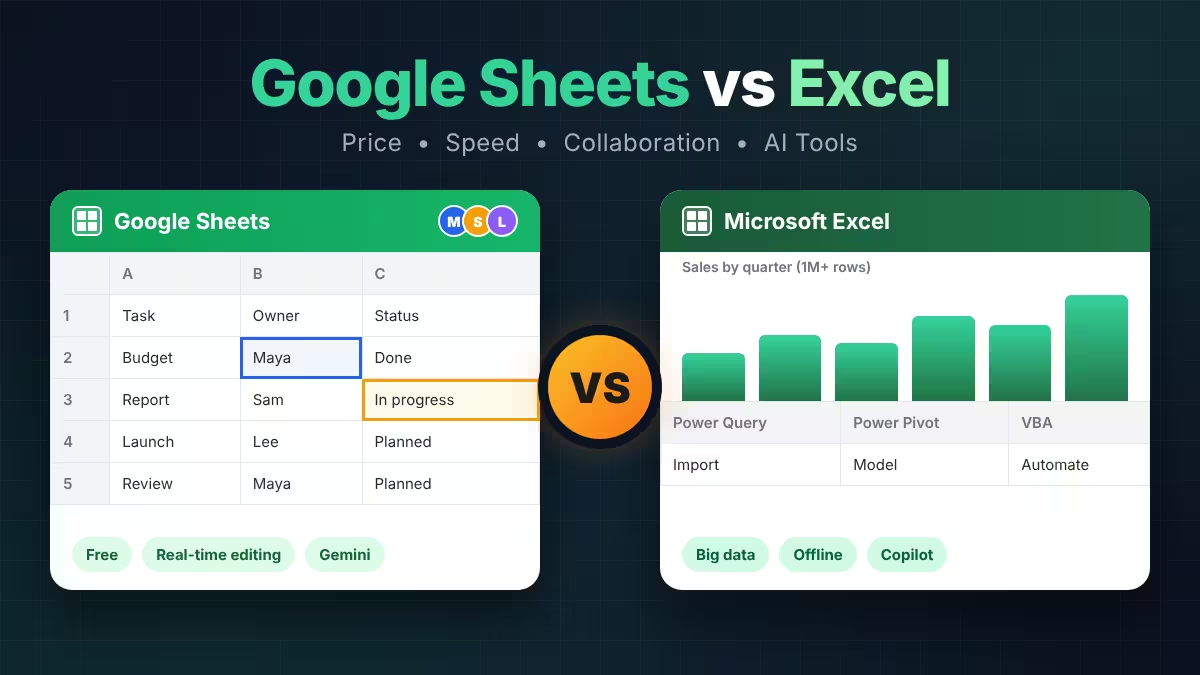
Google Sheets and Microsoft Excel look nearly identical on the surface. Both use a grid, a formula bar and tabs. The gap appears when you push them. This guide shows where each app leads, where it falls short, and which one suits your kind of work.
Google Sheets vs Excel: Quick Verdict
Pick Google Sheets if you share files with other people, want a free tool, and work with small to medium data. Pick Excel if you build financial models, crunch very large datasets, need advanced data tools, or often work without internet. Plenty of professionals use both, and that is a sensible setup rather than a compromise.
Google Sheets vs Excel Price: Which Costs Less?
Anyone with a Google account can use Google Sheets for free, with no feature locks on the core app. Businesses that want custom email, admin controls and extra storage move to Google Workspace, which starts around $7 per user each month.
Excel offers a free web version, but it drops many of the strong features, including VBA macros and Power Query. The full desktop app comes with a Microsoft 365 subscription. Microsoft 365 Personal costs about $99.99 a year in the US, and it bundles Word, PowerPoint and 1 TB of OneDrive storage. You can also buy Office as a one-time license if you hate subscriptions, and our Microsoft 365 vs Office 2024 guide breaks down that choice.
If you already pay for Microsoft 365 for Word and Outlook, Excel costs you nothing extra. If you only need a spreadsheet, Sheets saves real money, especially across a team of ten or more. Looking to skip both? Try these free Office alternatives.
Excel vs Google Sheets for Large Data and Speed
This is where Excel earns its reputation. A single Excel worksheet holds 1,048,576 rows and 16,384 columns, and the desktop app uses your own computer's processor to calculate. Add Power Pivot, and Excel can analyze millions of rows from several related tables.
Google Sheets caps each spreadsheet at 10 million cells. That limit suits trackers, budgets and reports, but speed becomes the problem before the cap does. Because Sheets runs inside a browser tab, files with heavy formulas start to lag once they pass roughly 50,000 to 100,000 rows.
If your work involves large exports, data cleanup or complex models, choose Excel. If your files stay small and simple, you will never notice the difference.
Google Sheets vs Excel Collaboration: Real-Time Editing Compared
Google built Sheets for shared editing. You send a link, pick Viewer, Commenter or Editor, and everyone works in the same file. Live cursors, comment threads and a full version history come standard, and up to 100 people can edit at once. The Commenter role helps when a manager or client should leave feedback without changing your numbers.
Excel has closed much of the gap. Save a workbook to OneDrive or SharePoint, click Share, and several people can edit together in the desktop app, the browser or on a phone. The catch is setup. The file must live in Microsoft's cloud, and users sometimes hit sync delays or lingering locks. Excel's sharing menu also offers only edit and view permissions.
For a team that updates the same sheet all day, Sheets wins. For a team already living in Microsoft 365, Excel's co-authoring works well enough.
Excel vs Google Sheets Formulas and Exclusive Functions
Both apps cover the essentials: SUM, IF, VLOOKUP, XLOOKUP, SUMIFS, FILTER, SORT, UNIQUE, LET and LAMBDA. Most everyday formulas move between the two without any edits.
Each app also owns a few tricks the other lacks.
Google Sheets exclusives:
- QUERY runs SQL-style commands inside one cell, so you can filter and total data without building a pivot table.
- IMPORTRANGE pulls live data from another spreadsheet using only its URL.
- GOOGLEFINANCE fetches current and historical stock data.
- GOOGLETRANSLATE translates text inside a cell.
- IMPORTHTML and IMPORTDATA bring in data from web pages and files.
Excel exclusives:
- Power Query imports, cleans and combines data from many sources, then refreshes it with one click.
- Power Pivot builds data models across multiple tables.
- The Analysis ToolPak runs t-tests, ANOVA and regression without add-ons.
- Goal Seek and other What-If tools work backward from a target result.
- Python in Excel lets you run Python code inside cells on a qualifying plan.
Excel's autocomplete and formula tooltips also feel sharper when you nest several functions.
Apps Script vs VBA: Automation in Sheets and Excel
Excel automates desktop work with VBA, a mature language with decades of community macros behind it. Newer Office Scripts handle the web version. VBA works well when you stay inside Microsoft apps, but it struggles to reach outside services.
Google Sheets uses Apps Script, which follows JavaScript. It runs in the cloud, so you can trigger scripts on a schedule or when someone submits a Google Form, with no desktop app open. It also connects easily to Gmail, Drive and Calendar. Both apps include a macro recorder for simple repeated tasks, although Excel macros stop working in the web version. Microsoft 365 users can also try WorkIQ with Microsoft Scout to automate tasks across Microsoft 365 apps.
Excel vs Google Sheets Charts and Pivot Tables
Excel offers more chart types, including waterfall and sunburst charts, plus Slicers for clickable filtering of pivot tables and charts. Its Recommended Charts tool suggests several sensible layouts for your data.
Sheets gives you cleaner defaults and a simple chart editor. Its Aggregate checkbox groups raw rows into totals in one click, which saves time on messy data. Excel can match that result, but beginners often need a pivot table or manual column prep first.
Gemini in Sheets vs Copilot in Excel: AI Features Compared
Both apps now include an AI assistant. Gemini in Sheets reads your sheet, writes formulas that use your real column names, builds tables and charts, and answers questions about your data. Copilot in Excel creates formulas, charts and PivotTables from plain-language prompts, and it handles heavier analysis such as projections and what-if scenarios.
Neither assistant comes free on a basic plan. Gemini needs an eligible Google Workspace or Google AI Pro plan, and Copilot needs a qualifying Microsoft 365 subscription. Check what your own plan includes before you count on either tool.
Can You Use Google Sheets and Excel Offline? Mobile Apps Too
The Excel desktop app works fully offline with no setup. Google Sheets can work offline too, but you must switch it on while you still have internet, and it needs Chrome or Edge with the Google Docs Offline extension. If you travel often or work in places with weak signal, Excel feels safer.
On phones, both apps handle viewing and light edits well. Sheets shows its formatting tools right away, while Excel hides some behind an extra tap. Neither app suits heavy modeling on a small screen.
Can Google Sheets Open Excel Files? Compatibility Explained
You can open .xlsx files in Google Sheets and download Sheets files as Excel workbooks. Simple files cross over cleanly. Complex ones do not. Expect these problems:
- VBA macros disappear when you open a workbook in Sheets.
- Power Query connections turn into static data.
- Some pivot tables, advanced charts and conditional formatting rules change or break.
- Named LAMBDA functions need manual fixes.
- Sheets-only functions such as QUERY and IMPORTRANGE show a #NAME? error in Excel.
If a file must travel between both apps, stick to standard formulas, basic formatting and simple pivot tables. Always check the result after converting.
Google Sheets vs Excel: Feature-by-Feature Comparison
| Feature | Google Sheets | Microsoft Excel |
|---|---|---|
| Price | Free with a Google account | Free web version, paid desktop app |
| Where it runs | Browser and mobile apps | Windows, Mac, web and mobile |
| Data limit | 10 million cells per file | 1,048,576 rows by 16,384 columns per sheet |
| Collaboration | Built in, link sharing | Co-authoring through OneDrive or SharePoint |
| Permissions | Viewer, Commenter, Editor | Can edit, Can view |
| Automation | Apps Script (JavaScript) | VBA, Office Scripts |
| Advanced data tools | QUERY, IMPORTRANGE | Power Query, Power Pivot, Python |
| AI assistant | Gemini | Copilot |
| Offline use | Needs setup in Chrome or Edge | Full support in desktop app |
| Learning curve | Gentle | Steeper |
Should You Use Google Sheets or Excel?
Choose Google Sheets when:
- You edit files with other people every day.
- You want a free tool that works on any device.
- Your data stays under a few tens of thousands of rows.
- You collect responses through Google Forms.
Choose Excel when:
- You build financial models or run statistical analysis.
- You work with hundreds of thousands of rows or data from many sources.
- You need VBA, Power Query, Power Pivot or Python.
- You often work offline.
- Your company already runs on Microsoft 365.
Choose both when you collect and share data in Sheets, then move the heavy analysis into Excel. That split uses each app where it performs best.
Frequently Asked Questions
Is Google Sheets the same as Excel?
No. Both are spreadsheet apps with similar grids and formulas, but Sheets runs in the cloud and focuses on collaboration, while Excel is desktop-first and focuses on depth and raw power.
Can Google Sheets replace Excel?
For budgets, trackers, simple analysis and team projects, yes. For large datasets, complex financial models, VBA macros and Power Query workflows, Excel remains the stronger tool.
Is Google Sheets really free?
Yes. The core app is free with a Google account and includes 15 GB of storage shared across Drive, Gmail and Photos. AI features and business tools need a paid plan.
Is Excel free?
Excel for the web is free with a Microsoft account, but it lacks several advanced tools. The desktop app needs a Microsoft 365 subscription or a one-time Office purchase.
Which app handles big data better?
Excel. It calculates faster on large files, supports more rows, and offers Power Query and Power Pivot for serious data work.
Can I open Excel files in Google Sheets?
Yes. Upload the .xlsx file to Google Drive and open it in Sheets. Basic formulas and formatting carry over, while macros and Power Query connections do not.
Which is better for beginners?
Google Sheets. Its interface is lighter, the menus are simpler, and you can start working in seconds without learning a dense ribbon.
Do Gemini and Copilot cost extra?
On most plans, yes. Both assistants require a qualifying paid plan, so confirm your subscription includes them before you rely on them.