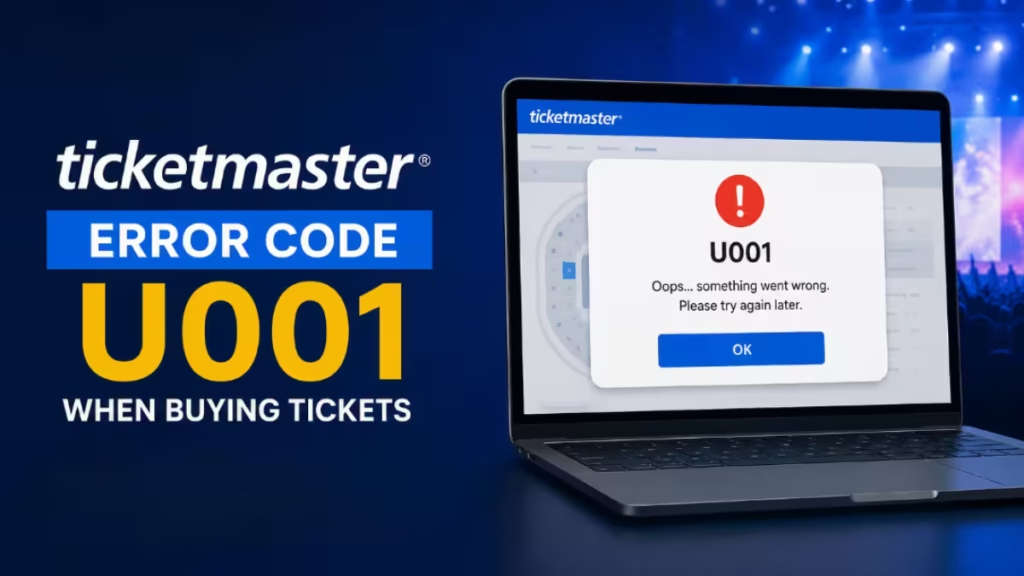
Ticketmaster error code U001 blocks your checkout after you select tickets and enter payment details. The frustrating part is that Ticketmaster gives you no useful explanation. No card decline. No sold-out message. Just U001 and a dead session. This guide breaks down exactly why it happens and the fixes that actually work.
What Is Ticketmaster Error Code U001?
Ticketmaster error code U001 (also written as U-001 or U 001) appears during the checkout process, after you select seats but before payment completes. It is a session-level block, not a payment failure. Your bank never receives a charge attempt when U001 fires.
Unlike Ticketmaster Error Code 0007 or Ticketmaster Error Code 0011, which relate to seat selection and availability problems, U001 means Ticketmaster invalidated your checkout session entirely. Retrying the same broken session without resetting it will not fix it.
Why You Get Ticketmaster Error Code U001
Two root causes drive almost every U001 report.
Anti-Bot Protection Flagging Normal Users
Ticketmaster runs automated protection systems to block scalper bots. The problem is that normal user behavior can trip those same systems.
Refreshing the checkout page, opening a second tab to compare seats, retrying too quickly after a failed attempt, or staying logged in on multiple devices can all make your session look automated. When the system flags your session, it blocks checkout with U001, with no explanation.
A common scenario: you refresh once or twice while waiting for seats to populate, check seat locations in another tab, then attempt checkout. The session is already flagged and U001 fires.
Ticket Quantity or Availability Changed Mid-Checkout
Ticket inventory updates in real time. If the exact quantity you selected becomes unavailable while you enter payment details, Ticketmaster may return U001 instead of displaying a clear sold-out message.
For example, you select three adjacent seats and spend a minute on payment details. Another buyer grabs one of those seats during that window. Instead of showing a clear availability update, checkout fails with U001.
How to Fix Ticketmaster Error Code U001
Work through these fixes in order. Most users resolve U001 with Fix 1 or Fix 2.
Fix 1: Reset Your Ticketmaster Session (Most Reliable)
This is the fix that users confirm most consistently, and it matches Ticketmaster’s own guidance for resolving checkout errors.
- Log out of Ticketmaster completely.
- Clear all Ticketmaster cookies and cache in your browser.
- Close every browser window, not just the Ticketmaster tab.
- Confirm you are not logged in on any other device.
- Restart your device.
- Wait 10 to 15 minutes.
- Log back in and attempt checkout once, cleanly.
This works because it resets the flagged session that triggered U001. Many users report repeated failures for close to an hour, followed by an immediate successful checkout after a clean session reset.
Fix 2: Change the Number of Tickets
If checkout fails repeatedly with your selected quantity, increase or decrease the number of tickets by one and try again without refreshing repeatedly.
This forces Ticketmaster to re-evaluate availability instead of reusing the broken inventory allocation tied to U001. A real-world case: buying three tickets repeatedly triggers U001. Switching to four tickets completes checkout with no other changes.
Fix 3: Disable Your VPN
VPNs route traffic through shared IP addresses. Many of those addresses are pre-flagged by Ticketmaster due to previous bot activity. If you use a VPN, disable it completely before attempting checkout. This applies to proxy services and Apple Private Relay as well.
Do not use a VPN as a workaround for a blocked IP. It deepens the block. A router restart or switching to mobile data is a cleaner solution.
Fix 4: Clear Browser Cache and Cookies
Stale session data sends outdated authentication signals that Ticketmaster cannot verify, leading to session errors including U001.
Google Chrome:
- Open Chrome and click the three-dot menu in the top-right corner.
- Select History, then click Clear browsing data on the left.
- Check Cookies and other site data and Cached images and files.
- Set the time range to All time and click Clear data.
Mozilla Firefox:
- Open Firefox and click the three-line menu in the top-right corner.
- Select History, then Clear Recent History.
- Check Cookies, Cache, Active Logins, and Offline Website Data.
- Set the time range to Everything and click OK.
Safari (Mac):
- Open Safari and click Safari in the top menu bar.
- Select Settings, then the Privacy tab.
- Click Manage Website Data, then Remove All.
- Confirm by clicking Remove Now.
After clearing, reload Ticketmaster in a single tab and attempt checkout fresh.
Fix 5: Use One Device, One Browser, One Tab
Use a single device, a single browser, and a single tab throughout checkout. Multiple sessions on different devices make your activity appear automated. If you have signed in on more than one device, sign out of all of them before you begin.
Avoid large public Wi-Fi networks such as those at coffee shops or workplaces. These shared networks route traffic through IPs that Ticketmaster frequently flags. Switch to your carrier’s mobile data instead.
Fix 6: Switch to Mobile Data or Restart Your Router
If your home IP is the issue, you can reset it without a VPN.
To restart your router: unplug it, wait 30 full seconds, then plug it back in. Your ISP may assign a new IP address when it reconnects, clearing any network-level block.
Alternatively, switch your device to 4G or 5G mobile data entirely. This assigns a fresh IP instantly and cuts through most network-level blocks.
Fix 7: Check Ticketmaster Server Status
If U001 appears for everyone trying to buy tickets at the same time, the issue may be on Ticketmaster’s end. Visit Ticketmaster’s official status page or check Downdetector to confirm whether their servers are experiencing downtime. If they are, wait and retry once service stabilizes.
Fix 8: Disable Browser Extensions
Ad blockers such as uBlock Origin and privacy tools like Privacy Badger block the tracking scripts Ticketmaster uses to verify you are human. When those scripts cannot run, Ticketmaster cannot confirm your session, and the bot detection error fires.
Disable extensions one at a time until the site loads cleanly. Once you identify the problem extension, whitelist ticketmaster.com in its settings.
Fix 9: Enable JavaScript
Ticketmaster’s bot detection depends on JavaScript to run behavioral verification checks. Go to your browser settings and confirm JavaScript is fully enabled for ticketmaster.com. If JavaScript is disabled even partially, the checkout session cannot complete verification.
Fix 10: Toggle Ticket Protection (Last Resort)
Some users reported that enabling ticket protection during checkout allowed the purchase to go through. This fix is inconsistent and adds cost, so only try it after all other fixes fail.
What Does NOT Fix Ticketmaster Error Code U001
Repeatedly re-entering your payment details does not fix U001. Refreshing checkout does not fix it. Waiting for hours without clearing cookies does not fix it. Retrying on the same device with multiple tabs open does not fix it.
These actions extend the block because they reinforce the behavior that triggered the session flag in the first place.
Is Error Code U001 a Temporary Block?
Often, yes. But passive waiting alone is unreliable. If the session remains flagged, U001 can persist indefinitely. Logging out and clearing cookies is significantly more effective than waiting without resetting the session.
Lighter blocks typically lift within 30 to 60 minutes. More persistent ones clear within 24 hours.
When to Contact Ticketmaster Support
Contact support only after you have reset the session, changed ticket quantity, and still see U001 across multiple devices after waiting. In most cases, support cannot override session-level blocks or live inventory conflicts. If you do contact them, explain the specific error code, your browser, and your network setup.
Frequently Asked Questions
What is Ticketmaster error code U001?
Ticketmaster error code U001 is a session-level checkout block. It appears after you select tickets but before payment processes. Your card is never charged when this error fires.
Does Ticketmaster error code U001 mean tickets are sold out?
Not always. U001 often fires because your selected quantity changed mid-checkout, not because the event is fully sold out. Try a different ticket count before giving up.
Will U001 go away on its own?
Sometimes, but waiting alone is unreliable. If your session stays flagged, U001 can persist for hours. Logging out and clearing cookies resolves it faster than passive waiting.
Is Ticketmaster blocking my account permanently?
No. U001 is a temporary session restriction tied to bot-detection triggers. It is not an account ban. A clean session reset restores normal access in most cases.
Can I fix Ticketmaster error code U001 by switching payment methods?
No. U001 fires before payment processing begins, so your payment method is not the issue. Reset your session first, then retry checkout with the same card.

