Microsoft has officially announced the retirement of several older Azure virtual machine (VM) series in 2028. This retirement affects commonly used VM families across two separate waves, with the first deadline arriving on May 1, 2028, and the second on November 15, 2028.
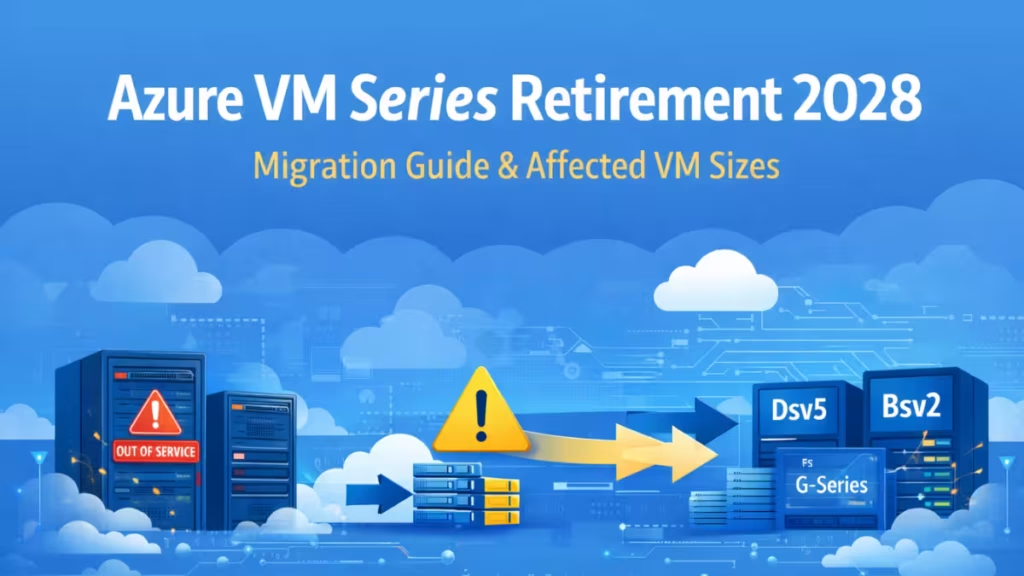
If your Azure subscription still runs on any of these VM families, action is required before the relevant retirement deadline. This guide covers every affected series, the correct list of retiring B-series sizes, what happens if you do nothing, and how to migrate safely without data loss or downtime.
Two Retirement Waves in 2028
Azure’s 2028 retirement runs in two separate waves, each with its own deadline. Missing either one will cause workload disruptions.
| Retirement Date | Affected VM Series |
|---|---|
| May 1, 2028 | D, Ds, Dv2, Dsv2, Ls |
| November 15, 2028 | F, Fs, Fsv2, Lsv2, G, Gs, Av2, Amv2, B-series v1 |
Both waves follow the same rule: after the retirement date, affected VMs will be automatically deallocated, cannot be restarted, will no longer be billed, and will no longer be covered by Microsoft SLA or support.
Complete List of Azure VM Series Retiring in 2028
Wave 1: May 1, 2028
| VM Category | Retiring Series |
|---|---|
| General-purpose | D, Ds, Dv2, Dsv2 |
| Storage-optimized | Ls |
Affected sizes in this wave include Standard_D1 through Standard_D15_v2 and Standard_L4s through Standard_L32s. If your VM name starts with D or Ds and carries no v3 or higher suffix, it falls in this wave.
Wave 2: November 15, 2028
| VM Category | Retiring Series |
|---|---|
| Compute-optimized | F, Fs, Fsv2 |
| Storage-optimized | Lsv2 |
| Memory-optimized | G, Gs |
| General-purpose | Av2, Amv2 |
| Burstable | B-series v1 |
Which B-Series VMs Are Actually Retiring: The Complete List
This is the most commonly misunderstood part of the retirement announcement. The confusion exists because the original B-series was named without a version number. When Microsoft introduced B-series v2, the older sizes kept their original names.
The correct rule: any B-series VM that does not include “v2” in its size name is B-series v1 and is retiring on November 15, 2028.
Retiring B-series v1 sizes include:
- Standard_B1s
- Standard_B1ls
- Standard_B2s
- Standard_B2ms
- Standard_B4ms
- Standard_B8ms
- Standard_B16ms
- Standard_B20ms
Not retiring (B-series v2 sizes, identified by “v2” in the name):
- Standard_B2s_v2
- Standard_B4ls_v2
- Standard_B2als_v2
- Standard_Bpsv2, Bsv2, Basv2 families
If your VM size shows “v2” at the end, it is on the newer generation and is not affected by the 2028 retirement.
Important: Azure Advisor may flag some B-series v2 VMs for the “Review and migrate virtual machine workloads” recommendation even if they are not retiring. This is because Advisor surfaces performance optimization suggestions independently of retirement status. Verify your actual VM size name before acting on that warning.
Is Your Azure VM at Risk? How to Check in 30 Seconds
- Open the Azure Portal
- Go to Virtual Machines
- Select a VM
- Check the Size field
- Match against the retirement tables above
For a broader audit across your subscription, open Azure Advisor and look for retirement notices under the “Operational Excellence” tab. A retirement warning banner in the portal or an email from Microsoft about your VMs is the most common way admins first learn their sizes are affected.
Reserved Instances Deadline: July 1, 2026
A separate, immediate action item applies to customers using Reserved Instances (RIs) for the retiring series.
Microsoft has set two separate RI cutoff dates for the retiring series:
Three-year reserved instances for all retiring VM series could no longer be purchased or renewed from November 15, 2025. This deadline has already passed. If you held a three-year RI that expired after that date, your workload is already billing at pay-as-you-go rates. Check your current reserved instance orders to identify any impacted VMs and their expiration dates.
One-year reserved instances for all retiring VM series will stop being available for purchase or renewal from July 1, 2026. Once an existing one-year RI expires after that date, it cannot be renewed. At that point, workloads shift to pay-as-you-go pricing unless you move to a reservation on a supported VM series.
Migrating to a newer VM series now locks in RI discounts on the replacement and avoids an automatic cost increase when your current RI lapses.
What Happens After the Retirement Date If You Do Nothing?
If a VM reaches its retirement date without migration:
- The VM is automatically deallocated by Azure
- The VM cannot be started, resized, or redeployed
- Production workloads will experience downtime
- Microsoft support will not assist with issues on retired sizes
- The VM no longer incurs billing charges in the deallocated state
Managed disks remain intact. Azure does not delete OS disks or data disks automatically after retirement. However, compute access stops entirely, making the data inaccessible until you attach those disks to a supported VM.
Best Azure VM Replacements for Retiring Series
Wave 1 Replacements (by May 1, 2028)
| Retiring Series | Recommended Replacement |
|---|---|
| D / Ds / Dv2 / Dsv2 | Dsv5, Dasv5, Ddsv5 |
| Ls | Lsv3 |
Wave 2 Replacements (by November 15, 2028)
| Retiring Series | Recommended Replacement |
|---|---|
| F / Fs / Fsv2 | Fasv6, Fsv6, Dsv5 |
| Lsv2 | Lsv3 |
| G / Gs | Esv5, Ev5 |
| Av2 / Amv2 | Dsv5, Dasv5 |
| B-series v1 | Bsv2, Bpsv2, Basv2 |
For small Linux or Windows workloads previously running on B1s, the Bsv2 family offers the closest pricing and behavior. Note that Bv2 sizes do not support ephemeral OS disks the same way B1ls does, which may add storage costs for certain workloads.
Gen2 image requirement: Target VMs in the v6 families (Fasv6, Fsv6, and others) require Gen2 OS images and NVMe storage support. If your current VM runs a Gen1 image, you need to verify Gen2 compatibility and update your OS image before attempting a resize to v6-based sizes.
Azure VM Migration Strategy: Dev to Production
Step 1: Assessment
- Identify all affected VMs across all subscriptions
- Check the wave each VM falls into (May or November 2028)
- Review CPU, memory, disk, and network usage to right-size the replacement
- Check whether the VM uses a Gen1 or Gen2 OS image
- Note whether the VM belongs to an Availability Set or Proximity Placement Group (PPG)
Step 2: Choose the Target VM Size
- Use the Azure VM size selector to find a supported replacement
- Verify quota availability for the new family in your region
- Confirm Gen1 or Gen2 compatibility between your current image and target size
- Check that the target size is available in your specific Azure region
Step 3: Backup and Snapshots
- Take snapshots of OS and data disks before any changes
- Verify snapshot completion before proceeding
- Keep snapshots until post-migration stability is confirmed
Step 4: Handle Availability Sets and Proximity Placement Groups
If your VM belongs to an Availability Set or a Proximity Placement Group, a standard in-place resize will fail or behave differently:
- For VMs in a Proximity Placement Group but not an Availability Set: shut down all VMs in the PPG, resize the target VM, then restart all VMs
- For VMs in an Availability Set: Microsoft recommends redeployment to a new VM rather than an in-place resize, to preserve availability guarantees
Skipping this step is the most common cause of failed migrations.
Step 5: Dev and Test Migration
- Stop a non-production VM
- Resize to the new VM family
- Validate application behavior, networking, monitoring, and disk performance
- Confirm Gen2 boot if applicable
Step 6: Production Migration
- Schedule maintenance downtime
- Resize or redeploy the production VM
- Perform full post-migration validation including application, network, and storage checks
Step 7: Cleanup
- Deallocate or delete legacy VMs only after full confirmation
- Update any infrastructure-as-code or ARM templates that reference old VM size names
- Update monitoring dashboards, alerts, and autoscaling rules that reference old size SKUs
Will Public IPs, SSH Keys, or Credentials Change?
- Static public IPs: Remain unchanged during in-place resize
- Dynamic public IPs: May change after stop/start. Convert to static before migration if the IP matters
- SSH keys and Windows credentials: Remain unchanged when resizing an existing VM
- NIC configuration: Preserved during in-place resize
If you create a new VM instead of resizing, all IPs and credentials depend on the configuration of the new VM. In that case, plan IP reassignment and credential setup separately.
How to Keep Your Disk Data Safe During Migration
- Resizing an existing VM preserves all attached managed disks
- When creating a new VM: detach disks from the old VM, then attach them to the new VM
- Confirm Gen1 or Gen2 compatibility between the disk and the new VM before attaching
- Never delete old resources until snapshots are verified and the new VM is fully stable
FAQs
What is Azure VM Series Retirement 2028?
Azure VM Series Retirement 2028 refers to Microsoft’s plan to retire several older Azure virtual machine families across two waves: May 1, 2028, and November 15, 2028. After each date, VMs on affected sizes will be automatically deallocated and will no longer start or be supported.
Which Azure VM series are retiring in 2028?
The May 2028 wave covers D, Ds, Dv2, Dsv2, and Ls. The November 2028 wave covers F, Fs, Fsv2, Lsv2, G, Gs, Av2, Amv2, and B-series v1. All of these families run on older hardware generations.
Is Azure B2s or B2ms affected by the 2028 retirement?
Yes. Standard_B2s and Standard_B2ms are both B-series v1 and are scheduled for retirement on November 15, 2028. The safe sizes are those with “v2” explicitly in the name, such as Standard_B2s_v2. If “v2” does not appear in your VM’s size name, it is retiring.
What is the difference between B-series v1 and B-series v2?
B-series v1 sizes carry names like Standard_B1s, Standard_B2s, and Standard_B2ms without any version suffix. B-series v2 sizes explicitly include “v2” in the name, such as Standard_B2s_v2 or Standard_B4ls_v2. Only v1 sizes are retiring.
What happens if I do not migrate my Azure VM before 2028?
If you do not migrate before the relevant deadline, the affected VM will be automatically deallocated. Compute access stops, but managed disks and data remain intact. The VM cannot be restarted.
Will my Azure VM data be deleted after retirement?
No. Azure does not delete managed disks automatically. While the VM becomes unusable, OS and data disks remain available and can be attached to a new supported VM.
Do public IP addresses or SSH keys change during migration?
When resizing an existing VM, SSH keys and credentials remain unchanged. Static public IPs stay the same, but dynamic IPs may change unless converted to static before migration.
What are the best replacement VM sizes for retiring Azure VMs?
For D-series, migrate to Dsv5 or Dasv5. For F-series, migrate to Fasv6 or Fsv6. For G-series, migrate to Esv5 or Ev5. For B-series v1, migrate to Bsv2 or Basv2. For Ls and Lsv2, migrate to Lsv3.
Can I still buy Reserved Instances for retiring VM series?
No. From July 1, 2026, Microsoft will no longer accept new or renewed Reserved Instance purchases for any of the retiring VM series. After that date, workloads on those sizes shift to pay-as-you-go pricing unless you migrate and reserve a newer series.
What if my VM is in an Availability Set or Proximity Placement Group?
VMs in these configurations require a different migration approach. For Proximity Placement Groups, shut down all VMs in the group before resizing. For Availability Sets, redeployment to a new VM is typically the safest path. Test this process in a non-production environment first.
Start planning migration early to ensure uninterrupted service, improved performance, and a smooth transition to Azure’s modern VM infrastructure. The May 2028 deadline for D-series and Ls is closer than it appears, and testing migrations on non-production workloads now reduces risk significantly when production changes are required.
Related Guides

