If you see Overwatch error BN-115, the game cannot log you into Blizzard servers. This error usually appears when the authentication system fails or your connection gets blocked or unstable.
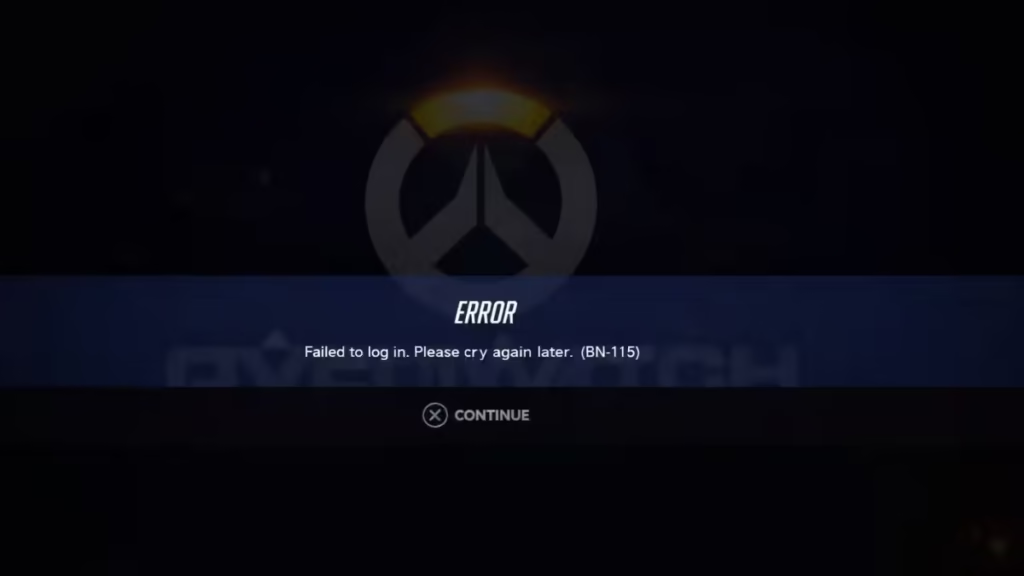
However, you can fix it in most cases by following a few targeted steps. This guide walks you through the exact methods that work.
What Is Overwatch Error BN-115?
Overwatch shows BN-115 when your game cannot connect to Battle.net login servers. This usually means the authentication request failed before you could sign in.
This happens due to:
- Server outages or overload
- Network or ISP routing issues
- IP-related restrictions
- Temporary authentication failures
This error does not mean your account is banned or compromised.
Quick Troubleshooting Checklist
Start with this quick check before going deeper. It helps you quickly confirm whether the issue is on your side or server-side:
- Blizzard servers are online
- Your internet connection is stable
- No VPN or proxy conflict
- Battle.net launcher is updated
- You can open Battle.net website normally
If everything looks fine, follow the fixes below.
Method 1: Check Blizzard Server Status
This is the most common cause.
If Blizzard servers are down or overloaded:
- You cannot log in
- BN-115 will appear repeatedly
What to do:
- Wait 10–60 minutes
- Try again later
If many players report the issue, it is 100% server-side.
Method 2: Restart Game, System, and Router
Temporary connection issues can trigger BN-115.
Do this properly:
- Close Overwatch completely
- Restart your PC or console
- Turn off your router for 2–3 minutes
- Turn it back on and reconnect
This clears unstable sessions and resets your network path.
Method 3: Switch Network (Most Effective Fix)
This step helps you identify IP or ISP issues quickly.
Try:
- Mobile hotspot
- Different WiFi
- VPN connection
Result:
- If the game works, then your original network is the problem
- If it still fails, then move to next fix
This is the strongest indicator of a network-level issue.
Method 4: Log Out and Re-login to Battle.net
Session errors can block login requests.
Steps:
- Open Battle.net launcher
- Log out completely
- Close the launcher
- Reopen and log in again
This forces a fresh authentication request.
Method 5: Change Server Region
Blizzard servers run in multiple regions. One region may fail while others work.
Steps:
- Open Battle.net
- Select Overwatch
- Change region (Americas / Europe / Asia)
- Launch the game
Many users fix BN-115 instantly with this method.
Method 6: Flush DNS (PC Users)
DNS issues can break server communication.
Steps:
- Open Command Prompt as Administrator
- Run:
ipconfig /flushdns
ipconfig /release
ipconfig /renew- Restart your system
This refreshes your network routing.
Method 7: Disable VPN, Proxy, or Firewall
Sometimes security tools block authentication requests.
Check:
- Disable VPN temporarily
- Turn off proxy settings
- Disable firewall for testing
If login works, re-enable tools one by one to find the conflict.
Method 8: Update Battle.net Launcher
An outdated launcher can cause login failures.
Steps:
- Open Battle.net
- Check for updates
- Install latest version
Best Working Fix (Real-World Trick)
If nothing works, try this:
- Connect to mobile hotspot
- Log into Overwatch
- Switch back to your WiFi
This resets your IP session and often bypasses BN-115.
FAQs
What is Overwatch Error BN-115?
Overwatch Error BN-115 is a login error that occurs when the game cannot connect to Blizzard’s authentication servers, preventing you from signing in.
Why does Overwatch say “Unable to log you in” BN-115?
This message appears when Blizzard login servers are down, overloaded, or your network cannot reach them due to DNS, IP, or routing issues.
How do I fix Overwatch Error BN-115 quickly?
You can fix Overwatch Error BN-115 by restarting your router, switching to mobile data or VPN, re-logging into Battle.net, and checking Blizzard server status.
Is Overwatch Error BN-115 a ban or account issue?
No, Overwatch Error BN-115 is not a ban. It is a temporary connection or server-related issue and does not affect your account status.
Does changing network fix BN-115 error?
Yes, switching to mobile data, another WiFi network, or a VPN can fix BN-115 if your current IP or ISP is causing the issue.
How long does Overwatch BN-115 error last?
The BN-115 error usually lasts 10 to 60 minutes, but it may take longer during major Blizzard server outages or maintenance.
Can DNS issues cause BN-115 error in Overwatch?
Yes, incorrect or outdated DNS settings can prevent your system from reaching Blizzard servers, which may trigger BN-115.
Does VPN help fix Overwatch BN-115 error?
A VPN can help fix BN-115 by assigning a new IP address and bypassing network restrictions or routing issues from your ISP.
Why does Overwatch work on mobile data but not WiFi?
This happens because your WiFi IP may be flagged or facing routing issues, while mobile data uses a different, clean IP that works normally.
Can Blizzard servers cause BN-115 error?
Yes, BN-115 is often caused by Blizzard server downtime, high traffic, or authentication service failures.
Should I reinstall Overwatch to fix BN-115?
No, reinstalling the game will not fix BN-115 because it is not related to game files but to servers or network connection.
How do I know if BN-115 is a server issue or my problem?
If the error affects many players or works on another network like mobile data, then it is either a server issue or your network problem.

