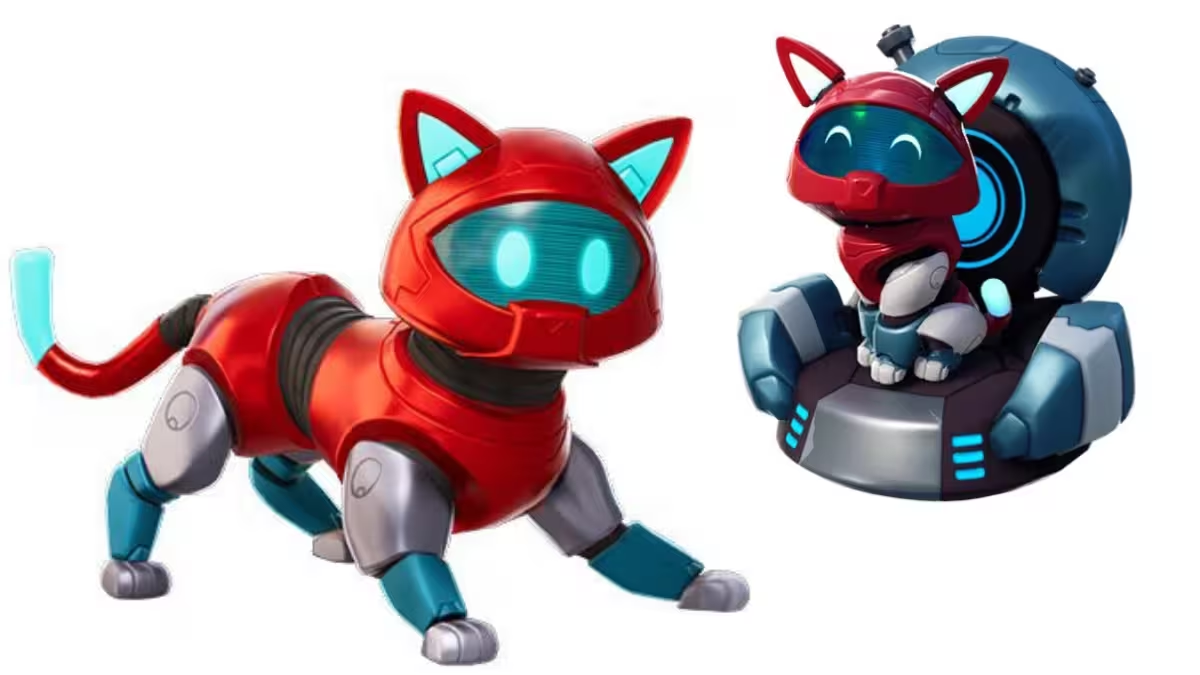
Epic Games has been steadily converting classic Chapter 1 pets into full Sidekick companions, and the Kyo Sidekick is the latest addition to that list. This tech-themed cat no longer just sits on your back as a cosmetic. It now follows you around the map as an active companion throughout your match. If you owned the original Kyo pet back bling from Chapter 1, you can grab the new Sidekick without spending a single V-Buck.
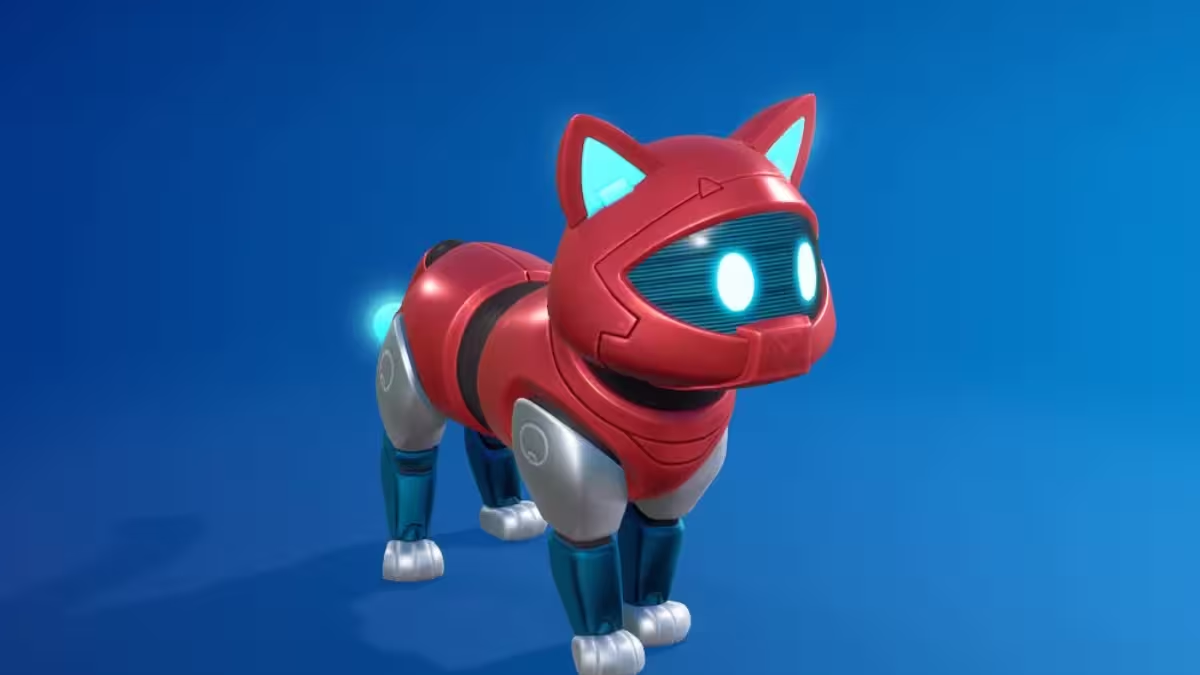
Who Qualifies for the Free Kyo Sidekick
The free grant has one requirement. You must own the original Kyo pet back bling, which was a Chapter 1 Season 9 Battle Pass reward unlocked at Tier 28. If that cosmetic is already sitting in your locker, Epic automatically upgrades your account with the new Sidekick at no extra cost.
This follows the same model Epic used for the Kitsune and Empress Sidekicks, where original back bling owners received the upgraded companion without any additional purchases or quests.
Here is a quick breakdown of what you need to know about the Kyo Sidekick:
| Detail | Info |
|---|---|
| Rarity | Uncommon |
| Set | Sky Style |
| Free For | Owners of the Chapter 1 Season 9 Kyo back bling |
| Shop Price | 1,200 V-Bucks |
| Compatible Modes | Battle Royale, Zero Build, LEGO Fortnite |
How to Claim the Kyo Sidekick for Free
If you own the original Kyo back bling, follow these steps to claim your Sidekick:
- Log in to Fortnite using the account that owns the original Kyo back bling from Chapter 1 Season 9. The free grant is tied to the specific account, so make sure you are on the correct profile.
- Watch for a grant notification when the game loads. Eligible accounts receive the Kyo Sidekick automatically, with no quests or challenges required.
- Open your Locker if no pop-up appears. Sort your collection by Sidekicks and the Kyo Sidekick should be listed there.
- Equip it and head into a match. The Sidekick works across Battle Royale, Zero Build, and LEGO Fortnite, so you can take it into whichever mode you prefer.
You do not need to complete any quests or buy anything. Logging into the right account is the only step required.
One Important Note About Customization
The Kyo Sidekick comes with unlockable styles that you can set through the Customize screen in your Locker. Before you confirm anything, review every available style option carefully. Once you lock in your appearance choices, they become permanent for that Sidekick. There is no way to reverse the selection after confirming, so take your time before finalizing your preferred look.
How to Get the Kyo Sidekick If You Missed the Original Back Bling
If you did not own the Kyo back bling from Chapter 1 Season 9, the free grant does not apply to your account. However, Epic plans to add the Kyo Sidekick to the Fortnite Item Shop at a later date, where it will be available for 1,200 V-Bucks. No confirmed shop date has been announced yet, so keep an eye on the storefront regularly.
You can purchase V-Bucks through the Epic Games Store, PlayStation Store, Microsoft Store, or Nintendo eShop depending on your platform.
What to Do If the Sidekick Does Not Appear
If the Kyo Sidekick does not show up in your Locker after logging in, try these steps:
- Confirm that the original Kyo back bling is present in your cosmetic locker.
- Make sure you are logged into the exact account that holds the Chapter 1 Season 9 Battle Pass cosmetic, not an alternate or newer account.
- Fully restart Fortnite and check again.
- Verify that your Epic account is properly linked to the platform you are playing on.
If the issue persists, contact Epic Games support or check the official Fortnite status page and their social channels for any known technical issues. Play Now!
Related Guides
- Fortnite Champion Kor FNCS Cup Guide (Free Skin & Rewards)
- Fortnite Battle Royale Chapter 5 Season 2: Myths and Mortals- New Season Highlights
- GTA 6 Cars and Vehicles: Every Confirmed and Leaked Vehicle So Far
FAQs
Is the Kyo Sidekick free for all Fortnite players?
No. The Kyo Sidekick is only free for players who own the original Kyo pet back bling from Chapter 1 Season 9. Players without the original back bling will need to purchase it from the Item Shop.
How much does the Kyo Sidekick cost in the Item Shop?
The Kyo Sidekick will be available in the Fortnite Item Shop for 1,200 V-Bucks once it rotates in.
Do I need to complete quests to unlock the Kyo Sidekick?
No. If you own the original Kyo back bling, the Sidekick is granted automatically when you log in. No quests or additional steps are required.
What modes can I use the Kyo Sidekick in?
You can use the Kyo Sidekick in Battle Royale, Zero Build, and LEGO Fortnite.
Can I customize the Kyo Sidekick after claiming it?
Yes, but proceed carefully. The Kyo Sidekick offers unlockable styles, and some customization choices are permanent once confirmed. Review all available styles before locking anything in.

