Windows Update or the Microsoft Store fails with error code 0x80244022 when the update client reaches Microsoft’s servers but gets an HTTP 503 response back, meaning the service was temporarily unable to handle the request. The client itself has a working connection, the update source is the one turning the request away, so the fix usually involves client-side cache resets, WSUS checks, or simply waiting out a server-side issue.
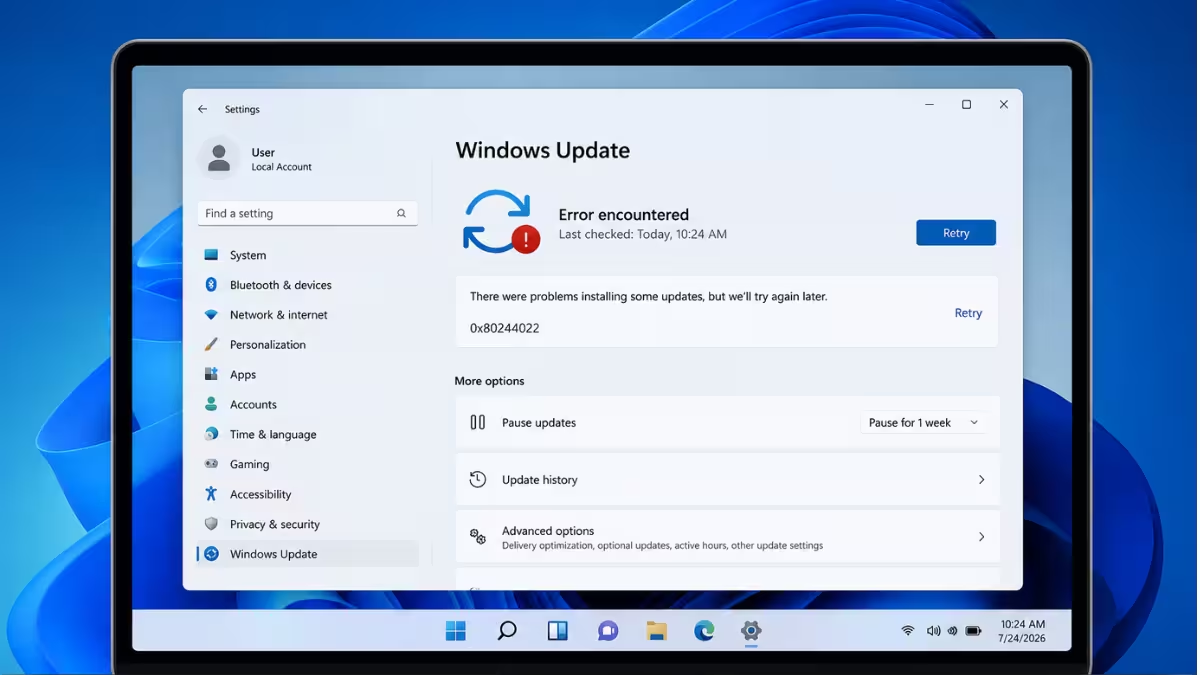
What Causes 0x80244022
This error is logged internally as WU_E_PT_HTTP_STATUS_SERVICE_UNAVAIL, the same code Windows Update uses for an HTTP 503 Service Unavailable response.
- The update service on Microsoft’s end is temporarily overloaded or undergoing maintenance
- System clock drift breaks the TLS handshake with the update server, which gets returned as a 503
- A WSUS or SUP server is under heavy load, misconfigured, or has been decommissioned while clients still point to it
- A corrupted Windows Update cache or damaged system files trigger repeated failed requests
Fix 1: Check for a Wider Microsoft Outage First
This fix rules out a server-side issue before any local troubleshooting, since 0x80244022 often appears in waves when Microsoft’s update or Store infrastructure has a regional outage.
Check the Microsoft 365 Status page or search for recent reports of Windows Update or Microsoft Store outages. If an outage is confirmed, wait and retry later instead of changing any local settings.
Fix 2: Reset the Microsoft Store and Run wsreset.exe
This fix applies when 0x80244022 shows up while installing or updating apps from the Microsoft Store, since it clears the Store’s cached license and connection data without touching installed apps.
- Press
Win + R, typewsreset.exe, and press Enter. - A blank Command Prompt window opens and closes on its own after a minute or two, then the Store launches.
- If the Store still fails, open Settings > Apps > Installed apps, find Microsoft Store, and use Repair.
Fix 3: Check and Correct the System Clock
This fix matters because a clock that is off by even a few seconds can break the secure handshake with Microsoft’s servers and surface as a 503 error.
- Open Settings > Time & language > Date & time.
- Turn on Set time automatically and Set time zone automatically.
- Select Sync now to force an immediate time sync, then retry the update.
Fix 4: Run SFC and DISM
This fix repairs corrupted system files and update-related components that can cause repeated failed requests to the update service.
Open Command Prompt as administrator and run:
sfc /scannowRestart the computer once the scan finishes, then run the following commands one at a time:
Dism /Online /Cleanup-Image /CheckHealth
Dism /Online /Cleanup-Image /ScanHealth
Dism /Online /Cleanup-Image /RestoreHealth
Restart the computer again and check for updates.
Fix 5: Reset the Windows Update Components
This fix clears a corrupted update cache that can keep sending failed requests to the server and triggering the 503 response.
- Open Command Prompt as administrator.
- Stop the update services:
net stop wuauserv
net stop bits
net stop cryptsvc- Rename the cache folders:
ren C:\Windows\SoftwareDistribution SoftwareDistribution.old
ren C:\Windows\System32\catroot2 catroot2.old- Restart the services:
net start wuauserv
net start bits
net start cryptsvc- Restart the computer and run Windows Update again.
Fix 6: Verify WSUS Health on Domain-Joined PCs
This fix applies to work or school machines pointed at an internal WSUS or SUP server, since 0x80244022 shows up when that server is overloaded, misconfigured, or no longer reachable.
Contact the network administrator to check the WSUS app pool status, queue length, and memory limits in IIS, and confirm the server address under:
HKEY_LOCAL_MACHINE\SOFTWARE\Policies\Microsoft\Windows\WindowsUpdateis still valid. This is a server-side policy setting and should be corrected by whoever manages the WSUS deployment, not changed locally on a single machine.
Fix 7: Temporarily Disable Third-Party Antivirus or Firewall
This fix isolates whether security software is blocking the connection to the update service.
Disable any third-party antivirus or firewall temporarily and retry the update. If it succeeds, add an exception for Windows Update and Microsoft Store traffic in the security software instead of leaving protection off.
Frequently Asked Questions
What does error 0x80244022 mean in Windows Update?
It means the update client reached the update service but received an HTTP 503 response, indicating the service was temporarily overloaded or unavailable rather than a problem with the local network connection.
Does 0x80244022 only affect Windows Update?
No. It shows up in both Windows Update and Microsoft Store, since both rely on the same underlying update delivery components.
Will resetting the SoftwareDistribution folder delete installed updates?
No. It only clears the temporary download cache. Updates already installed on the system remain in place.
Can a clock that is only a few minutes off cause this error?
Yes. Since the update service uses a secure TLS handshake, even a small clock drift can cause the handshake to fail and return as a 503 error.

