Hundreds of apps now promise to save you time with AI. Most of them repackage the same features, and paying for five overlapping subscriptions wastes more money than it saves hours. A small, well chosen toolkit does the job better.
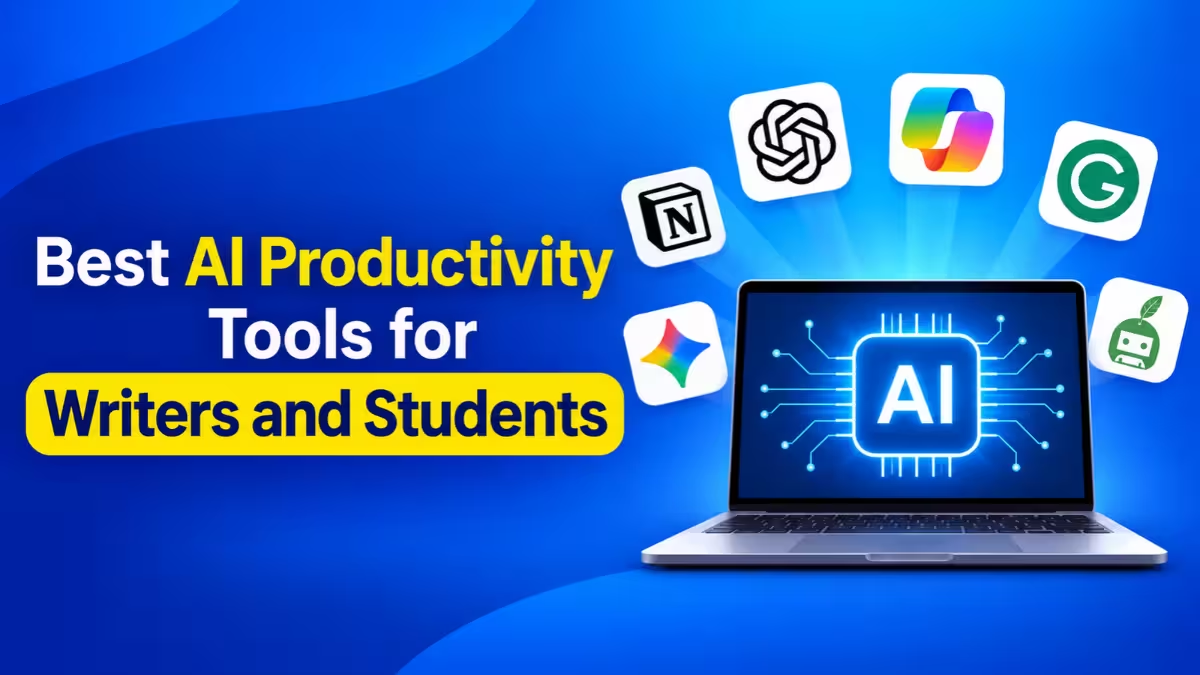
We narrowed the field to five tools that cover the work writers, students and marketers actually do every day: drafting, researching, studying source material and polishing final copy. Each one solves a distinct problem, and each offers a free plan you can test before you spend anything.
What Are the Best AI Productivity Tools Right Now? (Quick Comparison)
| Tool | Main Strength | Best For | Free Plan | Paid Plan Starts At |
|---|---|---|---|---|
| Claude | Long documents and natural writing | Writers, analysts | Yes | $20/month |
| ChatGPT | All-round assistant with images and data | Marketers, general users | Yes | $20/month |
| Perplexity | Live web answers with sources | Researchers, students | Yes | $20/month |
| NotebookLM | Answers grounded in your own files | Students, academics | Yes | Included with Google AI plans |
| Grammarly | Grammar, tone and clarity checks | Anyone who writes daily | Yes | Premium tier available |
1. Claude: Best AI Tool for Long-Form Writing and Editing
Claude, built by Anthropic, earns the top spot for anyone who writes for a living. Its prose sounds less robotic than most AI output, and it follows detailed style instructions closely. If you tell it to avoid certain words or match a specific tone, it usually sticks to the brief across a long draft.
Claude also handles very large inputs. You can drop in a 100-page report, a full manuscript or a messy research folder and ask questions about the whole thing at once. That makes it useful for editing book chapters, reviewing contracts or turning interview transcripts into articles.
Key Features
- A large context window that reads long files without losing track of earlier sections
- Projects, which keep files and instructions for each client or assignment in a separate space
- Artifacts, a side panel that shows documents, code and small apps as Claude builds them
- Claude Code for anyone who wants to build simple internal tools or automations
Pros
- Natural, human-sounding prose that needs less editing
- Follows long and detailed style guides reliably
- Keeps a consistent voice across very long drafts
Cons
- Cannot generate images, so visual work needs a second tool
- Heavy sessions with long files use up free limits quickly
- Can state wrong facts with confidence, so verify names, figures and dates
Best for: Bloggers, editors, freelancers with several clients and students writing theses
Pricing: Free plan; Pro $20/month; Max from $100/month
2. ChatGPT: Best All-in-One AI Assistant for Marketers
ChatGPT from OpenAI remains the Swiss Army knife of AI tools. One chat window lets you draft an email, generate a product image, analyze a spreadsheet and write a short script. No other assistant covers as many task types in one place.
Marketers get the most from this range. You can brainstorm campaign angles, write ad variations, create a matching visual and check performance data from a CSV file, all without switching apps. Custom GPTs let you save a repeatable workflow, such as a brand-voice copywriter, and reuse it with your team.
Key Features
- Built-in image generation from plain text prompts
- Code execution that analyzes data files and creates charts
- Memory that recalls your preferences across chats
- Thousands of app connections through automation platforms like Zapier
Pros
- Handles text, images, data and voice in a single app
- Custom GPTs turn repeat tasks into reusable tools
- Huge user community with plenty of prompt guides and templates
Cons
- Writing sounds generic without clear direction and examples
- Images often need several retries to match a brand style
- Can present wrong figures with confidence, so fact-check before publishing
Best for: Marketers, social media managers, small business owners and general users
Pricing: Free plan; Plus $20/month; Pro $200/month
3. Perplexity: Best AI Search Tool for Fact-Checked Research
Standard chatbots sometimes invent facts with full confidence. Perplexity tackles that problem directly. It searches the live web for every question and shows numbered sources next to the answer, so you can click through and verify each claim in seconds.
That design makes Perplexity a strong replacement for traditional search when you need a quick, trustworthy answer. Students can pull academic sources for an assignment, writers can confirm a statistic before publishing, and marketers can scan competitor news or market trends in minutes.
Key Features
- Real-time web results with clickable citations for every answer
- Focus modes for academic papers, Reddit, YouTube and more
- Deep Research mode that reads dozens of pages and returns a structured report
- A choice of leading AI models on the Pro plan
Pros
- Every claim links to a source you can check
- Always works with current information
- Follow-up questions keep the context of the thread
Cons
- Only as reliable as the pages it finds
- Sometimes summarizes sources loosely, so open the link for exact quotes
- Better for research than long-form drafting
Best for: Students, journalists, bloggers, content researchers and marketers tracking trends
Pricing: Free plan; Pro $20/month
4. NotebookLM: Best AI Study Tool for Students
Google's NotebookLM works differently from a general chatbot. You upload your own material, such as lecture PDFs, Google Docs, web links or YouTube videos, and it answers questions using only those sources. Because it stays inside your files, it rarely drifts into made-up information.
Students love it for exam prep. Upload a semester of notes and ask for a summary of chapter four, a list of key terms or practice questions. Every answer links back to the exact passage it came from. Writers and marketers can do the same with brand guidelines, research reports or customer interviews.
Its standout feature, Audio Overview, turns your documents into a podcast-style conversation between two AI hosts. You can listen to a dense research paper while commuting or working out.
Key Features
- Answers grounded only in the sources you provide, with inline citations
- Audio Overviews that convert reading into listening
- Support for PDFs, Google Docs, Slides, websites and YouTube links
- Auto-generated study guides, briefing docs and FAQs
Pros
- Very low risk of made-up answers
- Free plan covers most students and individual users
- Audio Overviews make revision possible on the go
Cons
- Cannot search the open web for fresh information
- Weak or messy notes lead to weak answers
- Audio Overviews can skip details, so they work as a refresher, not a substitute for reading
Best for: Students, researchers, teachers and anyone working through large stacks of reading
Pricing: Free with a Google account; higher limits with Google AI plans
5. Grammarly: Best AI Grammar and Tone Checker
Even the best AI draft needs a careful edit, and Grammarly makes that step fast. It checks grammar, spelling and punctuation in real time, then goes further by flagging wordy sentences, unclear phrasing and a tone that sounds too stiff or too casual.
Grammarly's biggest advantage is reach. It runs inside your browser, Google Docs, Microsoft Word, Gmail, Slack and LinkedIn, so it catches mistakes wherever you type. You never have to copy text into a separate window.
Key Features
- Instant grammar, spelling and punctuation corrections
- Tone detection with suggestions to adjust it
- One-click rewrites for clarity and brevity
- Plagiarism checks and brand tone controls on paid plans
Pros
- Works almost everywhere you type
- Catches errors instantly with no copy and paste
- A big help for non-native English speakers
Cons
- Accepting every suggestion can flatten your personal voice
- Sometimes flags correct sentences in casual or creative writing
- The free plan only covers basic errors
Best for: Writers, editors, students, marketers and non-native English speakers
Pricing: Free plan; Pro about $30/month (cheaper billed yearly); Business priced per user
Which AI Tool Fits Writers, Students or Marketers?
Start with your biggest bottleneck, not with the most popular app.
For Writers
Begin with Claude for drafting and editing long pieces, then run the final copy through Grammarly. Add Perplexity when you need to confirm a fact or statistic before publishing.
For Students
NotebookLM gives you the most value for exam prep because it works from your own notes and textbooks. Perplexity fills the gaps when you need fresh sources, and Grammarly cleans up your essays.
For Marketers
ChatGPT covers the widest creative range, from ad copy to visuals to campaign data. Grammarly keeps your copy clean, and Perplexity helps you track competitors and trends.
How to Pick an AI Productivity Tool Without Wasting Money
Try one tool at a time for at least two weeks before adding another. Test the free plans first, since most of them are generous enough to show whether the tool fits your routine. Upgrade only when you hit a limit that genuinely slows you down.
Our Verdict: Which AI Tool Should You Start With?
You do not need a dozen AI subscriptions to work faster. Claude and ChatGPT handle drafting and general tasks, Perplexity and NotebookLM cover research and study, and Grammarly polishes everything before it goes out. Together, these five tools cover almost every stage of writing, studying and marketing work.
Treat each one as an assistant, not a replacement. Check facts, add your own ideas and keep your voice in the final draft. The tools save time, but your judgment still makes the content worth reading.
Frequently Asked Questions
Which AI tool is best for students?
NotebookLM is the best choice for studying because it answers questions from your own notes and textbooks. Perplexity works well alongside it for finding new sources.
Is Claude better than ChatGPT for writing?
Many writers prefer Claude for long-form content because its output sounds more natural and it handles long documents well. ChatGPT wins when you also need images, data analysis or a wider set of features.
Can I use these AI tools for free?
Yes. All five offer free plans. The free tiers have usage limits, but they work well for testing and light daily use.
Are AI writing tools safe for academic work?
They help with research, outlining and editing, but most schools restrict AI-generated submissions. Check your institution's policy and use these tools to support your thinking, not to replace it.
Do I need to pay for all five tools?
No. Most people do well with one paid assistant, such as Claude or ChatGPT, plus the free versions of the others.