A small business does not need a big budget to get online. Several website builders let you publish a real site for $0, and a few more give you a risk-free trial that lets you build everything before you pay. The catch is that "free" means different things on each platform. Some plans last forever, some expire in days, and almost all of them hide a custom domain behind a paywall.
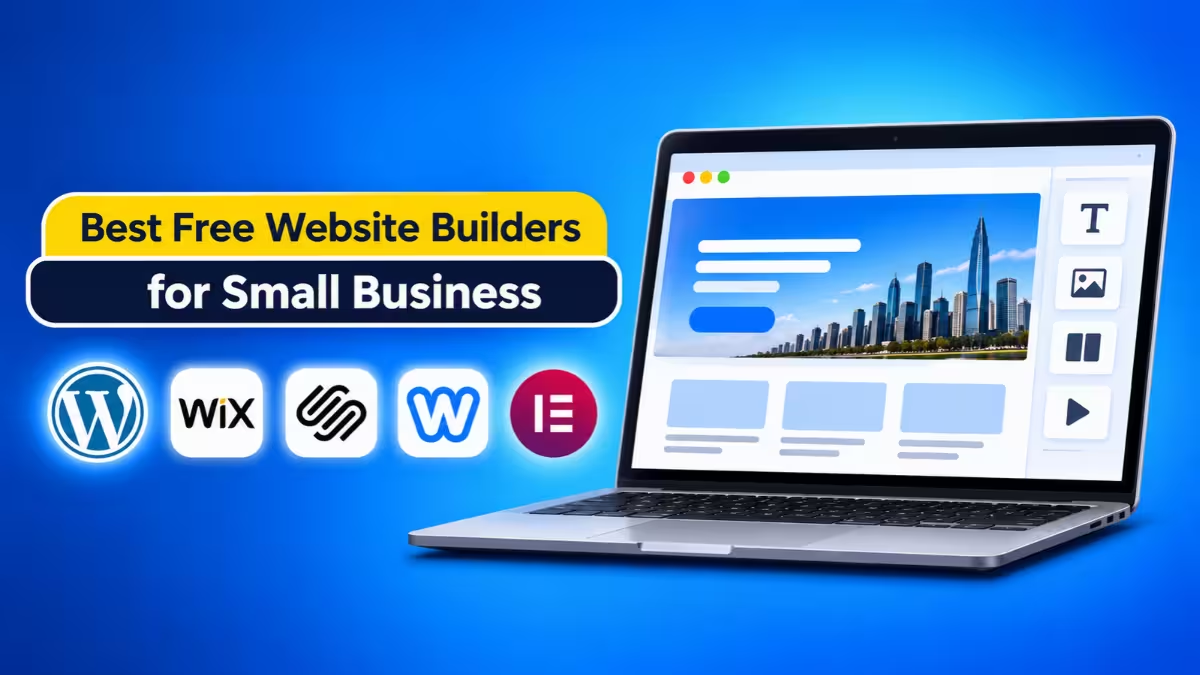
This guide breaks down 12 builders that work for small businesses, shows what you actually get at no cost, and tells you where each free plan stops. Use it to pick the right starting point and avoid rebuilding your site six months later.
Best Free Website Builders: Top Picks
- Best overall free plan: Wix
- Best for selling products: Square Online
- Best for full control with no builder fee: Elementor on WordPress
- Best for simple, fast launches: SITE123 and Webador
- Best for design-heavy portfolios: Webflow
- Best for AI-built apps and booking tools: Base44 and Lovable
- Best low-cost trial platforms: Hostinger, Squarespace, and IONOS
Are Free Website Builders Worth It for Small Businesses?
For a simple brochure site, a first test of an idea, or a side business, yes. They cover the basics at no cost, and you can upgrade when the business grows. They fall short when you need a branded domain, online payments, or an ad-free look, because those features almost always sit behind a paid plan.
Free Plan or Free Trial: Which Do You Actually Get?
Before you compare names, sort the options into three groups.
Permanent free plans keep your site online as long as you want. Wix, SITE123, Webador, Square Online, Webflow, WordPress.com, and Strikingly fall here.
Free trials let you build and test, then shut your site off unless you pay. Hostinger, Squarespace, IONOS, Bluehost, and One.com work this way.
Free tools with separate costs give you the software for nothing but charge for hosting. Elementor is the main example.
Every permanent plan also shares the same trade-offs. Your address will use the builder's name, such as a wixsite.com or site123.me link, and a small banner or ad will appear on your pages. Online payments usually stay locked until you upgrade, and storage runs tight.
Wix: Best Free Plan for Design Freedom
Wix gives you the most complete free plan on the market. It suits information sites, portfolios, and local service pages, and paid plans start at $17 per month. You get a large template library, true drag-and-drop editing, a built-in blog, free SEO and email marketing tools, and an app market with hundreds of extras, some of them free.
The limits are real. You cannot connect a custom domain, accept payments, or remove Wix branding, storage sits at roughly 500 MB, and you cannot switch templates after you publish. Check the mobile layout after every desktop edit, because the free-form editor makes it easy to break the phone view. Annual plans often include a free domain for the first year.
Square Online: Best Free Builder for Selling Products
Square Online suits businesses that sell. The free plan lets you list unlimited products and take payments, and you pay only transaction fees that start at 2.9% plus 30 cents per sale. It links directly to Square's point-of-sale system, and an Etsy sync keeps stock in step across channels.
Design is the weak spot. The free plan offers very few templates and a basic editor, and you keep Square branding and a square.site address until you upgrade. Skip straight to the Plus plan at $29 per month when you need a custom domain and more selling features.
Elementor: Best Free Option if You Want Full Control
Elementor works differently from the rest. It is a WordPress plugin with a free version that never expires, so you control the whole stack and can grow into a custom WordPress site without changing platforms. You get a visual editor, more than 30 widgets, responsive controls, and a starter theme, with no watermark and no page limit.
You pay for the pieces around it. Elementor includes no shared hosting or domain, so you must buy both, and advanced forms, popups, a theme builder, and store tools need Pro. Choose it if you can handle a few setup steps and want the highest ceiling for future growth.
SITE123: Best for Beginners Who Want a Fast Launch
SITE123 targets beginners. You answer a few prompts, the AI builds a draft, and you can go live in about 15 minutes. The free plan includes hosting, contact forms, basic booking pages, a simple blog, built-in translation for multilingual sites, and 24/7 live chat.
The editor uses fixed blocks, so you cannot drag items freely. Storage and bandwidth cap at 250 MB each, a banner appears on every page, and the free tier has no real store. Use the "Change Layout" button on each section to swap designs without retyping your content.
Webador: Best Free Plan for Unlimited Storage
Webador stands out for storage. Its free plan offers unlimited space and pages, which suits photo-heavy or media-heavy sites. An AI questionnaire builds a first draft in about a minute, the SEO tools stay simple, and the platform takes no sales commission once you upgrade.
Expect a large "Made with Webador" banner in the footer and a webadorsite.com address. You cannot add third-party apps, and card checkouts require a paid plan, so it works best for one-page or small brochure sites.
Webflow: Best Free Builder for Custom Design
Webflow gives designers precise control over spacing, layout, and typography. Its code-based approach and strong content management system reward people who know basic CSS, and paid plans start at $14 per month on annual billing.
The free plan is tiny. You get 2 pages, 50 form submissions for the life of the site, and a webflow.io address, so treat it as a testing ground or a mini portfolio. Beginners should expect a steep learning curve, since simple moves like repositioning a header run through the sidebar instead of a drag.
Base44 and Lovable: Best AI Builders for Custom Business Apps
Base44 and Lovable are AI website builders that create sites and apps from plain-language prompts. They fit businesses that need a customer portal, booking system, or internal tool rather than a plain brochure site.
Base44 can generate the design, database, login system, and analytics. Its free plan includes 25 message credits and 100 integration credits each month and supports up to five apps. Lovable also offers a free plan with a daily build allowance plus monthly cloud and AI credits. Credits run out quickly on an active project, so expect to upgrade if you edit often, and test every customer-facing feature before launch because AI-generated logic can hide bugs.
Hostinger: Best Low-Cost Trial With AI Tools
Hostinger offers no permanent free plan, but its 14-day trial needs no credit card and unlocks the full builder and AI tools, including a mobile editor for quick changes. The AI suite covers text writing, a logo maker, and a heatmap that predicts where visitors will look.
Paid plans start at a few dollars a month, and a 30-day money-back guarantee backs your first purchase. Your site goes offline when the trial ends unless you pay, and promo prices rise at renewal, so compare the renewal price before you commit to a long term.
Squarespace: Best Trial for Polished Templates
Squarespace offers a 14-day trial with no card and some of the cleanest templates available. It fits restaurants, consultants, and creative brands that care most about looks. You can set up a full store during the trial, and annual plans include a free domain for the first year.
You cannot go live or take payments until you subscribe, and your site goes offline when the trial ends. Plans cost around $16 per month on annual billing, so use the trial to reach a ready-to-launch state and pay only if the design fits your brand.
IONOS: Best Value Bundle With Domain and Email
IONOS works well when you want email and a domain bundled in. Its introductory offer runs about $1 per month for the first year and includes a free domain for that year, a professional email inbox, and AI tools for writing and SEO. A 30-day money-back guarantee lowers the risk.
There is no permanent free plan, and prices climb to roughly $14 to $20 per month after the first year. Budget for the renewal price before you sign up for the intro deal.
Other Free Website Builders Worth Considering
- WordPress.com: Strong for blogs and writers. The free plan blocks plugins and shows ads, but paid plans start near $4 per month and let you choose your own subdomain.
- Strikingly: Great for single-page sites. The free plan limits you to one scrolling page and one product.
- HubSpot CMS: The free tier allows up to 30 pages and ties into HubSpot's CRM and marketing tools. A custom domain starts at $9 per month.
- Canva: Fast and attractive for simple static sites. Pro costs $12 per month on annual billing and adds a custom domain.
- Bluehost and One.com: Both pair hosting with an AI builder, but their trials run short, at 3 days and 14 days respectively.
Free Website Builders Compared: Limits, Domains and Selling
| Builder | Plan type | Custom domain | Online selling | Standout limit |
|---|---|---|---|---|
| Wix | Free forever | Paid only | Paid only | No template switching after publish |
| Square Online | Free forever | Paid only | Yes, with fees | Very few free templates |
| Elementor | Free plugin | Buy separately | Needs Pro or add-ons | Hosting costs extra |
| SITE123 | Free forever | Paid only | Paid only | 250 MB storage |
| Webador | Free forever | Paid only | Paid only | Large footer banner |
| Webflow | Free forever | Paid only | Paid only | 2 pages total |
| Hostinger | 14-day trial | Included on paid | Included on paid | Site offline after trial |
| Squarespace | 14-day trial | Free first year on annual | Yes, after upgrade | Site offline after trial |
| IONOS | Low-cost intro | Free first year | On higher plans | Renewal price jump |
How to Choose the Right Free Website Builder for Your Business
Start with your goal, then match it to a platform.
- Need a simple online presence? Use Wix, SITE123, or Webador. Add your services, contact details, and a map, and you are done.
- Need to sell? Start with Square Online, or plan to pay for a Wix, Squarespace, or Hostinger plan that includes a store.
- Want total control? Pair Elementor with affordable WordPress hosting.
- Need custom features? Try Base44 or Lovable, then test everything before customers touch it.
- Want to test an idea first? Build on a free plan, collect feedback, and upgrade only when the idea works.
Also check four details before you commit. Confirm whether the plan lasts forever or ends after a trial. Look up what a custom domain costs on that platform. Read the storage, bandwidth, and page limits. Finally, check whether you can move your content later, since some builders lock you into a template or make exporting hard.
When Should You Upgrade From a Free Website Builder?
Free plans work for testing and for very simple sites. Upgrade when any of these apply:
- You want a domain that matches your business name. Customers trust a branded address more than a builder subdomain.
- You want to remove ads and platform banners.
- You need to accept payments or sell products.
- You run out of storage or bandwidth.
- You need stronger SEO, analytics, or marketing tools.
Most small businesses upgrade within the first year, so compare what each paid tier costs before you invest hours in a design. Switching platforms later means rebuilding pages, and that costs more than a few months of subscription fees.
Which Free Website Builder Should You Pick?
For most small businesses, Wix offers the best mix of features and freedom at no cost, Square Online wins for anyone who sells, and Elementor gives technical owners the most room to grow. If you can spare a few dollars a month, the trial platforms such as Hostinger, Squarespace, and IONOS give you cleaner sites and a real domain. Start with the platform that matches your goal today, and plan for the upgrade you will probably need tomorrow.
Frequently Asked Questions
Can I really build a business website for free?
Yes. Wix, SITE123, Webador, Square Online, and Webflow all offer permanent free plans. Expect a builder-branded web address, platform ads, and limits on storage and features.
Do free website builders charge hidden fees?
Most do not, but they charge for upgrades you will likely need. A custom domain, payment processing, extra storage, and removal of branding all cost extra. Square Online also takes a fee on each sale.
Which free builder works best for selling products?
Square Online. It supports unlimited products and payments on the free plan, and you pay only per-transaction fees.
Can I use my own domain on a free plan?
Rarely. Most platforms require a paid plan to connect a custom domain. Elementor lets you use one, but you buy the domain and hosting yourself.
Will a free website rank on Google?
It can, but a builder subdomain and limited SEO controls make it harder. Most owners upgrade to a custom domain once the site starts attracting visitors.
What happens when a free trial ends?
Your site goes offline on trial-based platforms such as Squarespace and Hostinger unless you choose a paid plan.
Is Elementor really free?
The plugin is free with no time limit. You still pay for WordPress hosting and a domain, and you pay more if you need Pro features.
Related Guides
- How to Fix a Hacked Website: Step-by-Step Malware Cleanup, Recovery and Prevention Guide
- AI vs Traditional Website Builders: Speed, Cost, SEO and Which One to Pick
- Lifetime Web Hosting for Unlimited Websites at $149.99: Hostdeal Unlimited Plan Review and Deal Details
- Shared Hosting vs. Dedicated Hosting for Blogging: Choosing the Right Option for Your Needs
- Hostinger Launches Mobile Editor for Website Creation and Editing