You can now type one sentence into a chat box and get a full website back in under a minute. That speed sounds like the end of the debate, but the real difference between AI website builders and traditional builders shows up weeks later, when you need to edit, grow, and maintain the site you launched.
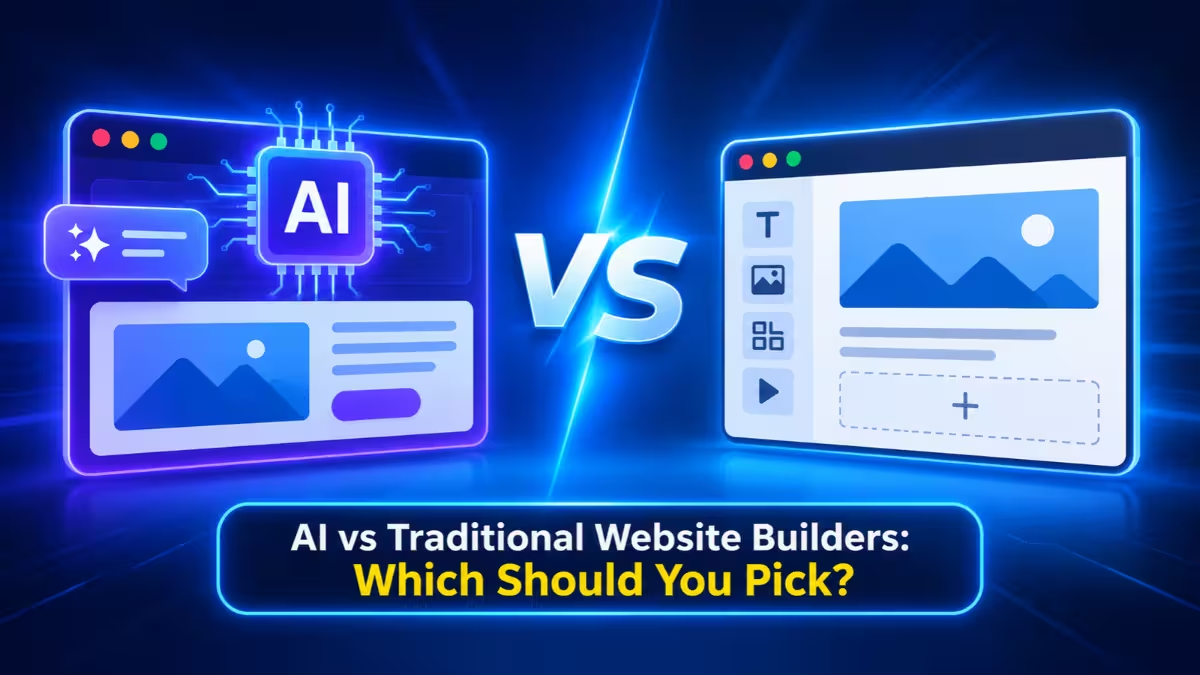
This guide breaks down how each option works, where each one wins, what each one costs over time, and how to pick the right path for your project.
What Is an AI Website Builder and How Does It Work
The term now covers two very different kinds of tools.
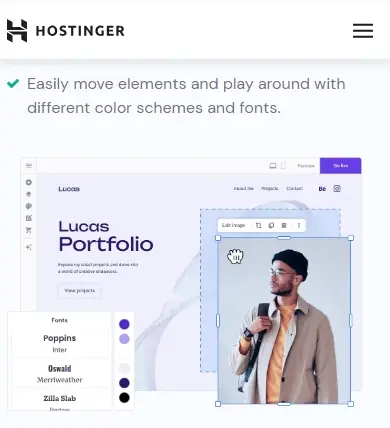
All-in-one platforms with AI generation: Wix, Squarespace, Hostinger, and Framer let you describe your business, then produce a full site inside their own editor. You get hosting, a CMS, forms, and SEO settings in the same subscription. You usually cannot export the full source code.
Prompt-to-code builders (vibe coding tools): Lovable, Bolt, Replit, and v0 write real frontend and sometimes backend code from your prompts. You can view, edit, and export that code and deploy it anywhere. These tools lean toward web apps, dashboards, and prototypes rather than content sites.
A third group sits in between. Site-first AI tools like Durable and Dorik focus on fast business sites, and some of them now ship blogging and visual editing.
What Traditional Website Builders and Custom Development Mean
Traditional options also split into two groups.
Drag-and-drop builders and CMS platforms: You start from a template or blank page and assemble the site yourself in a visual editor. WordPress, Webflow, and the classic editors of Wix and Squarespace fall here.
Custom development: A designer and developer plan, wireframe, code, test, and launch a site built around your exact requirements. You own the code, and the team handles architecture and quality control.
Most big platforms have now merged AI generation into their traditional editors, so the line between the two camps keeps getting thinner.
AI vs Traditional Website Builders: Side-by-Side Comparison
Here is how prompt-to-code tools, AI-powered platforms, drag-and-drop builders, and custom builds compare on the factors that matter after launch.
| Factor | Prompt-to-Code AI Tools | All-in-One Builder with AI | Traditional Drag-and-Drop | Custom Development |
|---|---|---|---|---|
| First draft | Minutes | Minutes | Hours to days | Weeks |
| Small edits | Re-prompt the AI | Visual editor | Visual editor | Developer or CMS |
| Built-in CMS | Usually no | Yes | Yes | Built to order |
| Hosting and security | Varies, often your job | Included | Included (hosted) or your job (self-hosted) | Your team |
| Code ownership | Full export | Locked to platform | Locked or full (WordPress) | Full |
| Cost model | Plan plus usage credits | Flat monthly fee | Flat fee or hosting cost | Large upfront plus upkeep |
| Best fit | Apps, MVPs, prototypes | Small business and content sites | Long-running content sites | Complex, revenue-critical sites |
How Fast Can an AI Website Builder Launch a Site
AI tools remove the blank-page problem completely.
You describe your business, pick a style, and the builder generates a homepage, inner pages, placeholder copy, and images in a few minutes. A traditional drag-and-drop build of the same site can take a full afternoon or several days, and a custom agency build usually needs four to twelve weeks.
That speed matters most when you want to test an idea, launch a campaign page, or get a small business online this week. A founder who needs email signups by Friday gets real value from an AI builder.
Editing and Maintaining an AI-Built Site After Launch
Launch day hides the biggest difference between these options.
On a platform like Squarespace or Wix, you change opening hours, swap a hero image, or add a new menu item in a minute with the visual editor. On a prompt-to-code tool, the same small edits often take several prompt rounds, and each round can burn paid credits. If you built pages with a general chatbot like ChatGPT or Claude, you have to describe every change in words and republish the files yourself.
Maintenance follows the same pattern. Hosted builders handle server updates, security patches, SSL renewal, and backups for you. A self-hosted WordPress site makes you responsible for theme, plugin, and core updates, plus fixing anything an update breaks. AI-generated code projects often end up with dependencies nobody updates.
Do AI Website Builders Limit Design and Customization
Traditional builders and custom work still give you more control over how your site looks.
AI generators pull from the same design patterns, so sites built from similar prompts often look alike. You can fix that by editing heavily after generation, but you need a clear idea of your brand to do it. Webflow and Framer give designers fine control over layout, typography, animations, and CSS. Custom development lets you build things templates cannot handle, such as product configurators, pricing calculators, or multi-step checkout flows.
AI tools also handle desktop layouts better than mobile ones. Expect to spend time fixing mobile spacing, long content, and odd image sizes before you publish.
Are AI Website Builders Good for SEO and Page Speed
Your choice here affects how well your site ranks and loads.
All-in-one platforms ship tested templates plus SEO panels for titles, meta descriptions, redirects, and sitemaps. That covers what most small sites need. Prompt-to-code tools are less predictable: the output may skip meta tags, schema, or image optimization unless you ask for them, and you need to check Core Web Vitals in Google PageSpeed Insights yourself.
Custom builds give you full control over routing, caching, and asset loading, which matters for large sites, ecommerce stores, and programmatic SEO. If you plan to auto-generate hundreds of pages from a database, hire a developer rather than relying on an AI builder.
Security Risks of AI-Generated Websites and Code
Security depends on who writes and reviews the code.
Established platforms run vetted code on managed infrastructure, so their AI features carry little extra risk. Vibe coding tools are different. AI-generated code can leak API keys in client-side scripts, skip input validation, or include outdated packages. Never push AI-generated code to a live site that handles logins, payments, or personal data without a skilled developer reviewing it first.
If your site needs audit logs, consent tracking, regional data storage, or field-level access controls, a custom build gives you the tools to prove compliance.
AI Website Builder vs Web Developer Cost Breakdown
The cheapest option on day one is not always the cheapest option in year three.
AI and all-in-one builders: Many offer free plans with platform branding. Paid plans typically range from a few dollars a month on budget hosts like Hostinger to around $17 to $30 a month on Wix or Squarespace. Prompt-to-code tools like Lovable start near $25 a month, but heavy editing consumes credits fast.
Freelance and agency builds: A simple business site from a professional developer usually starts around $3,000, and complex sites easily pass $30,000. Hosting, maintenance, and updates add ongoing costs.
Hidden costs: Watch for ecommerce transaction fees, storage caps, feature gates on lower plans, and the cost of rebuilding if you outgrow your platform. On the other side, a custom site that lifts conversions can pay for itself quickly when real revenue flows through it.
Can You Move an AI-Built Website to Another Platform
Think about where your site will live in two or three years before you choose.
Proprietary platforms like Wix and Squarespace let you move your domain, text, and images, but not the actual design. Leaving means rebuilding the layout on a new platform. Prompt-to-code tools and custom builds let you export the code and host it anywhere, such as Vercel, Netlify, or your own server. WordPress also gives you full portability because you control the hosting.
If you start on an AI builder and migrate later, keep a full URL map, set up 301 redirects, and carry over titles, meta descriptions, and structured data so you do not lose search rankings.
AI Website Builder Pros and Cons vs Traditional Builders
Here is a quick summary to help you weigh the trade-offs.
AI Website Builders
Pros
- Generate a working site in minutes
- Need no coding or design skills
- Cost little to start, often with free plans
- Let you iterate any time without waiting on a developer
Cons
- Produce generic layouts unless you edit heavily
- Depend on your prompting skills for good results
- Struggle with complex features and integrations
- Vibe coding output needs human code review for security
Traditional Builders and Custom Development
Pros
- Give full control over design and functionality
- Handle complex sites, ecommerce, and integrations well
- Offer mature CMS, SEO, and plugin ecosystems
- Scale reliably as traffic and content grow
Cons
- Take longer to build, from hours to months
- Cost more, especially for custom work
- Have a steeper learning curve for DIY users
- Self-hosted setups require ongoing maintenance
Best AI Website Builders by Use Case
Each tool below fits a different kind of project, so start with the one that matches your goal.
- Wix: Suits most small businesses that want chat-based site generation plus a huge template library, booking, and ecommerce in one place.
- Squarespace: Fits portfolios, creatives, and premium brands that care most about polished design and typography.
- Framer: Works best for designers and startups who want fine visual control, animations, and a direct path from Figma to a live site.
- Hostinger: Gives budget users the cheapest entry point, with hosting, SSL, and AI generation bundled in a low monthly plan.
- Webflow: Serves agencies and content-heavy sites that need deep CMS control, custom code, and advanced SEO settings.
- Durable: Gets service businesses online in minutes when a simple, fast site matters more than customization.
- Lovable and Bolt: Suit founders and developers building web apps, dashboards, or MVPs who want exportable code.
When to Use an AI Website Builder vs a Traditional Builder
Match the tool to what your site needs to do after launch, not to how fast it launches.
Pick an AI builder if:
- You need a landing page, portfolio, or small business site this week
- You want to validate a product idea before investing more
- Your site has only a few pages and simple forms
- Your budget sits under a few hundred dollars
Pick a traditional builder or custom development if:
- Your site drives sales, signups, or customer service at scale
- You need CRM, payment, or analytics integrations that work reliably
- You plan to publish a large blog or hundreds of programmatic pages
- You handle sensitive data with strict compliance needs
- Your brand depends on a distinct design
How to Combine AI and Traditional Website Building
You do not have to choose only one side.
The most practical workflow combines both. Use AI to generate the structure, layout, and first draft of your content, then switch to a visual editor to refine headlines, swap in real product photos, and fix mobile spacing. Wix, Squarespace, Hostinger, and Framer all support this flow without forcing a rebuild.
If you use a vibe coding tool for speed, hire a developer to review the code for security issues before launch. If you need a content-heavy site, generate the design with AI and move it to WordPress or another CMS so publishing stays easy. Small budgets can also start on an AI builder and bring in a developer only for complex fixes.
Frequently Asked Questions
Are AI-built websites good enough for a business?
Yes, for most small business sites, portfolios, and landing pages. They work well when the site has a simple structure and few integrations. Larger sites with complex features still benefit from a traditional platform or custom build.
Do I need coding skills to use an AI website builder?
No. All-in-one platforms like Wix and Squarespace need zero coding. Vibe coding tools like Lovable and Bolt also work without coding, but some knowledge of web basics helps you spot bugs, bloated code, and security gaps.
Can I move my AI-built website to another platform later?
It depends on the tool. Prompt-to-code builders let you export the full code, so moving is straightforward. Proprietary platforms only let you move content and your domain, so you would need to rebuild the design.
Will AI replace web developers?
Not soon. Developers already use AI to code faster, but someone still needs to plan the architecture, review the output, test it, and keep a growing site maintainable. AI shifts the work rather than removing the need for skilled people.
Which is cheaper over the long run?
AI and all-in-one builders cost less upfront and stay predictable for simple sites. For sites that grow, transaction fees, credit usage, and a forced rebuild can close the gap, while a well-planned custom site can earn back its cost through better conversions.
Related Guides
- Creating a Professional Website Made Easy: Best AI Website Builders
- 7 Best AI Tools for Small Business Owners
- Best Web Hosting Services: Shared to Cloud Hosting Guide
- Lifetime Web Hosting for Unlimited Websites: Hostdeal Unlimited Plan Review
- How to Build and Deploy a Site on Heroku: A Step-by-Step Guide